What should you look for?
Start by considering your preferred screen arrangement and power supply. Then check that both screens and your desk are compatible with the mount.
The table groups consumers by the purchase reason that matters most to them; the percentages add up to 100%.
| What to consider |
What should you check? |
Who might prioritise this? |
| Positioning documents |
Check that both screens fit side by side and that you can adjust their height and viewing distance, and switch to portrait orientation if needed. |
If I want to compare versions side by side, I focus on the layout and screen position. Around 31% of consumers give document layout top priority. |
| Sockets and cables |
Count the power connections needed for your screens and computer separately; cable management doesn’t provide power. |
I want to keep cables tidy without expecting the mount to power my screens. Around 25% of consumers prioritise having a clear understanding of the power requirements. |
| Screen compatibility |
Note the VESA size and weight of each screen without its stand, then compare them with the limits of the exact model. |
If I want to use two existing screens, I need to know that the mounting points and weight capacity are suitable for both. Around 25% of consumers make compatibility their main purchase criterion. |
| Desk mounting |
Measure the desk thickness and available space at the edge; check whether a clamp, grommet mount or stand will fit your desk. |
At a small desk, I don’t want a stand taking up space, but a clamp still needs to fit the desktop. Around 19% of consumers choose mainly based on the mounting options. |
Monitor mounts at Joybuy
These Joybuy products are dual monitor arms and stands for two screens. Check the screen and desk specifications for each model; the mount itself won’t power your monitors.
 No image available
DELL Dual Monitor Arm MDA20
Designed for two screens up to 27 inches, with rotating arms and height and depth adjustment.
Cable management keeps cables tidy but doesn’t power the screens.
View at Joybuy
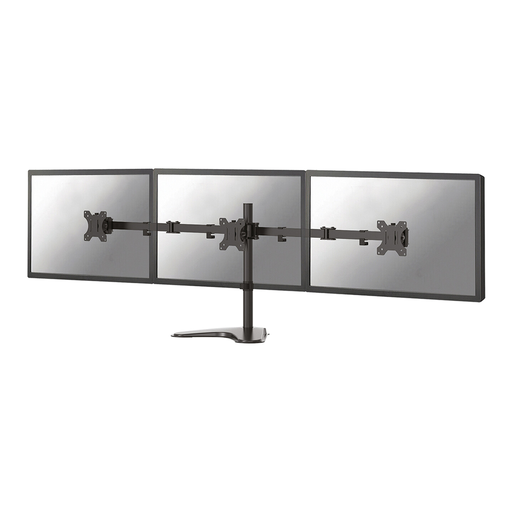 No image available
Neomounts FPMA-D550DDBLACK, 10–32 inches
An option for anyone who wants to position two screens and adjust their viewing angles.
The product information specifies VESA 75 × 75 or 100 × 100 mm, with tilt, swivel and rotation. Cable management doesn’t provide power.
View at Joybuy
 No image available
Floordirekt monitor stand for 2 monitors, 80–108 cm, white
Suitable for a desktop setup with two screens whose width and angle you want to adjust.
The stand is made from MDF and has a fixed height of 10.4 cm; the side platforms can be rotated.
View at Joybuy
Frequently asked questions
Does a dual monitor arm save you a power socket?
No. A mechanical monitor arm holds the screens but doesn’t power them. Arrange power for your monitors separately. If you have a compatible USB-C monitor, it may be able to power a suitable laptop, but this depends on the specifications of both the monitor and laptop.
What should you check before installation?
Check the VESA size and weight without the stand for both screens, and measure your desk to make sure it suits your chosen mounting method. ACT specifies a maximum desk thickness of 88 mm for the AC8322; the AC8332 has a freestanding base, so it takes up desk space.
What warranty applies to a monitor mount in the Netherlands?
The Netherlands has no fixed statutory warranty period. The Dutch government explains that you’re entitled to a product that does what you can reasonably expect; if there’s a fault, contact the retailer. Any manufacturer’s warranty is in addition to this.
Is a dual monitor arm legally required at a computer workstation in the Netherlands?
No. The Dutch government guidance cited doesn’t require a dual monitor arm. Arboportaal states that for employees who work at a screen for more than two hours a day, the screen and keyboard must not be attached to each other; this doesn’t mean that a specific monitor mount is required.


