
Reading a script during calls
You want to keep a script next to your call screen and adjust the viewing angle independently.


Choose two independently adjustable arms if you regularly need to position or move your script separately. A crossbar may be suitable if both screens usually move together at the same height. Before buying, check the VESA pattern and weight of each screen, and make sure your desk is suitable for a clamp or grommet mount. A freestanding stand avoids the need for a desk clamp, but takes up space on the desktop.
You want to keep a script next to your call screen and adjust the viewing angle independently.
You regularly change your working height and want to know whether a shared adjustment or two separate arms will suit your screen setup.
You need to weigh up whether a mounting clamp will fit, or whether there’s room for a freestanding base.
For keeping a script beside your call screen at a sit-stand desk, the choice mainly comes down to positioning, adjustability, screen compatibility and mounting.
| What to consider | What to check before buying | Who is this important for? |
|---|---|---|
| Positioning your script and call screen separately | Check the swivel and depth range, and whether the screens will fit side by side. Also check whether a screen can be turned to portrait orientation. | If I want to position my script separately from my call screen, I need enough range of movement to place both screens comfortably side by side. Around 31% of consumers prioritise being able to position them independently. |
| Adjusting the screens when sitting and standing | Check whether the screens move up and down together or independently, and how much clearance the arm needs when adjusting them. | If you want to move your screens easily when switching between sitting and standing, you can choose between a shared adjustment and two separate arms. Around 25% of consumers say adjustability during this transition is their top priority. |
| Compatibility with both monitors | Check the weight and VESA pattern of each screen, and look for separate limits for certain types, such as curved screens. | If I want to mount two different monitors, I want to know in advance that each one is within the mounting and weight limits. Around 25% of consumers start by checking compatibility. |
| Mounting and desktop space | Measure the desktop thickness and the available space around the edge and at the back, or check how much room a freestanding base takes up. | If your desk won’t take a clamp or has very little spare space, you’ll need to choose a mounting method that suits the desktop. Around 19% of consumers consider desk compatibility their most important buying criterion. |
The maximum screen size alone won’t tell you whether both monitors are within the arm’s weight limit and VESA pattern requirements. Neomounts lists a separate weight limit for curved screens on the Neomounts DS70-250BL2.
Check the weight and mounting holes of each monitor, and review any model-specific exceptions before choosing.
The wrong combination could mean the arm isn’t suitable, or that you need a compatible adapter plate.
The ACT AC8344 adjusts both screens together using its crossbar. This is different from being able to adjust the height of each screen separately.
Before you buy, decide whether your call screen and script usually need to be at the same height or positioned separately.
A clamp needs a suitable desk edge, while a freestanding stand takes up space on the desktop. According to the manufacturer, the base of the StarTech.com ARMDUALSS measures 300 × 520 mm.
Measure the desktop thickness, the clear space around the edge and at the back, and the area available for a base. Follow the mounting instructions for both the arm and the desk.
Depending on your desk layout, you may need a different mounting solution or changes to your workspace.
The brands below illustrate different mounting and adjustment options. The specifications listed apply to the models or combinations mentioned.
The DS70-250BL2 NEXT Slim is an example of an arm with two movable arms and gas springs, with clamp or grommet mounting.
The AC8344 uses a crossbar, allowing the two screens to be adjusted largely together.
The ARMDUALSS is a freestanding dual monitor stand, offering an alternative to mounting on the edge of your desk.
The BE Universal Crossbar is designed to hold two screens on a single central arm, when used with a compatible arm.
These Joybuy products are dual monitor arms for desk use, offering different ways to position and adjust two screens.
 No image available
Suitable for a desk setup with two monitors where height and depth adjustment are important.
The product information describes use with two monitors up to 27 inches, height and depth adjustment, and cable management.
Quick Release is listed for Dell UltraSharp and P-series monitors.
 No image available
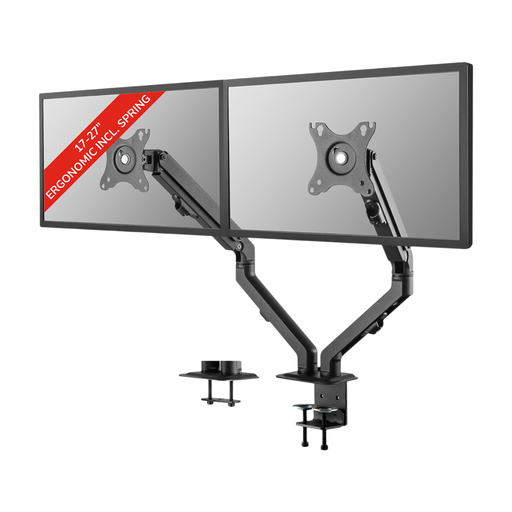
An option if you want to position two screens with spring-assisted height and depth adjustment.
The product information lists two screens of 17–27 inches, a maximum weight of 7 kg per screen, and VESA 75 × 75 or 100 × 100 mm.
Tilt, 360° rotation and swivel are listed.
 No image available
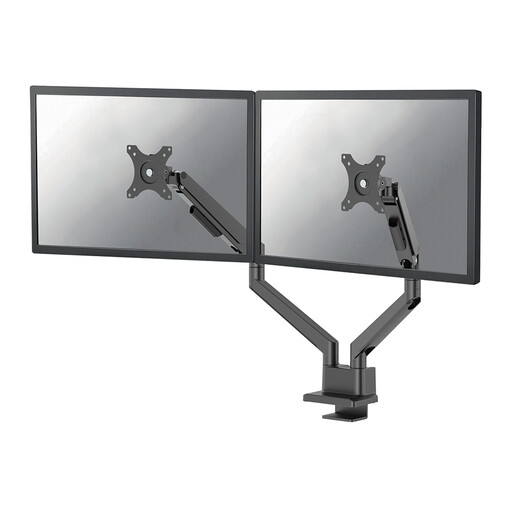
Suitable if you want to position two screens on movable arms and adjust their height with a gas spring.
Neomounts lists VESA 75 × 75 or 100 × 100 mm and a maximum of 9 kg per screen. For curved screens, Neomounts specifies a maximum of 8 kg per screen.
Clamp and grommet mounting, as well as a 180° rotation stop, are listed for this model.
 No image available
An option if you want to mount two screens on a dual desk arm and are happy with manual adjustment.
The product information lists two screens up to 27 inches, a maximum weight of 8 kg per screen, and VESA 75 × 75 or 100 × 100 mm.
Height and depth are adjusted manually. Tilt, rotation and swivel are also listed.
 No image available
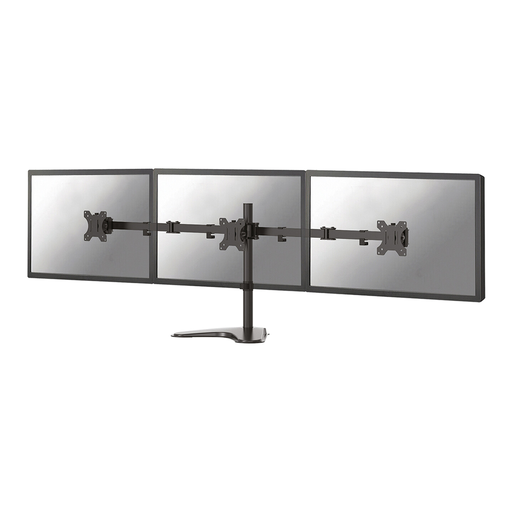
Suitable if you want to mount two screens on a desk stand with manual height and depth adjustment.
The product information lists two screens up to 32 inches, a maximum weight of 8 kg per screen, and VESA 75 × 75 or 100 × 100 mm.
Height, depth, tilt, rotation and swivel adjustment are listed; the height is adjusted manually.
That depends on the arm and the space between your screens. According to Neomounts, the VESA plates on the DS70-250BL2 can rotate. Check whether your screen widths will allow you to turn one in your preferred setup.
No. It depends on the desktop thickness and construction, as well as the mounting instructions for the desk and arm. The Neomounts manual specifies a desktop thickness of 10–50 mm for the clamp on the DS70-250BL2. This alone doesn’t tell you how much weight your desktop can support.
First, check that the screen is within the gas spring’s minimum and maximum load limits. Then adjust the spring tension according to the manual for that model, and don’t exceed its weight limit.
No, the information from Arboportaal doesn’t specify a particular type of dual monitor arm. However, there are rules for screen work and workplace setup, and employers also have a duty of care when employees work from home. This doesn’t mean that every private buyer has to choose a particular model.