
Working beside a bright window
You want to position two screens without distracting reflections. Arboportaal recommends positioning your line of sight parallel to the window; it may also be worth considering blinds or other window coverings.


Start with your workspace: ideally, position your line of sight parallel to the window and use blinds or other window coverings if needed. An adjustable arm can change the angle of your screen, but it won’t solve direct sunlight on its own. Then choose a dual arm based on the weight and VESA pattern of each screen, how it can be mounted to your desk, and the independent adjustment you need for presentations and notes.
You want to position two screens without distracting reflections. Arboportaal recommends positioning your line of sight parallel to the window; it may also be worth considering blinds or other window coverings.
You use one screen for your presentation and the other for notes, and want to be able to adjust the viewing angle or position of each screen independently.
You’ll need to consider the desk edge or a grommet hole, the weight of both screens and the space the arms need to move.
Start by looking at the position of the window, chair and main screen: Arboportaal recommends positioning your line of sight parallel to the window. Independently adjustable arms are particularly useful if you regularly need to reposition your presentation screen and notes screen. If both screens usually stay in the same place, a simpler stand may be enough.
| What to consider | What should you check? | Who is this important for? |
|---|---|---|
| Reflections from the window | Arboportaal recommends positioning your line of sight parallel to the window; also consider whether you need blinds or other window coverings. | If I work beside a bright window, I want to reduce reflections first and consider window coverings if needed. Around 36% of consumers in this situation give window reflections top priority. |
| Presentations and notes | Decide which screen will be central, then check the independent height, depth and swivel adjustments. | For my presentation, I want to keep one screen centred and see my notes clearly on the other. Around 29% of consumers put this layout first. |
| Screen and desk compatibility | Check the weight and VESA pattern of each screen; compare your desk thickness and mounting method with the conditions for the specific model. | If I’m mounting the arm to my desk, I want to know in advance whether both monitors and the mount will fit. Around 21% of consumers say compatibility is their main concern. |
| Adjustability and aftercare | Compare the adjustment range and terms for the exact model; distinguish the manufacturer’s warranty from your statutory rights. | If I regularly reposition my screens, I want to consider ease of adjustment and aftercare. Around 14% of consumers give these points top priority. |
A suitable screen size doesn’t automatically mean the weight and VESA pattern are within the arm’s limits. Curved screens may also have a lower weight limit.
Check each screen individually against the specifications for the exact model.
You may also need blinds or other window coverings, or to move your desk.
The permitted desk thickness can vary between clamp and grommet mounting, and from one model to another.
Measure your desk and check the mounting requirements for the exact model before ordering.
Load capacity, adjustment range and mounting requirements vary by model, so check the specifications for the exact version rather than relying on the brand name.
The DS70-250BL2 NEXT Slim is a dual gas-spring arm with independent positioning and a stop for mounting near a wall.
ACT offers several dual arms, including the AC8302 and the separate AC8312 model.
The ARMDUAL30 is designed for two screens side by side or a suitable vertical setup.
The LX Dual Side-by-Side Arm is designed for two screens side by side, with independently movable arms.
The Platinum Series includes dual models for side-by-side screens, as well as versions for stacking screens.
Here you’ll find dual monitor arms for adjustable presentation and notes screens, as well as a monitor stand with adjustable width and swivel side panels.
 No image available
Consider this model if you want to position two screens for presentations and notes, and adjust their height and depth. Check in advance that your monitors are compatible with this version.
 No image available
An option if you want to position two screens close to a wall or partition. Check that the available space allows for the position and movement you want for both screens.
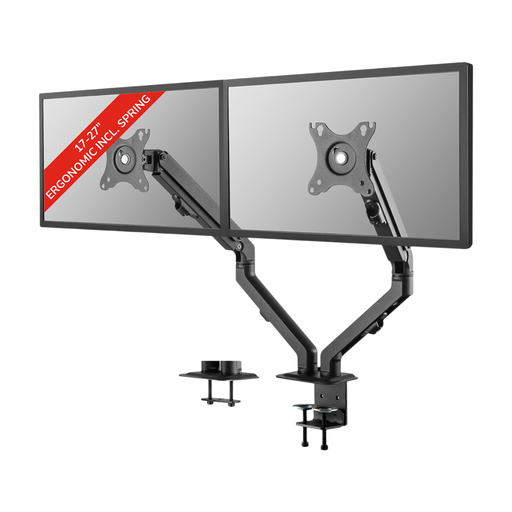 No image available
An option if you want two screens with adjustable viewing angles. Check that your monitors’ dimensions are suitable for this 17–27-inch model.
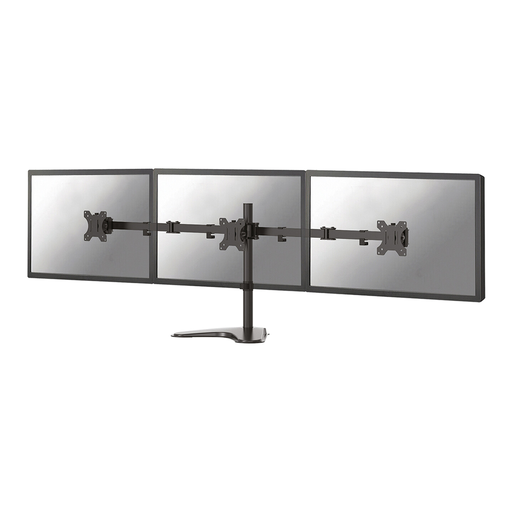 No image available
Consider this model for a main screen and a notes screen if you want to adjust their position. The product name specifies 10–32 inches; also check the weight, VESA pattern and desk mounting requirements for the exact version.
 No image available
Choose this stand only if its fixed 10.4 cm height suits your viewing position; the width is adjustable and the side panels swivel.
Not always. Arboportaal recommends positioning your line of sight parallel to the window; use blinds or other window coverings if daylight still causes reflections. An arm lets you adjust the screen angles, but it doesn’t replace these measures.
Compare the weight and VESA pattern of each screen with the specifications for the exact arm. Also check that your desk is suitable for the specified clamp or grommet mounting; a limit per screen isn’t the same as a maximum for both screens combined.
The Arboportaal information consulted doesn’t specify a particular type of dual arm. However, for employees who work at a screen for more than two hours a day, Arboportaal sets out requirements that include an adjustable screen and measures to limit reflections. These relate to setting up the workplace, not to a general product specification for every buyer.
A manufacturer’s warranty is an additional promise, and its terms can vary by product. According to the Dutch government, there is no fixed period for the statutory guarantee in the Netherlands: a product must meet the standards you can reasonably expect. If a product is faulty, contact the seller.
For many distance purchases from a business, you have a 14-day cooling-off period, although the Dutch government lists some exceptions. Before ordering, check which terms and information apply to your purchase.