What should you look for in a dual monitor arm?
The percentages offer a broad, indicative breakdown of priorities for this document-focused setup. Start with the screen layout and fit, then consider how often you want to adjust the arms and how much room you need for paper and cables.
| What to consider |
What to look for |
Who might prioritise this? |
| Comfortable viewing position |
Decide which screen you use most and sketch out where both screens will go. The mount needs to let you achieve the right height and distance for your space. |
When I compare figures and invoices at the same time, I want to keep both documents at a useful viewing angle. Around 31% of consumers give viewing position top priority. |
| Screen and desk mounting |
Check the weight and VESA pattern for each screen, then compare the clamp or grommet mount with your desk and the instructions for the exact model. |
When I combine two screens with a desk, I want to be sure the mount is compatible with both. Around 25% of consumers put compatibility first. |
| Stable positioning |
Check the weight capacity of each arm and how it mounts to the desk. A stated weight limit alone does not prove how quiet or vibration-free the setup will be. |
In a quiet study, I want a setup that, according to the model specifications, is compatible with my screens and desk. Around 19% of consumers give stable positioning top priority. |
| Adjustability |
Check the height, depth and swivel range of the exact model, and make sure there is room behind the screens for them to move. |
When I often switch between reading and comparing documents, I want to be able to reposition the screens. Around 13% of consumers put adjustability first. |
| Cables and desk space |
Check whether the mount has cable management and whether the cables are long enough for your preferred screen positions. |
When I also have paper invoices on my desk, I want to organise the cables and workspace properly. Around 12% of consumers give a tidy desk top priority. |
Monitor arms at Joybuy
These monitor arms can help you set the right viewing position for your workspace. For each version, check that the number of screens, weight limit, VESA connection and desk mounting are compatible with your setup.
 No image available
Dell Dual Monitor Arm MDA20
An option if you use compatible Dell UltraSharp or P Series monitors and want to route cables along the mount.
Dell Quick Release is designed for compatible monitors in those ranges. The description mentions cable clips and room for up to 10 cables.
View at Joybuy
 No image available
Neomounts NM-D775DXSILVER, 10–32 inch
An option if you want to adjust your screen position regularly and the arm is compatible with the weight and connection of your screens.
The description specifies 10–32 inch, up to 8 kg per screen and VESA 75×75 or 100×100 mm. It also mentions height and depth adjustment, cable management and a 180° stop.
View at Joybuy
 No image available
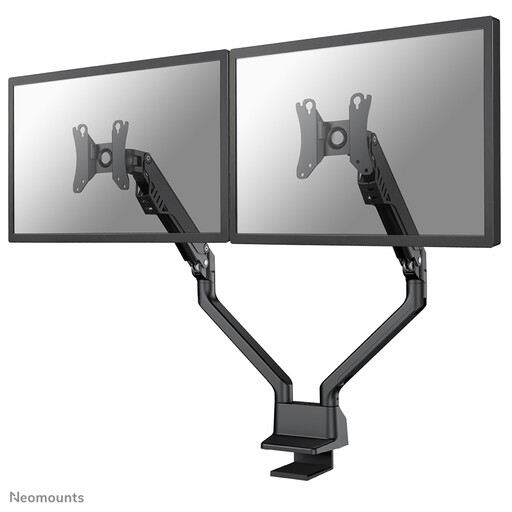
Neomounts FPMA-D750DBLACK2, 10–32 inch
An option if the gas spring arm is suitable for the weight of your screens and you want to adjust their viewing position.
The description specifies two screens measuring 10–32 inch, up to 8 kg per screen and VESA 75×75 or 100×100 mm. It also says the arm can be fitted with a clamp or through a grommet.
View at Joybuy
 No image available
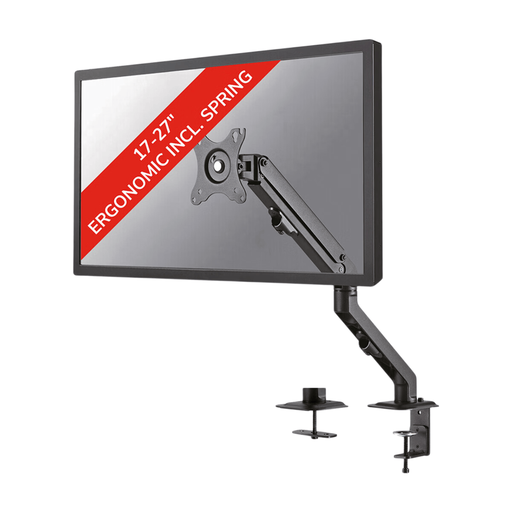
Neomounts FPMA-D650BLACK, 17–27 inch
An option if the adjustable arm and mounting are compatible with your screen and desk.
The product name specifies a coil spring. The description lists VESA 75×75 or 100×100 mm, along with tilt, rotation and swivel adjustment. Check that this version is suitable for the number of screens in your setup.
View at Joybuy
 No image available
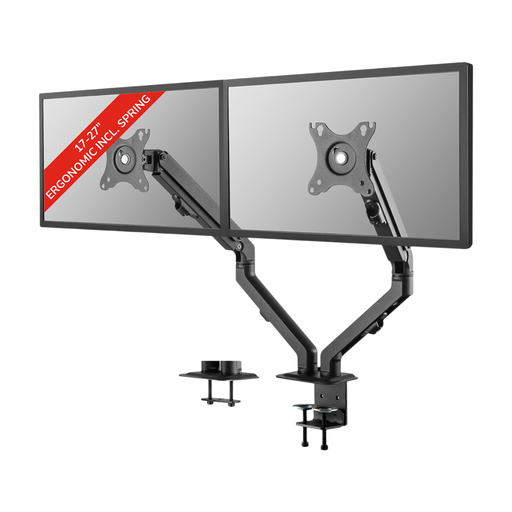
Neomounts FPMA-D650DBLACK, 17–27 inch
An option if the adjustable arm and stated weight limit are suitable for your screen.
The description specifies up to 7 kg per screen and VESA 75×75 or 100×100 mm. Check that the screen layout and desk mounting for this version suit your setup.
View at Joybuy
Frequently asked questions
Is screen size enough to tell whether an arm will fit?
No. Check the weight and VESA pattern of each screen too, and compare them with the specifications for the exact model. Neomounts says that the stated inch sizes are indicative, and that weight and VESA size are the deciding factors.
How should I position the screens if I use one more often?
Position the screen you use most directly in front of you, as far as possible, and set it at a slight downward angle. The Arboportaal advises placing the top of the screen slightly below eye level. Then decide where the second screen will be most convenient for comparing documents. This does not guarantee that a monitor arm will prevent discomfort.
What if an adjustable arm does not hold my screen at the right height?
First check that your screen falls within the weight range specified by the manufacturer, then follow the adjustment instructions for that exact arm. A general adjustment guideline will not make a screen that falls outside the specified range compatible.
What rules apply to a home workspace?
According to the Rijksoverheid, employers have a duty of care to provide employees working from home with a good and safe workspace. The Arboportaal lists requirements for screen-based work, including an adjustable-height screen. This does not mean that everyone is legally required to buy a dual monitor arm; discuss your setup with your employer if needed.
What are my rights when buying online in the Netherlands?
For many distance purchases by consumers in the Netherlands, a 14-day cooling-off period applies; check whether any exceptions apply to your purchase. You are also entitled to a product that meets what you could reasonably expect under normal use. ACM ConsuWijzer states that statutory guarantees in the Netherlands do not have a fixed term and are not replaced by a manufacturer’s warranty.


