
Someone working with a dashboard and report
You want to read both documents at the same time and position the screens side by side independently. Neomounts and Ergotron describe models with adjustment options for this kind of setup.


Start with a dual monitor arm that lets you position both screens side by side at a comfortable height, distance and viewing angle. Then check the weight and VESA mounting pattern of each screen, and measure your desk to make sure the mounting system will fit. Changing the position of your screens may help with window glare, but it won’t stop light coming in. You may also need blinds or a different desk layout, as advised by Arboportaal of the Ministry of Social Affairs and Employment.
You want to read both documents at the same time and position the screens side by side independently. Neomounts and Ergotron describe models with adjustment options for this kind of setup.
You want to know whether changing the screen angle will reduce glare, or whether you also need to change the lighting or desk position. Arboportaal identifies reflections, light sources in your field of vision and ambient light as factors that affect readability.
You want to check in advance that both screens are within the arm’s weight limit and have a compatible VESA mounting pattern, and that the clamp or grommet mount will fit your desk.
First decide how you want to position your screens and where the light from the window falls. Then check your screen and desk measurements before choosing a model.
| What to consider | What should you check? | Who is this important for? |
|---|---|---|
| Positioning a dashboard and report | Check the height and reach, swivel range and the space both screens will take up side by side. Neomounts and Ergotron describe models with separate adjustment options. | If I switch between a dashboard and a report, I want to position both screens comfortably side by side; around 33% of consumers prioritise this screen layout. |
| Readability in light from a window | Check at different times of day whether tilting or swivelling the screens helps. Arboportaal also mentions blinds and the position of your workspace in relation to windows. | If light falls on my screens, I want to know whether a different viewing angle will help enough or whether I should also adjust the lighting or desk position; around 27% of consumers prioritise reducing window glare. |
| Compatibility with both screens | Note the weight and VESA pattern of each screen, then compare them with the limits of the exact arm model. Neomounts’ DS70-250BL2 lists 75 × 75 and 100 × 100 mm; the weight limit depends on the model and screen type. | With two existing monitors, I want to avoid finding that one cannot be attached to the arm or exceeds its weight limit; around 27% of consumers prioritise screen compatibility. |
| Mounting on your desk | Measure the desktop thickness, check access to the back edge and make sure there is space underneath the desktop. Also check the distance from the wall and the mounting instructions for your chosen model. | If there is little space at the edge of my desk or behind the desktop, I want to know in advance whether the clamp or grommet mount will fit and allow enough room to move; around 13% of consumers prioritise desk mounting. |
Changing the angle of your screens won’t change the light coming in. Reflections, light sources in your field of vision and ambient light can all affect readability.
Pay attention to when and where the light falls on both screens. Choose an arm that gives you the positioning you need, and consider blinds or a different desk layout if necessary.
If reflections are distracting, you may need blinds or an adjusted desk layout as well as the arm.
A screen may be within the stated size range but still exceed the weight limit or have an incompatible VESA pattern. Neomounts’ DS70-250BL2 also has a lower maximum weight limit for curved or ultra-wide screens.
For each screen, compare its dimensions, weight and mounting holes with the specifications for the exact model. Check whether you need a mounting adapter.
If the existing mounting system isn’t compatible, you may need an adapter or a different arm.
For the iiyama DS1002C-B1, iiyama Netherlands lists a maximum screen size of 32 inches, while the official Irish product page lists 30 inches.
If your screen is 31–32 inches, ask the seller to confirm the specification for the version you want to buy.
The Dutch government does not set a fixed statutory warranty period of two years in the Netherlands. Any additional manufacturer’s warranty is separate from the rights you have against the seller.
Read the terms of any additional warranty separately, and assess your statutory rights based on your purchase and circumstances.
Neomounts offers both a dual mount with gas-spring arms and manually adjustable models. Features vary by model.
According to Ergotron, the LX Dual Side-by-Side is designed for two screens positioned next to each other and offers height, reach and angle adjustment.
The DS1002C-B1 is a dual mount with a desk clamp, height adjustment and swivelling screens.
This Joybuy selection features dual desk mounts for positioning two screens side by side, with a range of adjustment options and screen limits.
 No image available
For a two-screen setup with screens up to 27 inches, when you want to adjust their height and reach.
Dell Quick Release is described as compatible with Dell UltraSharp and P Series monitors.
 No image available
For two screens whose positions you want to adjust regularly, with height, reach, tilt, swivel and rotation adjustment.
The stated screen size is 10–32 inches. VESA 75 × 75 and 100 × 100 mm; features a 180° stop.
 No image available
For two screens up to 27 inches, if you’re looking for a manually adjustable mount that, according to the product description, can be positioned close to a wall or partition.
VESA 75 × 75 and 100 × 100 mm. The mount offers height and reach adjustment, plus tilt, rotation and swivel movement.
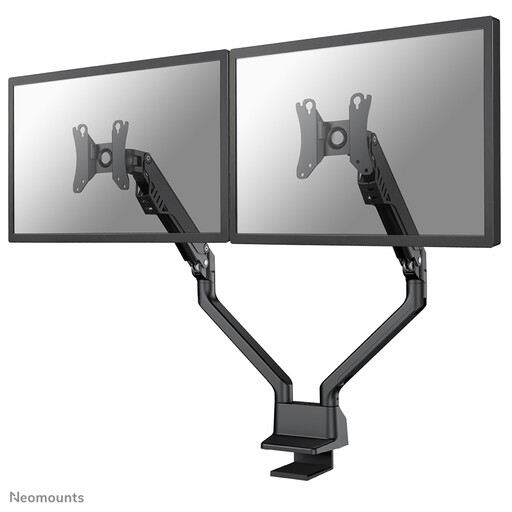 No image available
For two screens whose positions you want to adjust to suit your workspace, with height and reach adjustment.
The stated limits are 10–32 inches and 2–8 kg per screen. VESA 75 × 75 and 100 × 100 mm; the screens can tilt, swivel and rotate.
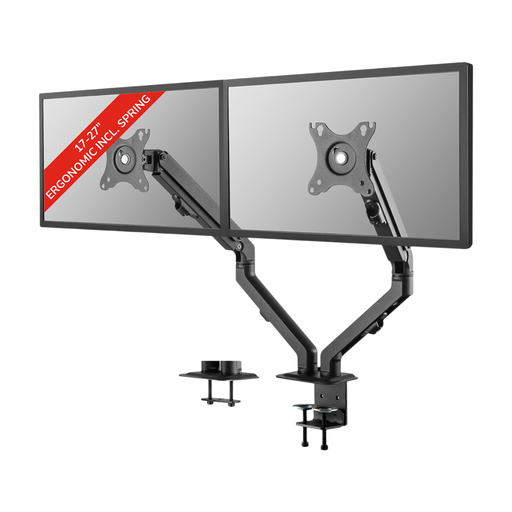 No image available
For two 17–27-inch screens whose height, reach and viewing angle you want to adjust.
VESA 75 × 75 and 100 × 100 mm. The mount offers tilt, rotation and swivel movement, and can be installed with a clamp or grommet mount.
There’s no guarantee. Changing the screen angle may help, but Arboportaal also recommends considering blinds and the position of your workspace in relation to windows if daylight makes your screen hard to read.
Position the screens so you can read both documents and view the screen you use most comfortably. Once they’re in place, check that the arm holds your chosen position and that the cables have enough room to move.
No. Mounting requirements vary by model. Measure the desktop thickness, check access to the edge of the desk and the space underneath, and follow the mounting instructions for the arm you choose.
When you buy as a consumer in the Netherlands, you’re entitled to a product that meets the required standard. The Dutch government says there is no fixed two-year statutory guarantee period. For online purchases from a business, you’ll also usually have a 14-day cooling-off period. Any manufacturer’s warranty is a separate arrangement.
Arboportaal’s guidance on screen-based work for employees includes, among other things, a height-adjustable, non-reflective screen and advice on lighting and windows. This doesn’t mean every buyer has to get a dual monitor arm; the requirements for the specific workplace and the employer’s obligations need to be considered separately.