
Anyone comparing accounts and invoices side by side
You want to keep two documents easy to read at once and move the screens when your main task changes.


Choose a dual desk arm with a clamp or grommet mount if your desk allows it. If mounting isn’t possible and there’s enough space on the desk, choose a model with a base. For each monitor, check its weight, VESA pattern and range of movement against the specifications of the model you’re considering. A monitor arm can manage cables, but it won’t provide power to the screens.
You want to keep two documents easy to read at once and move the screens when your main task changes.
You’re looking for a mounting option and screen arrangement that work with limited desk space or a wall directly behind your desk.
You want to distinguish between cable management along an arm and the separate power supply each monitor needs.
First, check whether your desk can accommodate a clamp or grommet mount. Then make sure both monitors are compatible and consider how you want to adjust them. Check your available plug sockets separately: cable management doesn’t power your monitors.
| What to consider | What to look for when buying | Who should consider this? |
|---|---|---|
| Desk space and mounting | Measure the desktop thickness, available edge or grommet hole, and space behind the desk. Check that these suit the mounting system on your chosen model. | If I work at a small desk or sit close to a wall, I want to know whether the mount will fit without the arms hitting the wall. Around 31% of consumers prioritise desk compatibility. |
| Limited plug sockets | Make separate provision for powering both screens. Check what any USB ports on the specific model are designed for. | I want to avoid mistaking cable management or USB ports for a power supply for the monitors. Around 25% of consumers put the number of available plug sockets first. |
| Compatibility and weight capacity | For each screen, compare its weight without the stand and its VESA pattern with the specifications for the exact model. Neomounts lists a weight capacity of 2–7 kg per screen and VESA 75 × 75 or 100 × 100 mm for the DS70-750BL2. | If I want to use my existing screens, I’d rather check in advance that both will fit than rely on screen size alone. Around 25% of consumers make compatibility their main concern. |
| Screen positioning | Check whether the screens can be adjusted individually or together, and how much room the arms need. | If I want to switch between accounting and invoices as my main focus, it’s important to be able to position the screens for the task. Around 19% of consumers prioritise adjustability. |
USB ports on an arm don’t automatically mean that it can power your monitors.
Check what the ports on the exact model are designed for, and remember that each screen needs its own power cable.
The stated screen size in inches doesn’t tell you by itself whether the arm can support the weight of both screens or fits their VESA patterns. For example, Neomounts lists a weight range of 2–7 kg per screen for the DS70-750BL2; this doesn’t automatically apply to other models.
For each screen, check its weight without the stand, VESA pattern, and the minimum and maximum weight capacity of the arm you’re considering.
Even an arm designed for a shallow desk needs room for mounting and movement. The space behind the desk and the position of two screens can limit your setup.
Measure the desk edge and depth, as well as the distance to the wall, then compare these with the mounting requirements and reach of the exact model.
Offers dual desk arms for a range of setups, including the compact DS70-810BL2 and the NEXT Slim DS70-250BL2.
Offers, among other options, the AC8362 dual desk arm with a clamp or grommet mount, and the AC8363 with a base.
Offers SmartFit models for different setups, including an arm for shallower desks and a model with adjustable arms.
The Filex Galaxy Modular Dual is designed for a two-screen setup that may change over time.
The Platinum range includes options for two screens with a gas spring and USB ports.
The products below are designed for two monitors and include desk arms, as well as a stand or riser. For each model, check that the mounting system and screen specifications suit your desk and monitors.
 No image available
This desk arm is designed for two monitors and has cable clips. Check that the desk clamp fits your desktop.
The Quick Release feature described is designed for compatible Dell UltraSharp and P Series monitors. Check whether your exact screen is compatible.
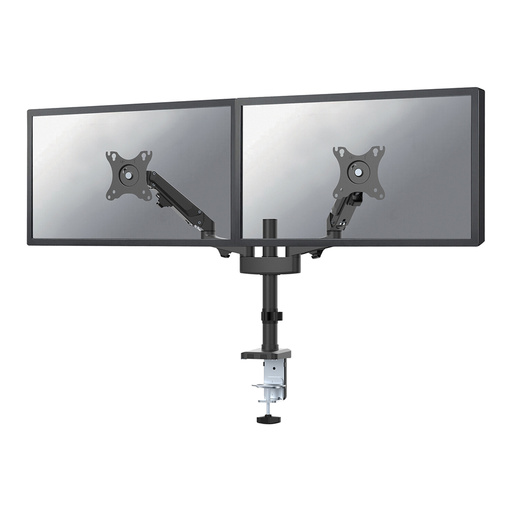 No image available
A dual desk arm with clamp or grommet mounting. Check which option suits your desk.
Neomounts specifies 2–7 kg per screen and VESA 75 × 75 or 100 × 100 mm. The stated screen size alone doesn’t confirm that your screens will fit.
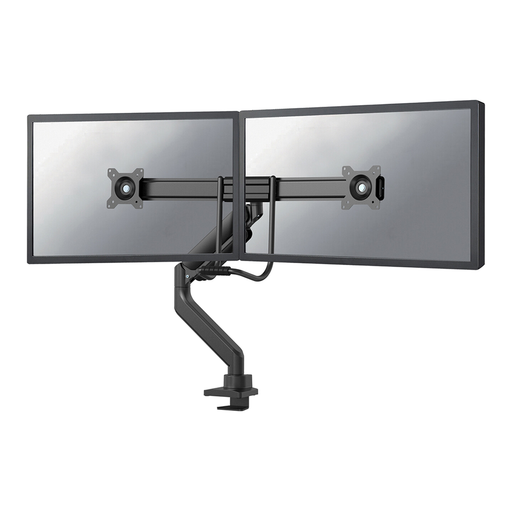 No image available
The product name specifies a gas spring, top-fix mounting and a 180° stop. Check that the mounting system and range of movement suit your desk.
For each screen, compare its weight and VESA pattern with the specifications for this version.
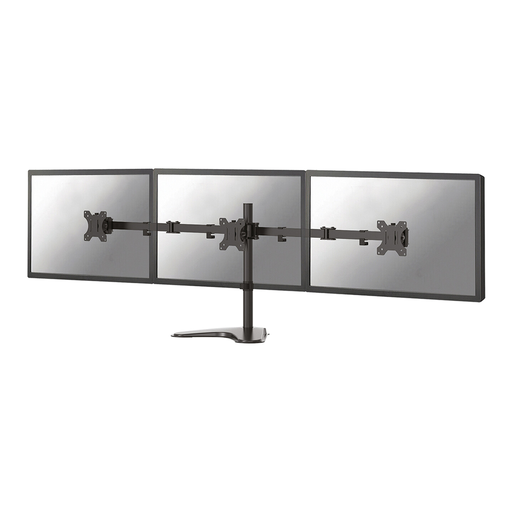 No image available
The product name describes a stand for two monitors. Before choosing, check the weight and VESA pattern of both screens, as well as the mounting hardware supplied.
 No image available
This riser is designed for two monitors and has an adjustable width and rotating side platforms. Consider it if you don’t need an adjustable desk arm.
The height is fixed at 10.4 cm, which limits your ability to set the screens at different heights.
Not with a standard mechanical arm: each screen still needs its own power supply. USB ports on an arm don’t automatically mean it can power your monitors.
Yes, if you choose a model with a desk clamp that fits. Check the permitted desktop thickness and the space available at the edge. Some models also offer a grommet mount. If mounting isn’t possible, a stand with a base could be an alternative, provided there’s enough room on the desk.
Compare the screen’s weight without its original stand with the minimum and maximum weight capacity of the arm. Then check the mounting and adjustment instructions for the exact model; screen size alone isn’t enough.
You’re entitled to a product that works as it should, and you can contact the seller if there’s a fault. According to the Dutch government, the Netherlands has no fixed statutory warranty period; any manufacturer’s warranty does not replace your statutory rights.