
Translator working in changing light
Wants to read the source text and translation at the same time, and move one or both screens when daylight gets in the way. Arboportaal recommends considering your viewing direction in relation to the window.


If you want to position your source text and translation independently as the daylight changes, a mount with two separately adjustable arms is a better fit. If your screens usually stay side by side, a crossbar may be enough. Before buying, check the weight and VESA pattern of each screen, how the mount attaches to your desk and how much room it needs to move. A monitor arm won’t eliminate reflections: your desk’s position relative to the window and any blinds or curtains matter too.
Wants to read the source text and translation at the same time, and move one or both screens when daylight gets in the way. Arboportaal recommends considering your viewing direction in relation to the window.
Usually keeps the texts side by side and is mainly looking for a suitable mount and a way to adjust both screens together. ACT describes the AC8322 as a crossbar for two screens.
Wants to check separately for each screen that its weight and VESA pattern are within the specifications of the chosen mount. Neomounts and ACT list these limits for each model.
A good fit if: you want to position your source text and translation separately, or move a screen when the light changes.
Trade-off: allow for the space the arms and screens need to move; a swivelling arm won’t prevent reflections.
A good fit if: you usually keep the two screens side by side and mainly want to adjust their height together.
Trade-off: the linked setup gives you less freedom to move the screens independently.
| What to consider | What should you check? | Who should pay particular attention? |
|---|---|---|
| Positioning screens in changing daylight | Check whether both arms move independently and whether there’s room behind the desk. Also consider where the desk is in relation to the window. | When the light changes, I want to be able to move my screens without expecting the arm to eliminate reflections; around 33% of consumers give positioning in changing light their top priority. |
| Compatibility with both screens | Note the weight, VESA pattern and whether each screen is flat or curved. Compare these details with the limits for the exact model you’re considering. | With two different screens, I want to know that both will fit, not just that their diagonal measurements match; around 27% of consumers prioritise screen compatibility. |
| Desk mounting | Measure the desk thickness and check the edge, available space and type of mount used by the model. | If the edge or surface of my desk limits my mounting options, I want to know in advance which mount will fit; around 20% of consumers give desk mounting their top priority. |
| Adjusting the screens while you work | Decide whether you want to adjust the screens separately or together. For a gas spring, follow the adjustment instructions for the exact model. | If I change my screen layout regularly, I want an adjustment method that suits me; around 20% of consumers prioritise ease of everyday adjustment. |
The stated screen size alone doesn’t tell you whether the mount will fit both screens. Manufacturers also specify the weight capacity per screen and the VESA pattern.
Note the weight and VESA holes for each screen, and check whether a separate weight limit applies to curved screens.
Changing the screen angle may help with positioning, but it won’t automatically eliminate distracting daylight or reflections. Arboportaal also recommends considering your viewing direction in relation to the window.
Assess the light at the time you usually work and, if necessary, consider moving your desk or using blinds or curtains.
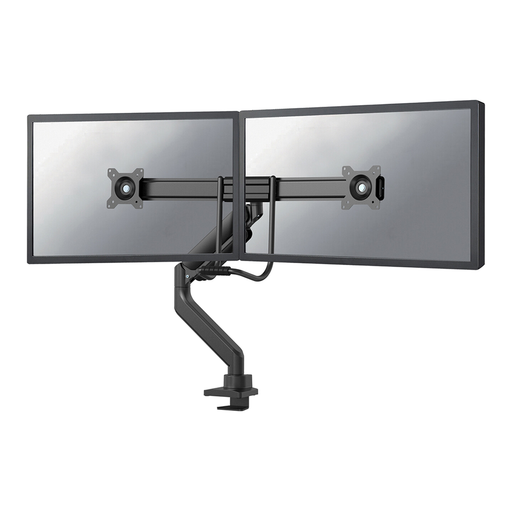
The ACT AC8322 is designed for two screens positioned side by side with a shared height adjustment. This setup is less suitable if you want to position each screen independently.
Choose based on the adjustments you need while translating, not just the number of screens.
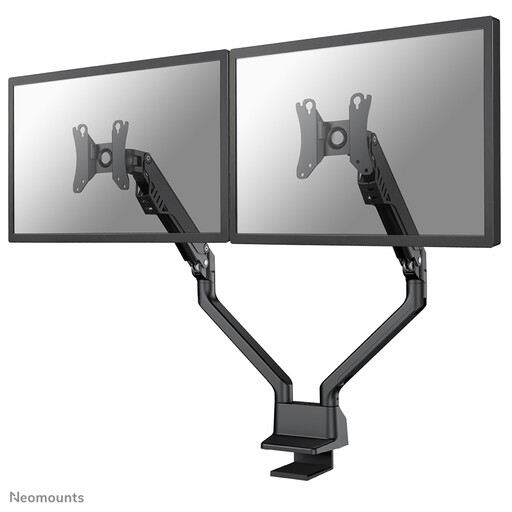
The DS70-810BL2 has two gas-spring arms and a 180° stop; the FPMA-D700D is a manually adjustable model for two screens.
The AC8322 is a crossbar for a fixed side-by-side setup; the AC8312 is a gas-spring model for heavier screens.
The MDA20 is worth considering if you use monitors compatible with the Dell Quick Release mounting system described.
Ergotron says the LX Dual Side-by-Side Arm is designed to position two screens next to each other.
These Joybuy products are dual monitor arms with separately adjustable arms, for anyone who wants to position source text and translation independently.
 No image available
An option if you want to use two screens and have Dell Quick Release on the specified UltraSharp or Pro monitors. Dell says optional VESA adapter plates may be needed for other monitors.
 No image available
The separate arms are designed for anyone who wants to position their source text and translation independently. The product name specifies a 10–32 inch range, a gas spring, Topfix and a 180° stop.
 No image available
The product description says it can be positioned close to a wall or partition, which may be useful if you have limited space behind your screens. The product name specifies a 17–27 inch range.
 No image available
An option if you want to position the screens separately when comparing two texts. The product name specifies a gas spring, Topfix and a 180° stop.
 No image available
Separate positioning may suit anyone who wants to give the source text and translation their own positions. The product name specifies a 17–32 inch range, a gas spring, Topfix and a 180° stop.
No, not by itself. An adjustable arm lets you change the position of your screens, but Arboportaal also recommends considering where your workspace is in relation to the window and using blinds or curtains if needed.
Adjust the tension according to the instructions for the exact model and check that the screen is within the specified weight range. ACT describes separate adjustment for each arm on the AC8312.
No. According to the Dutch Government, there’s no fixed period for statutory warranty in the Netherlands; what you can reasonably expect from the product is what matters. If a product is faulty, contact the seller. A manufacturer’s warranty is in addition to this.
No, Arboportaal doesn’t list a dual monitor arm as a required product. Its guidance does cover adjustable screens and taking reflections and lighting into account; the requirements that apply depend on your working situation.