
Someone who switches between calendar and email
You regularly look from one screen to the other and want to choose which one sits directly in front of you. The main thing to consider is whether each screen can be positioned independently.


A dual arm with independently adjustable screens is a good choice if you want to bring your calendar and email into focus at different times, or position the screens at different angles. A freestanding crossbar is an alternative if the screens usually stay in line, but it takes up desk space. Before buying, check the weight and VESA pattern of each screen, as well as the mounting space available on your desk. A monitor arm on its own does not make a workstation ergonomic.
You regularly look from one screen to the other and want to choose which one sits directly in front of you. The main thing to consider is whether each screen can be positioned independently.
Your screens vary in size or weight. Check the weight capacity of each arm, the VESA mounts and the adjustment options for the specific model.
You want to keep two screens visible while making room for the mounting point and the space on and behind your desk.
Choose this setup: if you switch between email and your calendar as your main task, or want to position the screens at different depths and viewing angles.
Bear in mind: how much room the arms need to move, and the weight and VESA limits of the exact model. ACT states that the AC8302 does not have a gas spring.
Choose this setup: if the screens usually stay side by side in a straight line. StarTech.com describes the ARMBARDUO as a freestanding stand that keeps screens aligned using a crossbar.
Bear in mind: the base takes up desk space and offers less independent positioning than two separate arms. StarTech.com specifies a maximum of 24 inches and 8 kg per screen for the ARMBARDUO.
| What to consider | What should you check? | Who should pay particular attention? |
|---|---|---|
| Screen position | Check whether you can adjust the height, depth and angle of each screen, and decide which one you usually want directly in front of you. | I often switch between email and my calendar and want to position the screen I need. Around 33% of consumers say screen position is their top concern. |
| Screen compatibility | Check the weight, VESA pattern and model-specific limits for each screen. Don’t assume specifications apply to a different version. | I want to mount both of my existing screens, so I check each one individually. Around 27% of consumers say compatibility is their top concern. |
| Desk space | Measure your desktop, desk edge or cable grommet, as well as the clearance behind your desk for the screens and arms. | I want to fit two screens without a base or moving arm awkwardly restricting my workspace. Around 20% of consumers pay particular attention to the desk space available. |
| Mounting and support | Check the installation instructions and the mounting options on your desk. Review the manufacturer’s terms as well as your rights when buying from the seller. | I want to know in advance how the stand will fit my desk and where to go for support after buying it. Around 20% of consumers say installation and aftercare are their top concern. |
Screen size alone doesn’t determine whether an arm will fit. Neomounts lists weight and VESA size limits for the relevant models. For the DS70-250BL2, the stated weight limit also differs for flat and curved screens.
Check the weight and VESA pattern of each screen separately, then compare them with the specifications for the exact model.
The StarTech.com ARMBARDUO has a freestanding base, while a clamp or grommet-mounted model needs a suitable mounting point and room for the arms to move.
Before choosing a model, map out the position of the screens, base or clamp, and the space needed for movement.
A manufacturer’s guarantee is offered under the manufacturer’s terms and is separate from your rights when buying from the seller. The Dutch Government states that the Netherlands has no fixed statutory guarantee period.
Keep your proof of purchase and check the manufacturer’s terms separately from your statutory rights.
The DS70-750BL2 and DS70-250BL2 are dual arms with different screen size and weight limits.
The AC8302 allows you to position each screen individually and, according to ACT, can be mounted with a clamp or through a desk grommet.
The ARMBARDUO is a freestanding dual stand with a crossbar for screens that usually stay aligned.
These products are designed for a two-screen setup. Check whether you’re looking for a freestanding stand or an adjustable arm, and make sure the mounting options and screen sizes are right for your desk.
 No image available
An option if you want to place two monitors on a stand with adjustable width and angle.
MDF; width 80–108 cm; white finish.
 No image available
For anyone looking for a dual monitor arm. Check that the desk clamp and desktop are suitable for your setup.
 No image available
For a two-screen setup. Compare the weight and VESA pattern of each screen with this model’s limits.
Stated screen size: 17–27 inches.
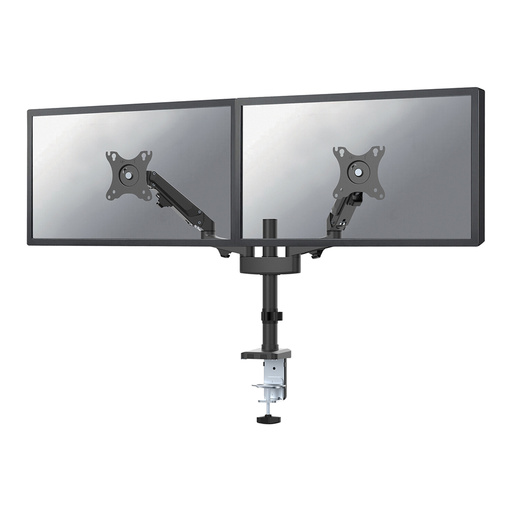 No image available
For two screens you want to position independently. Check in advance that both screens fall within the model’s specific limits.
According to Neomounts: 17–27 inches, 2–7 kg per screen and VESA 75 × 75 or 100 × 100 mm.
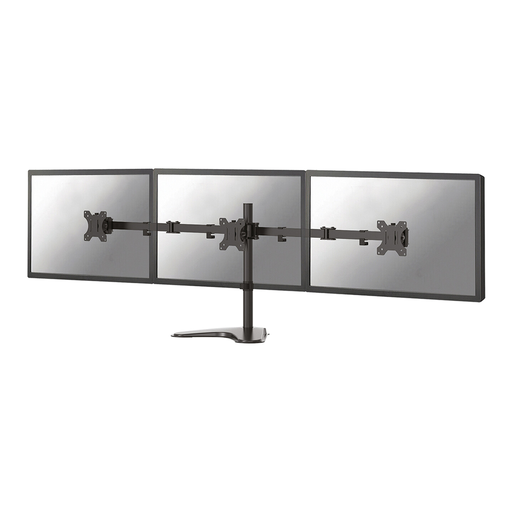 No image available
A monitor stand for a two-screen setup. Check that the weight and VESA pattern of each screen are within the model’s limits.
Stated screen size: 10–32 inches.
First, decide which screen you use most and place it directly in front of you. Put your calendar beside it, where you can easily check it. Herman Miller offers this as a setup suggestion, not as a guarantee of any particular health benefit.
No. According to ACT, the AC8302 can be mounted with a clamp or through a desk grommet, while the StarTech.com ARMBARDUO is freestanding. Measure your desk and check the instructions for your chosen model, including the space needed for the arms and screens.
Follow the instructions for your exact model when adjusting and maintaining it. According to ACT, the AC8302 does not have a gas spring, while the Neomounts DS70-250BL2 does. Maintenance instructions may therefore vary by model.
For eligible distance purchases from a business, the Dutch Government generally provides a 14-day cooling-off period. You’re also entitled to a product that meets expectations; the Netherlands has no fixed statutory guarantee period. A manufacturer’s guarantee does not replace your statutory rights.
Government information about working with display screens does not specify a particular type of dual monitor arm. Arboportaal does outline employers’ responsibilities for employees’ health and safety when working with display screens. That is different from requiring a specific type of product.