What should you look for when choosing?
Start by deciding how you want to position your dashboard and report. Then compare how both screens attach and check the mounting space at your desk. Arboportaal and BakkerElkhuizen support the importance of screen positioning; the percentages below are not survey results.
| What to consider |
What should you check? |
Who is this more important to? |
| Positioning your dashboard and report |
Check that you can adjust the height, depth, rotation and tilt of each screen independently, and measure the space available for both. |
If I switch between my dashboard and report while working, I want to be able to position both screens comfortably. Around 36% of consumers say screen positioning is their main concern. |
| Compatibility with both monitors |
Note the weight, VESA pattern and dimensions of each monitor, then compare them with the limits of the exact arm model. |
With two existing screens, I want to know whether each one will fit, even if their size or weight differs. Around 29% of consumers give compatibility top priority. |
| Mounting on your desk |
Measure the desktop thickness and the clear space underneath and behind your desk; check the model’s mounting dimensions in the manual. |
If my desk has little free space, I want to know in advance whether the chosen mounting option will work. Around 21% of consumers put desk compatibility first. |
| Parts and aftercare |
Check whether the required clamp, grommet mount and any VESA adapter are included with the exact version. |
When comparing options, I want to know which mounting parts I’ll need and what aftercare terms apply. Around 14% of consumers say this is their main buying concern. |
Dual monitor arms on Joybuy
These Joybuy products are designed for a two-screen setup, such as a dashboard alongside a report. Check that the adjustment options, screen limits and mounting method of each model suit your needs.
 No image available
DELL Dual Monitor Arm MDA20
An option for positioning a dashboard and report on two screens; the product description lists height and depth adjustment.
Quick Release is listed for certain Dell UltraSharp and P-series monitors. For other monitors, Dell lists an optional VESA adapter; check which version you need.
Joybuy
 No image available
Neomounts NM-D775DXSILVER, 10-32 inch
The adjustment options described may be useful if your dashboard and report each need their own viewing position.
Check that both monitors fall within the limits listed in the product description: 10–32 inches and a maximum of 8 kg per screen.
Joybuy
 No image available
Neomounts DS60-425BL2, 17-27 inch
The product description says the short upper arm is suitable for positioning close to a wall or partition.
Check that each screen falls within the limits listed: 17–27 inches and a maximum of 8 kg per screen. Also measure the space around your desk.
Joybuy
 No image available
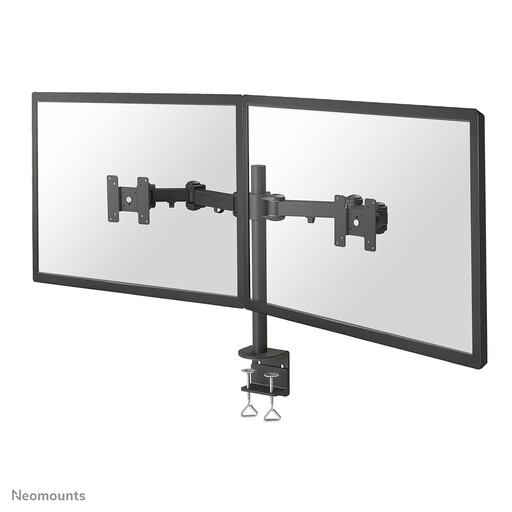
Neomounts FPMA-D960D, 10-27 inch
The height and depth adjustment described may suit you if you want to change the viewing position of two screens.
Compare your screens with the stated limits of a maximum of 27 inches and 8 kg per screen; the mount is described as using a desk clamp.
Joybuy
 No image available
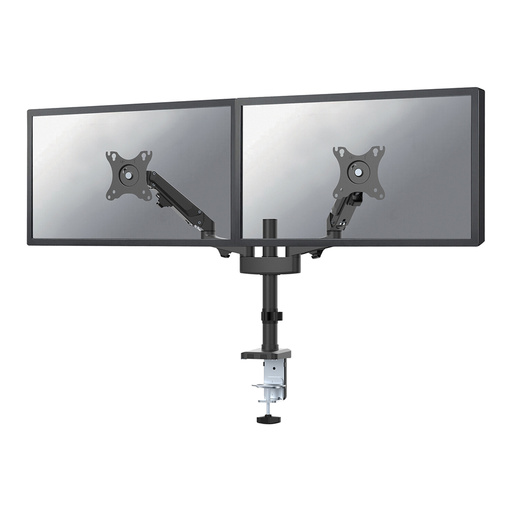
Neomounts DS70-750BL2, 17-27 inch, Gas Spring
The height and depth adjustment described may help if you want to position your dashboard and report independently.
Check that each screen falls within the stated limits: a maximum of 27 inches and 7 kg per screen. The product description lists clamp or grommet mounting.
Joybuy
Frequently asked questions
How should you position two screens for a dashboard and a report?
Place the screen you mainly work on directly in front of you, and angle the other one towards the report task. Arboportaal recommends this screen setup; it doesn’t guarantee that a particular arm will prevent discomfort.
Will every dual monitor arm fit two screens with the same diagonal measurement?
No, the same diagonal measurement isn’t enough to confirm that they’ll fit. Check the VESA pattern, weight and space required for each screen. For example, Neomounts lists VESA 75×75 or 100×100 mm and 1–9 kg per screen for the DS70-810BL2; these limits don’t automatically apply to other models.
How do you fit and check the mount?
Measure your desktop before installation and follow the manual for the exact version. The Neomounts DS70-810BL2 manual distinguishes between clamp configurations for desktop thicknesses of 10–50 mm and 45–85 mm; the Joybuy instructions for the iiyama DS1002C-B1 recommend checking the fastenings regularly.
What do the cooling-off period and warranty mean when buying online in the Netherlands?
According to ACM ConsuWijzer, online purchases in the Netherlands generally come with a statutory 14-day cooling-off period after delivery, subject to exceptions. If a product is faulty, you also have rights against the retailer based on what you could reasonably expect from normal use; a manufacturer’s warranty does not replace this statutory protection.
What health and safety rules apply to employees who work with two screens for long periods?
Arboportaal outlines employers’ responsibilities for setting up computer workstations. For more than two hours of screen work a day, Arboportaal lists adjustable screen height among other considerations; this is not a general legal requirement for every private purchase of a monitor arm.


