
Vandaag of morgen in huis

Kwaliteit gegarandeerd

Welkomstaanbiedingen ontgrendelen: GRATIS bezorging | Tot 80% korting | Gratis 30 dagen JoyPlus-proefperiode
Download de app
Two monitors on your desk: it sounds like a productivity dream, but the reality is often a tangle of cables and two bulky stands that devour your entire workspace. It probably sounds familiar: you're constantly shifting screens to find a good viewing angle, and by the end of the day, your neck is strained. A dual monitor arm seems like the solution, but the market is flooded with models that create more problems than they solve.
As a Joybuy Product Recommendation Officer, I see where things go wrong every day. Before you invest in a tidy and ergonomic workspace, it's crucial to understand the common pitfalls that lead to a poor purchase.
A good dual monitor mount is an investment in your comfort and productivity. Let's skip the marketing jargon and look at the specifications that truly matter.
To avoid a bad purchase, there are three technical aspects you must always check. These determine whether a monitor arm will do its job well or cause frustration after a few months.
This is the most important check. Almost every modern monitor has four screw holes in a square pattern on the back. The distance between these holes is the VESA size, typically 75x75 mm or 100x100 mm. Verify that the monitor arm's VESA size matches that of your screens.
Equally important is the weight capacity per screen. Weigh your monitor (without its stand) and ensure the arm can comfortably support this weight. A 32-inch monitor arm often requires a higher weight capacity than a smaller screen. An arm loaded to its limit will start to sag.
The way you adjust the height determines the ease of use.
ergonomic monitor arm, as it allows you to effortlessly adjust your posture throughout the day.A dual desk monitor mount can be installed in two ways.
Based on these objective criteria, we have selected a few models that suit different user profiles.
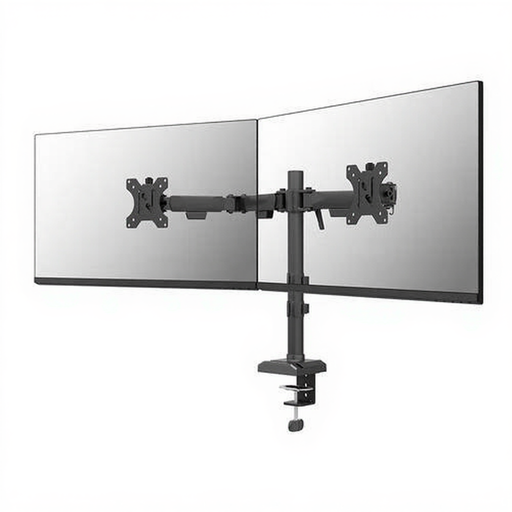
Why This Fits Their Persona: Ideal for those who want to create a tidy and organised dual-screen workspace without the added cost of a gas spring. You set the height once and enjoy a stable, clean setup.
This arm from Neomounts is made of steel and has a solid desk clamp, which avoids the 'wobbly clamp' pitfall of cheap, unbranded alternatives.
A robust, manually adjustable solution for two screens up to 32 inches. Includes cable management for a tidy desk.
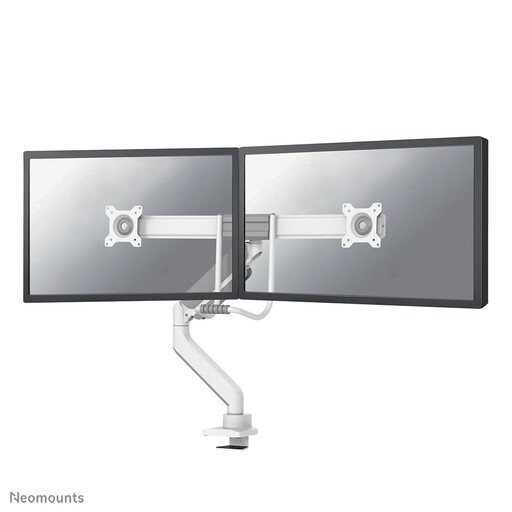
Why This Fits Their Persona: Perfect for professionals who spend long hours at their desk. The smooth gas spring makes it easy to adjust the screens for sitting or standing work. This `white monitor arm` also fits seamlessly into a modern interior.
This model tackles the 'fixed arm frustration'. The gas spring provides the effortless adjustability that static arms lack, allowing you to actively prevent neck and back pain.
Gas spring for stepless height and depth adjustment. Suitable for two screens up to 32 inches (8 kg each) and features a sleek, white design with cable management.
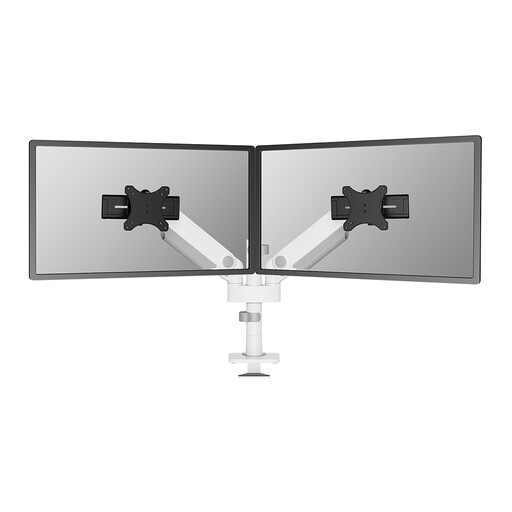
Why This Fits Their Persona: Designed for gamers, content creators, or professionals with large (up to 34 inches) or heavy curved monitors. This arm provides the extra sturdiness and weight capacity needed for a high-end setup.
This arm solves the 'compatibility trap'. With a weight capacity of up to 11 kg per screen (9 kg for curved), it prevents the arm from sagging, a common problem with heavier monitors.
High weight capacity for large screens up to 34 inches. The slidable crossbars offer maximum versatility for positioning two screens.
This is just a selection. We have a complete overview of monitor arms that meet these strict selection criteria.
Look at the back of your monitor. If you see a square pattern of four screw holes, your monitor has a VESA mount. Most monitors do. If the holes are hidden behind the standard stand, you will need to remove it first. The distance between the holes (e.g., 100 mm x 100 mm) determines the VESA size.
If you want to use your workspace flexibly, for example by alternating between sitting and standing, or if you frequently change your posture, then a gas spring is highly recommended. The effortless adjustment directly contributes to better ergonomics. If you set the height once and don't adjust it afterwards, a manually adjustable arm may suffice.
Yes, this is usually possible, as long as both screens fall within the arm's specifications for weight and VESA size. Many advanced arms, like the Neomounts DS75S-950WH2, even offer the ability to adjust the height of each screen individually, allowing you to perfectly align two different monitors. Always check the arm's specifications for the maximum screen size and weight per screen.
