What should you look for?
If you’re creating wedding invitations with limited access to power sockets, the first decision is whether to work on a standalone tablet or use your existing laptop. Also check how your design will be submitted to the printer and which components you’ll need.
| What to consider |
What should you check? |
Who is this most relevant to? |
| Working independently |
Check whether the device has its own operating system and battery, or whether you’ll need a laptop. Also check that your design app is available. |
If I don’t have a power socket or laptop to hand while designing, I want to sketch and lay out designs on one device. Around 33% of consumers say working independently is their top priority. |
| Submitting a print-ready file |
Ask your printer about the required format, bleed, crop marks and colour profile. Check that your app supports those settings and export options. |
I want to know in advance which file my printer needs, so I can prepare my design accordingly. That’s why around 27% of consumers prioritise having the right process for creating a print-ready file. |
| Connecting to a laptop |
Check your laptop model, video output over USB-C, available power and any driver requirements. A screenless graphics tablet and a pen display have different connection requirements. |
If my layout software is already on a laptop, I’m looking for a drawing accessory that works with it. For around 20% of consumers, making use of an existing laptop is the top priority. |
| Components required |
Check whether the pen is included and which cables, adapters or power sources you’ll need. This varies by model and connection. |
I don’t want to discover during setup that I still need a pen, converter or power source. For around 20% of consumers, minimising extra components is the top priority. |
Standalone tablets with a pen
These Joybuy products are standalone tablets with a pen, designed for sketching and laying out designs directly on the device. Check that your design app and preferred export method are available for each model.
 No image available
Wacom MovinkPad 11, Android 14, 8 GB RAM, 128 GB, Pro Pen 3
A standalone tablet for sketching and laying out designs without a computer.
The product information lists a rechargeable battery, an included pen and an active drawing area of 252 × 148 mm.
Joybuy
 No image available
Lenovo Yoga Tab ZAG60028PL, 11,1 inch, 3.2K, 8 GB RAM, 256 GB, Tab Pen Pro
A tablet with an included pen for sketching and creative work on the device.
The product name lists an 11,1-inch touchscreen, Android 15 and Tab Pen Pro with pressure sensitivity and tilt detection.
Joybuy
 No image available
Lenovo Idea Tab Plus WiFi, 12,1 inch, 2.5K, 8 GB RAM, 256 GB, with pen
A tablet with an included pen for anyone who wants to sketch and lay out designs on one device.
The product information lists a 12,1-inch screen and an included Lenovo Pen.
Joybuy
 No image available
TECLAST ArtPad Pro, 12,7 inch, 2K, 20 GB RAM (8 GB + 12 GB virtual), 256 GB, with stylus pen
A tablet with a stylus for sketching and design work on the go.
The product name lists a 12,7-inch screen, 2K resolution and 20 GB RAM, made up of 8 GB plus 12 GB of virtual memory.
Joybuy
 No image available
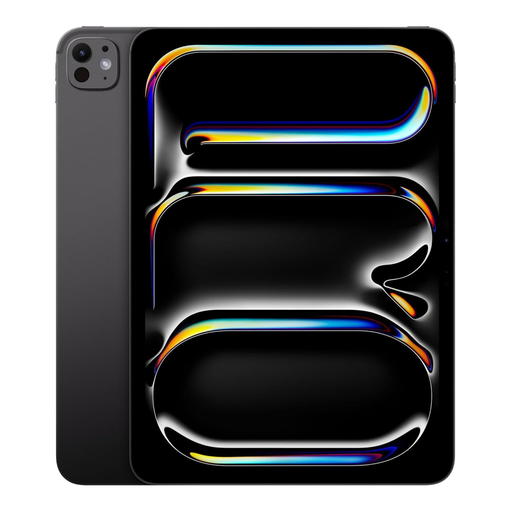
Apple iPad Pro M5 (2025), 11 inch, 1 TB, WiFi, Space Black
A standalone iPad for drawing and laying out designs on the device. Check that your design app works on iPadOS.
The product information lists support for Apple Pencil. Check which version is compatible and whether it’s included in this bundle.
Joybuy
Frequently asked questions
Can I use a pen display without a spare mains socket?
Sometimes, if the laptop is running on its own battery and its connection provides sufficient video output and power. For the Wacom One 14, Wacom specifies DisplayPort Alt Mode or Thunderbolt and 7,5 W (5 V/1,5 A) of power from the PC for full operation over a single cable. With the converter setup described, the power adapter must be connected to a power source.
Is a PDF of your invitation automatically suitable for the printer?
No. Ask your printer for the specifications first. Canva offers PDF Print with options including bleed, crop marks and an RGB or CMYK profile. Also check the margins and proof. Not all home printers support borderless printing or crop marks.
Do you need to buy a pen or extra connection accessories?
This varies by model and version. Apple Netherlands lets you choose an Apple Pencil separately in the Dutch iPad Air configurator. For the Wacom One 14, Wacom describes a converter, sold separately, for computers without a suitable USB-C video connection. Check what’s included with the specific version.
What are your rights when buying a drawing tablet online in the Netherlands?
According to ACM ConsuWijzer, when you buy from a business online, you generally have a statutory cooling-off period of up to 14 days after delivery. Check which exceptions and return conditions apply to your purchase. You’re also entitled to a product that works properly under the statutory guarantee, according to the Government of the Netherlands. This is separate from any manufacturer’s warranty.


