If you already have a suitable computer and want to clear the shared desk easily, start by looking at a compact screenless pen tablet. If you want to see the line directly beneath your pen, compare a pen display with a standalone tablet: a pen display needs a suitable connection to another device, while with a standalone tablet you should check the drawing app, pen compatibility and what’s included in the box. This advice is based on the working setup and manufacturers’ specifications, not on a practical test of jewellery sketching.
Who are these options suitable for?
Sketcher with an existing computer
Wants to develop small jewellery ideas digitally, then clear the shared desk. With a pen tablet, the line appears on your computer monitor while you draw on the separate tablet; Wacom Support explains what the active drawing area is.
Sketcher who wants to draw on the screen
Wants to draw outlines and variations directly on a screen and can make room for a pen display and a suitable connection. Huion provides the dimensions of the Kamvas 13 and its connection requirements.
Sketcher who moves between locations
Wants to be able to start or continue working at the shared desk without a fixed computer, so compares standalone tablets and their pens. Apple and Samsung describe support for specific pens with the models mentioned.
What should you look for when choosing?
Compact screenless pen tablet
Choose this option: if you already draw on a suitable computer and want to put the device away after use.
Bear in mind: you’ll look at the computer screen; check the connection and the exact model.
Pen display connected to a computer
Choose this option: if you want to draw directly on the screen and have room for the display and connections.
Bear in mind: the Huion Kamvas 13 is not standalone; for the USB-C connection described, the port and cable must support the right data and display functions.
Standalone tablet with pen
Choose this option: if you want to sketch without a connected computer or take your tablet with you.
Bear in mind: check that it supports your preferred drawing app, and check the storage and compatible pen; the Apple Pencil is not listed in the box contents for the iPad (A16).
| What to consider |
What should you check? |
Who is this important for? |
| Desk space and storage |
Compare the overall dimensions with the available space, not just the active drawing area. XPPen gives both measurements for the Deco mini7: 260.2 × 162.2 mm overall and an active area of 177.8 × 111.1 mm. |
If I want to clear my shared workspace quickly after sketching, I consider the whole setup. Around 36% of consumers put available space and storage first. |
| Seeing the line directly beneath the pen |
Check whether the model has its own screen and whether your computer supports the required connection. Huion lists a 1920 × 1080-pixel screen for the original Kamvas 13; the USB-C connection described requires data and DisplayPort support. |
If I want to follow outlines directly on screen, that matters more to me than having a screenless pen tablet. Around 29% of consumers put drawing on screen first. |
| Sketching without a fixed computer |
Check that the tablet supports your preferred drawing app on its own, and which pen is compatible with the exact model. Samsung describes the Dutch Galaxy Tab S10 Lite model as coming with an S Pen; Apple lists two compatible Pencil models for the iPad (A16). |
If I don’t want to rely on the computer at the shared desk, I look for a standalone option. Around 21% of consumers put standalone use first. |
| Putting together a complete purchase |
For each model, check the box contents, pen, required cables and any conditions attached to included software. Apple doesn’t list a Pencil in the box contents for the iPad (A16); Wacom’s included software is subject to registration conditions. |
If I want to know in advance which components and software conditions come with my choice, I check the complete package. Around 14% of consumers put a complete purchase first. |
Things to consider before buying
-
Comparing only the active drawing area with the available desk space
The active area is smaller than the device itself. With a pen display, you also need to allow for connections and cables.
Measure the available space and compare it with the overall dimensions of the exact model, not just the screen diagonal or active area.
-
Assuming any USB-C port can connect a pen display with a single cable
For the USB-C connection described by Huion for the Kamvas 13, both the port and the cable must support the required data and display functions.
Check your computer’s port and cable specifications against Huion’s connection requirements.
-
Assuming a standalone tablet automatically comes as a complete drawing kit
Apple lists compatible Pencil models for the iPad (A16), but doesn’t include a Pencil in the stated box contents. Samsung, by contrast, describes the specified Galaxy Tab S10 Lite model as coming with an S Pen.
Before buying, check the box contents and which pen models are compatible with the exact version.
-
Confusing a manufacturer’s warranty with all your rights if a product is faulty
The Dutch government distinguishes between a manufacturer’s warranty and your rights against the seller.
Keep your proof of purchase and report faulty goods to the seller. If you’re considering an extra paid warranty, check what it actually adds.
Brands to compare
Wacom
The Intuos S Bluetooth is a compact pen tablet for drawing on an existing computer.
- Wacom confirms Bluetooth support for the Bluetooth model mentioned; your drawing appears on a separate screen.
- Included software is subject to conditions, including signing in or having a Wacom ID and registering the product. Check the exact offer.
XPPen
The Deco mini7 is a compact screenless pen tablet with a USB-C connection.
- XPPen provides both the overall dimensions and the active drawing area, and specifies a battery-free pen.
- Check that the connection and drawing software are suitable for the device you’re using.
Huion
The original Kamvas 13 is a pen display for drawing on screen, connected to a compatible device.
- Huion provides the screen, pen and overall dimensions for the Kamvas 13.
- For the USB-C connection described, the port and cable must support the required data and DisplayPort functions. The Kamvas 13 and Kamvas 13 (Gen 3) are different models.
Samsung
Samsung describes sketching with the S Pen on the Dutch Galaxy Tab S10 Lite Wi-Fi model with 128 GB storage.
- This brand description is an example of a tablet you can use without a connected computer.
- Check the exact model, storage and preferred drawing app; the description doesn’t establish that it’s suitable for professional jewellery design software in particular.
Apple
The iPad (A16) is a standalone tablet that supports specific Apple Pencils.
- Apple lists support for Apple Pencil (USB-C) and Apple Pencil (1st generation).
- The listed box contents don’t include a Pencil. Don’t assume it’s compatible with every Apple Pencil model.
Joybuy product picks
These product picks include compact pen tablets for use with a computer, as well as tablets and writing surfaces for sketching. Check each model to see whether it suits the way you want to work at a shared desk.
 No image available
Wacom Intuos Pro Pen Tablet Small
A compact pen tablet for sketching on a connected computer, ideal if you want to put the device away after use.
Active drawing area: 187 × 105 mm. The description lists USB-C and Bluetooth, a thickness of 7 mm and a weight of 240 g.
Joybuy
 No image available
Wacom One pen tablet small - S
A small pen tablet for sketching on a computer, with a drawing device you can put away when you’ve finished.
The product description lists an included stylus, Bluetooth 5.1 and USB-C for connecting to a Windows or macOS computer.
Joybuy
 No image available
Lenovo Idea Tab Plus WiFi with pen
A tablet with a pen for sketching jewellery ideas without connecting a computer.
The product title lists a 12.1-inch screen, 2.5K, 8 GB RAM and 256 GB storage. The product description mentions the included Lenovo Pen for sketching and drawing.
Joybuy
 No image available
TECLAST ArtPad Pro with T-Pen
A tablet with a pen for sketching on the tablet and working without a fixed computer.
The product title lists 12.7 inch, 256 GB storage, 4G LTE and 20 GB RAM (8 GB + 12 GB virtual). The product description mentions an included pressure-sensitive T-Pen.
Joybuy
 No image available
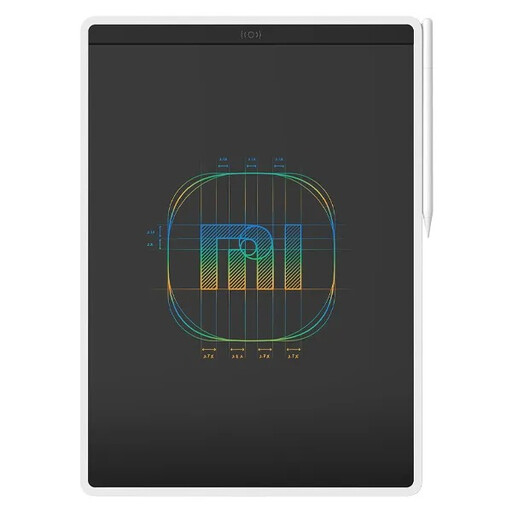
Xiaomi LCD Writing Tablet 13.5" (Color Edition)
A writing and drawing surface for quickly sketching ideas on a screen.
The product description lists a 13.5-inch screen and one-button erasing.
Joybuy
Frequently asked questions
Is a free USB-C port all I need for a pen display?
Not necessarily. For the single-cable USB-C connection described by Huion for the Kamvas 13, both the device port and the cable must support USB 3.1 Gen 1 data and DisplayPort 1.2 Alt Mode. Check your computer’s connections before buying.
Can I use any Apple Pencil with an iPad (A16)?
No. For this model, Apple lists Apple Pencil (USB-C) and Apple Pencil (1st generation). Apple specifies a USB-C to Apple Pencil Adapter for pairing and charging the 1st generation model.
Does a Wacom Intuos come with drawing software without any further conditions?
Don’t assume so. Wacom’s included software is linked to having a Wacom ID and registering the product; some offers also have licence duration conditions. Check the terms of the specific offer.
Who should I contact about a fault after buying in the Netherlands?
According to the Dutch government, the seller must provide a solution if a product is faulty. The Netherlands doesn’t have one fixed statutory guarantee period for all products; what you can reasonably expect depends, among other things, on the product and the information provided. A manufacturer’s warranty doesn’t replace your statutory rights.
Do online purchases always come with a 14-day cooling-off period?
Not always. According to the Dutch government, distance sales often come with a 14-day cooling-off period, but there are exceptions. A purchase from a private individual isn’t necessarily covered by the same rules.


