
Sketchers short on desk space
You already use a computer, share your desk and want to put your drawing device away easily after use. Compare its overall dimensions with the space you have available, not just the active drawing area.


If you already have a suitable computer and want to clear the shared desk after sketching, a compact pen tablet could be a good choice. You’ll look at the monitor rather than the pen tip. A pen display shows your drawing directly beneath the pen, but it takes up space and needs a suitable computer connection. A standalone tablet is an option if you also want to sketch without a computer. Whichever type you choose, check that your drawing software supports the scale, dimensions and file sharing you need.
You already use a computer, share your desk and want to put your drawing device away easily after use. Compare its overall dimensions with the space you have available, not just the active drawing area.
You want to see the line beneath the pen tip while discussing a garden layout, and you can make space for a pen display and its connections.
You want to capture an idea away from your computer and develop it further somewhere else later. Check that your pen and design app are compatible with the device you choose.
A good fit if: you draw on a computer you already own and want to put the device away after use.
Bear in mind: you look at the monitor rather than the pen tip. Also compare the active drawing area with the way you draw.
A good fit if: you want to see your changes directly beneath the pen tip.
Bear in mind: the screen takes up desk space and needs a suitable connection. Check the specific version, including the pen and cables supplied.
A good fit if: you want to sketch without a connected computer.
Bear in mind: check that your design app works with the operating system and that you can use your files at your other workspace.
When planning garden layouts at a shared desk, the main considerations are the space available, how you want to see your lines, and the computer or app you use.
| What to consider | What to look for | Who is this important for? |
|---|---|---|
| Space required | Measure the available space and compare it with the device’s overall dimensions; consider the active drawing area separately. | If I share my desk with others, I want to be able to put the device away after sketching without taking up workspace. Around 33% of consumers say keeping desk space clear is their top priority. |
| Lines and detail | Compare the active area and pen controls with the way you work; check that your software has the tools you need for scale, dimensions and export. | If I want to plan paths and flower beds accurately, I need to know whether the drawing area and software features are right for the job. Around 27% of consumers prioritise working on the detail of their lines. |
| Seeing the pen line | Decide whether you want to look at a monitor or directly at the drawing surface, and check the screen size and connection. | If I discuss garden ideas while drawing, I want to see the line directly beneath the pen tip. Around 20% of consumers prioritise drawing directly on screen. |
| Computer and accessories | Check the operating system, ports, required app, and the pen, cables and power supply for the version you choose. | If I don’t always have access to a computer, I want to be able to sketch independently. When using a shared computer, I need to know whether the connection and any required software installation are allowed. Around 20% of consumers prioritise independence and being able to get started straight away. |
At a shared desk, the whole device needs to fit, even though you only draw on the active area.
Compare the overall dimensions and active area separately with the space available.
With a screenless pen tablet, your drawing appears on the monitor. A pen display shows it on the drawing surface, but needs to be connected to a computer.
First choose between screenless input, a connected pen display and a standalone tablet.
Wacom also offers a version of the Wacom One 12 that includes the display only. Apple lists specific compatible Pencil models for the iPad (A16).
For each version, check the product code, box contents, pen compatibility and required connections.
Huion describes the Inspiroy 2 S as a compact pen tablet used with a connected device, rather than as a pen display.
XPPen offers both screenless pen tablets and pen displays; the drawing experience and connection vary by model.
Wacom describes both screenless pen tablets and pen displays, including the Intuos Pro Small (2025) and the Wacom One 12.
The Galaxy Tab S10 Lite is a standalone Android tablet that Samsung offers with an S Pen in the Netherlands.
The iPad (A16) is a standalone tablet for use with a suitable iPad app and a compatible Apple Pencil.
This selection includes compact pen tablets for use with a computer, as well as tablets and writing devices with pen input. Before choosing, check that the device and the software you need suit the way you like to sketch.
 Image unavailable
A screenless pen tablet for sketching garden layouts on a connected computer.
Active area: 187 × 105 mm. USB-C and Bluetooth. The included pen has 8.192 pressure levels, and there are four customisable keys. The Wacom driver must be installed to enable full pen pressure functionality and ExpressKeys.
 Image unavailable
A compact pen tablet for sketching on a computer when you want to put the device away after use.
Active area: approximately 148 × 105 mm. Bluetooth 5.1 and USB-C. The description lists a pressure-sensitive pen as included; the Wacom driver must be installed for full pen pressure and shortcuts.
 Image unavailable
A tablet with on-screen pen input for anyone who wants to see the pen line directly on the drawing surface.
The product name lists Wi-Fi, 12.1 inch, 2.5K, 8 GB RAM, 256 GB and a pen. The description mentions a pressure-sensitive screen for drawing and writing.
 Image unavailable
A tablet with pen input for capturing garden ideas without a connected computer.
The product name lists a 12.7-inch screen, 256 GB, 4G LTE, 5G Wi-Fi and Android 15. The description mentions an included pressure-sensitive T-Pen.
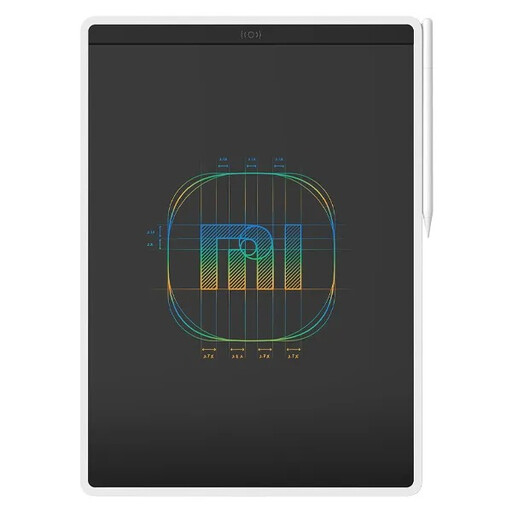 Image unavailable
This writing device could suit you if an LCD writing tablet fits the way you like to sketch.
The product name lists the Color Edition version and a 13.5-inch size. Beforehand, work out which drawing features and file-sharing options you need for your garden layout.
That depends on the features of your garden design software, not just the pen hardware. Before buying, check that the software supports scale, dimensions and the file-sharing options you need.
First check the connection and whether you’re allowed to install the required driver. For the Inspiroy 2, Huion describes using a USB-C cable and installing the correct driver. If the computer is managed, ask whether installation is permitted.
No, the contents vary by version. Wacom also offers a Wacom One 12 that includes the display only. Check the product code, box contents and computer connections.
According to the Dutch government, you’re entitled to a product that works properly and should be able to contact the seller if there’s a fault. The Netherlands has no fixed statutory guarantee period; the expected lifespan depends on the product. A manufacturer’s guarantee does not replace this legal right.
A CE marking is required when the applicable harmonised EU rules specify it for that product. The European Commission lists electrical and electronic equipment as a product category covered by such rules, but not every product is subject to exactly the same requirements. A CE marking is not an independent quality test.