What should you look for when buying?
First, decide how you want to work: draw without a computer, draw directly on a computer screen or use a pen while looking at an existing monitor.
Standalone tablet with pen
A good fit if: you want to sketch by the window without connecting a computer.
Bear in mind: check the exact screen configuration, compatible pen and drawing app. Nanotexture is available on the iPad Pro only on configurations with 1 TB or 2 TB of storage.
Pen display for a computer
A good fit if: you want to draw directly on the screen and use your existing computer and software.
Bear in mind: you’ll still need a compatible computer and connection. Also check which cables, power supply and stand you’ll need.
Screenless graphics tablet
A good fit if: you already have a well-positioned monitor and don’t need to look at your drawing hand.
Bear in mind: your drawing appears on a separate monitor, so its position in relation to the window still matters.
| What to consider |
What should you check? |
Who should consider this? |
| Visibility in daylight |
Check the finish of the exact configuration and whether you can move the screen or use a window blind. The Arboportaal recommends positioning your viewing direction parallel to the window. |
If I want to judge leaf edges and colours in changing daylight, I look at both the screen finish and the setup. Around 36% of consumers in this situation prioritise visibility in daylight. |
| Fine lines and details |
Compare the drawing area, screen resolution where applicable and the pen. Don’t judge drawing quality by the stated number of pressure levels alone. |
If I want to work on veins and small outlines, I look for a drawing area and pen that suit the way I work. Around 29% of consumers prioritise fine lines and detail. |
| Drawing without a computer |
Check whether the device runs apps independently and which pen is compatible with that configuration. A computer-connected model needs a suitable computer and connection. |
If I want to sketch without a connected computer, I check the pen and drawing app in advance. Around 21% of consumers prioritise standalone use. |
| Using an existing monitor |
Check the computer connection, driver support and active drawing area. Also consider the monitor’s position and visibility. |
If I’d rather use my existing monitor than draw on a second screen, I look at a screenless graphics tablet and its computer requirements. Around 14% of consumers prioritise making use of an existing monitor. |
Joybuy products
This selection includes pen displays for computers, standalone tablets with a pen and a screenless graphics tablet for use with an existing monitor.
 No image available
Wacom One pen display 14.0-inch
A pen display for anyone who wants to draw directly on the drawing surface using a connected computer.
Full HD screen, 309 × 174 mm active drawing area, 4096 pressure levels and tilt support, according to the product description.
Check that your computer supports the required connection and whether the stand is included with the package you choose.
Joybuy
 No image available
Lenovo Idea Tab Plus WiFi 12.1, 2.5K, 8 GB RAM, 256 GB, with pen – Rose
A standalone tablet with a Lenovo Pen included for sketching and drawing.
12.1-inch 2.5K screen, 8 GB RAM and 256 GB storage.
Joybuy
 No image available
TECLAST ArtPad Pro 12.7-inch 2K, 20 GB RAM (8 GB + 12 GB virtual), 256 GB storage, with stylus
A tablet with a stylus for anyone who wants to draw on the tablet screen.
12.7-inch 2K screen, 20 GB RAM (8 GB + 12 GB virtual) and 256 GB storage.
Joybuy
 No image available
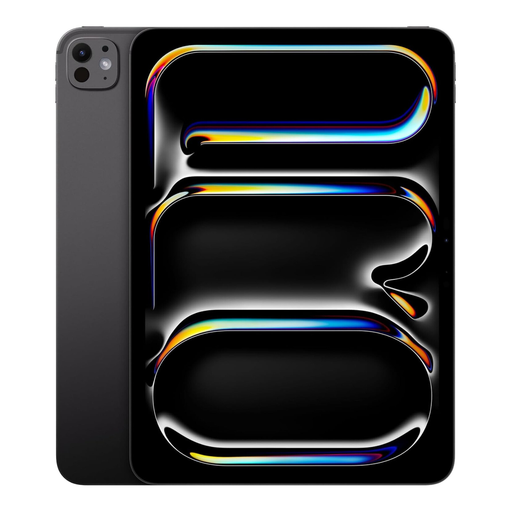
Apple iPad Pro 13-inch Wi-Fi + Cellular, 2 TB, Space Black
A standalone tablet that supports Apple Pencil Pro, so you can draw without a connected computer.
13-inch screen and 2 TB of storage. Check whether the pen is included with your chosen purchase and which screen configuration you’re selecting.
Joybuy
 No image available
Wacom Intuos Pro Pen Tablet Small
A screenless graphics tablet for anyone who works with a computer and existing monitor.
187 × 105 mm active drawing area, pen with 8,192 pressure levels, and USB-C and Bluetooth connections, according to the product description.
Your drawing appears on a separate monitor, so its position in relation to the window still matters.
Joybuy
Frequently asked questions
Does a matt or anti-reflective screen always help with light from the window?
No. This type of finish doesn’t guarantee clear visibility in every lighting condition. If you’re experiencing reflections, the Arboportaal recommends positioning your viewing direction parallel to the window, moving your workstation further from it or using a suitable window blind.
Can I connect a pen display to my laptop with a single USB-C cable?
That depends on the model and your laptop. For the Wacom One DTC141, Wacom specifies a Thunderbolt port version 3 or later, or USB-C with DisplayPort Alt Mode. Check your computer’s connections and the requirements of the model you’ve chosen.
How can I keep my drawing area usable in changing daylight?
Start by checking where the light falls on the screen, then move your workstation or use a window blind if needed. For screen-based work, the Arboportaal recommends positioning your viewing direction parallel to the window.
What cooling-off period and warranty apply to an online purchase in the Netherlands?
According to ACM ConsuWijzer, consumers who buy online generally have a statutory cooling-off period of up to 14 days after delivery, subject to exceptions. Your statutory guarantee is separate from any commercial warranty.
Should I check for a CE mark on an electric drawing tablet?
Yes. The Dutch government states that electronic devices sold in the EU must meet the applicable safety requirements and carry a CE mark. Check the product information for the exact configuration.


