
Student with an existing tablet
You want to avoid choosing a pen that isn’t compatible with your tablet model, generation or the features you need. Apple UK and Samsung UK publish compatibility information for their pen models.


Start by checking your exact tablet or laptop model: Apple Pencil, Samsung S Pen and Logitech Crayon are not interchangeable, and a graphics tablet is a separate input device for a computer. Then choose between simple sketching and annotation features, and drawing controls supported by your specific app. If you’re creating your poster on a laptop, check which file format the printer needs too.
You want to avoid choosing a pen that isn’t compatible with your tablet model, generation or the features you need. Apple UK and Samsung UK publish compatibility information for their pen models.
You draw characters, sets or expressive visual elements and want to know which pen controls will be useful. Apple UK, Logitech and Adonit describe the features of their specific pen versions.
You create your layout on a computer in a small workspace and are considering whether a graphics tablet and pen will fit your existing laptop workflow. Huion describes the Inspiroy 2 as a graphics tablet supplied with a pen.
First, check which device you already have and which pen is compatible with it. Then find out which drawing features your app supports and how your design will be prepared for print.
| What to consider | What should you check? | Who is this important for? |
|---|---|---|
| Compatibility | Note your exact device model and generation, and check any software requirements too. | I want to make sure my pen works with my existing tablet before comparing features. Around 36% of consumers make device compatibility their top priority. |
| Drawing controls | Check tilt, pressure sensitivity and gestures separately for both the pen and the drawing app. | If I want to draw characters or sets with varied lines, I need to know which controls my app actually supports. Around 29% of consumers prioritise expressive poster illustrations. |
| Print file | Ask the printer which file format they need and check the export options in your design app. | When my poster is printed, I want the layout and export to meet the printer’s submission requirements. Around 21% of consumers prioritise the process of turning a drawing into a print-ready file. |
| Workspace and equipment | Consider whether you’ll be working on an existing tablet or laptop, and check which components and software you’ll need for your chosen setup. | If desk space is limited, I want to know whether a separate pen will work with my tablet or whether a graphics tablet alongside my laptop is a better fit. Around 14% of consumers prioritise their workspace setup and the equipment they need to buy. |
Different pen versions may be designed for different tablet models or generations. Choosing the wrong combination could mean the pen isn’t compatible with your device.
Note your tablet’s exact model and generation, then compare them with the compatibility information for the specific pen.
If the pen isn’t compatible, you may have to look for a suitable model after all.
These are different features. An older Logitech Crayon manual describes a Lightning version; that information alone doesn’t confirm which features the Crayon USB-C has.
Check the exact pen version and the support offered by your drawing app before relying on a specific brush stroke.
Drawing, laying out text and exporting a file are separate steps. The pen alone doesn’t determine whether the final file meets the printer’s requirements.
Ask the printer which file format they need, and check in advance which layout and export features your design app offers.
Apple Pencil versions are designed for specific supported iPads. The right choice depends on your iPad model and the controls you want.
S Pen versions are designed for supported Galaxy devices.
Crayon (USB-C) is a pen for compatible iPads, designed for sketching and annotating.
Adonit says Note⁺ 2 is designed for certain iPads. It may be an option if illustration features matter to you.
Inspiroy 2 is a graphics tablet and pen for use with a laptop, not a separate pen for an iPad or Galaxy Tab.
This selection includes graphics tablets for use with a laptop and pens for compatible tablets. Before choosing, check that your device and software are compatible with the specific version.
 No image available
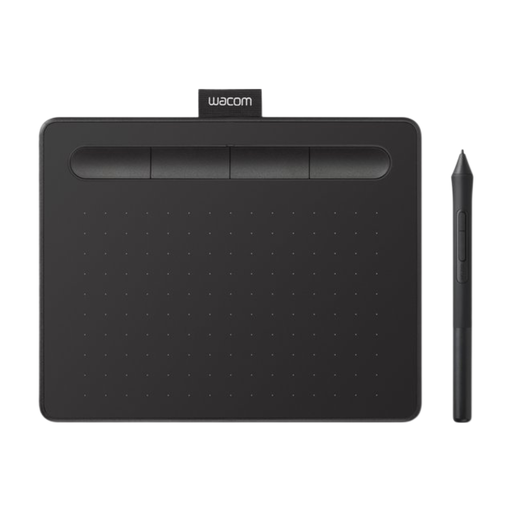
A graphics tablet to consider if you’re creating your poster on a laptop and want to add pen input to your computer.
The product information states that you’ll need to install the Wacom driver to access full pen pressure functionality and software integration.
 No image available
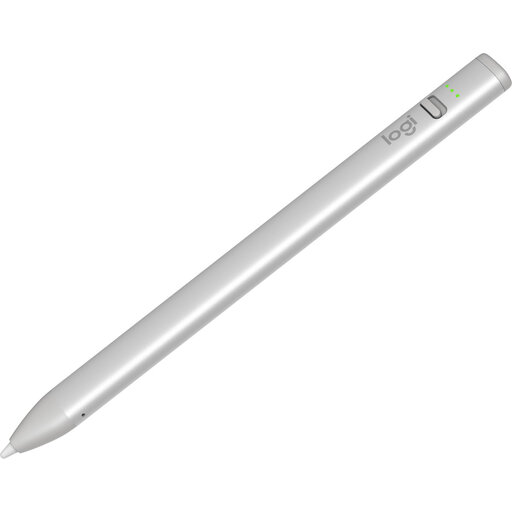
An option for sketching and annotating on a compatible iPad. Logitech describes tilt control for adjusting line thickness.
The product information lists compatibility with iPad models from 2018 onwards running iOS 12.2 or later. Check that your device meets these requirements.
 No image available
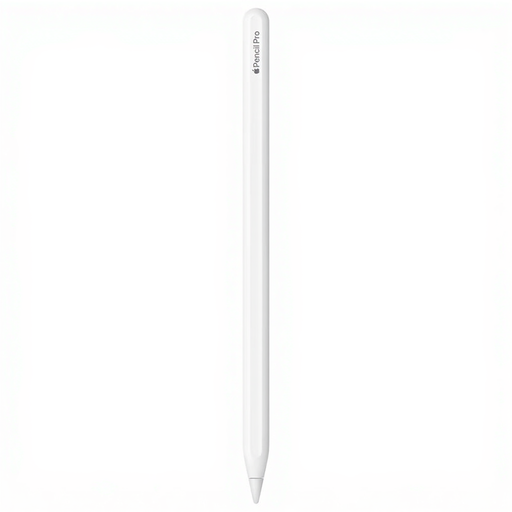
For illustrations on a compatible iPad if you want to use the extra drawing controls offered by this version.
Apple says Pencil Pro includes features such as squeeze and barrel roll controls. Check that your exact iPad model is compatible.
 No image available
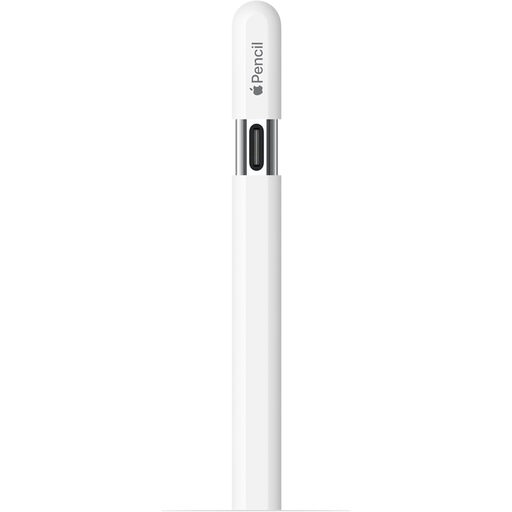
Worth considering for sketching and annotating on a compatible iPad if tilt sensitivity suits your drawing style.
Apple describes this version as tilt-sensitive. Pairing and charging are done with a USB-C cable; magnetic attachment is for storage.
 No image available
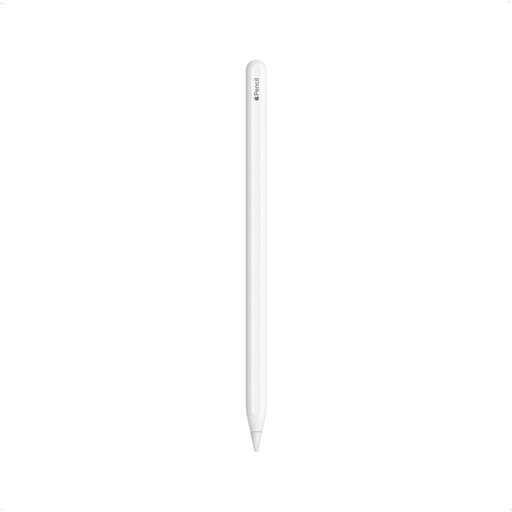
Worth looking at if you have one of the compatible iPad models listed.
The product name lists compatibility with iPad Pro 12.9-inch (3rd, 4th, 5th and 6th generation), iPad Pro 11-inch, iPad Air (4th and 5th generation) and iPad mini (6th generation). Check that your exact model is included.
Compare your tablet’s exact model and generation with the compatibility information for the specific pen. Where listed, check the required software version too. Having the same brand name doesn’t guarantee that the pen will fit.
According to Apple, you pair and charge this version using a USB-C cable. Magnetic attachment is for storing the pen; don’t confuse it with the charging method for another Pencil version.
Yes, if your poster is going to be printed: first ask the printer which file format they accept. Adobe describes an option to export a PDF with a CMYK colour profile from Adobe Express, but your printer’s requirements will determine which workflow is right.
According to the Dutch government, when you buy from a business at a distance, you usually have a 14-day cooling-off period. You’re also entitled to a product that works as it should under the legal guarantee; check the terms that apply to your specific order.