
Artist with an existing tablet
You want to avoid buying a new pen that won’t work with your iPad, Galaxy Tab or drawing tablet. First, check the full device model with the pen manufacturer.


First, choose a pen that the manufacturer confirms works with the exact model of your existing tablet. Drawing pens are not interchangeable. For varied line widths, both the pen and drawing app need to support the input you want. At a shared desk, charging and storage matter too. Apple, Samsung, Wacom and Huion all have different compatibility lists and product specifications for each model.
You want to avoid buying a new pen that won’t work with your iPad, Galaxy Tab or drawing tablet. First, check the full device model with the pen manufacturer.
You draw eyes, eyebrows and mouth shapes with varied outlines, and want to know whether both the pen and drawing app support pressure-sensitive strokes. Adobe describes a dedicated pen-pressure setting for Photoshop.
You want to put your pen away easily after a short drawing session, without finding a flat battery or missing cable when you come back to it. Charging methods vary by pen model.
| What to consider | What to look for | Who is this important for? |
|---|---|---|
| Compatibility | Look up your tablet’s full model name in the manufacturer’s compatibility list. For an iPad, also check whether a specific iPadOS version is required. | If I’m choosing a pen for my existing tablet, I want to know in advance whether they’ll work together. Around 36% of consumers make compatibility their top priority. |
| Line control | Check separately whether the pen is pressure- or tilt-sensitive, and whether your drawing app has the brush settings you want. | If I’m drawing facial expressions with varied line thicknesses, I want to know which input features my pen and app support together. Around 29% of consumers prioritise line control. |
| Charging and storage | Compare charging by cable, magnetic charging and battery-free use. Also check where you can safely leave the pen on your tablet or at your workspace. | If I share my desk with others and do short sketches between other tasks, I want to be able to put my pen away and have it ready when I need it. Around 21% of consumers put ease of use first. |
| Replacement nibs | Check which nibs fit the pen, what’s included in the box and whether replacement nibs are available for that model. | If I use my drawing pen regularly, I want to know in advance which replacements are available. Around 14% of consumers consider maintenance and replacement nibs their top buying priority. |
Apple lists different compatible iPads for each Pencil version. A matching brand name or appearance doesn’t confirm that the pen will work with your iPad.
Look up your exact iPad model and check the relevant entry in Apple Support’s compatibility list before buying.
Apple Pencil models are designed for specific supported iPads. Check which version is right for your existing tablet.
S Pen models are designed for devices that support the S Pen. Check compatibility with your exact tablet model.
Wacom pens are model-specific accessories for particular drawing tablets.
Huion offers replacement pens for specific pen and display tablets. Find the right pen by checking your device model.
XPPen lists model-specific replacement pens for drawing tablets including the Deco and Artist ranges.
These are standalone pens for drawing with an existing iPad, Galaxy Tab or capacitive touchscreen. Before buying, check that the pen is compatible with your exact device.
 No image available
An option for drawing with pressure and tilt sensitivity on a compatible iPad.
The pen attaches magnetically to a compatible iPad and charges there. Check compatibility with your exact iPad model.
 No image available
An option for sketching and tilt-sensitive drawing with a compatible iPad.
The pen attaches magnetically for storage, but charges via a USB-C cable.
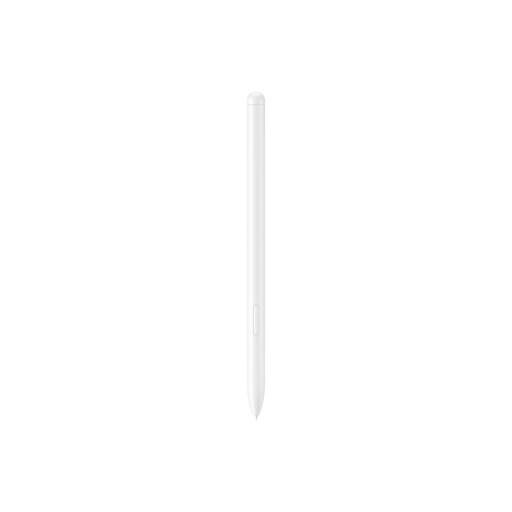 No image available
An option for drawing and sketching on the Galaxy Tab models listed as compatible with this pen.
The product information lists the Galaxy Tab S9 FE and Tab S9 FE+ as compatible models, and mentions magnetic attachment and charging.
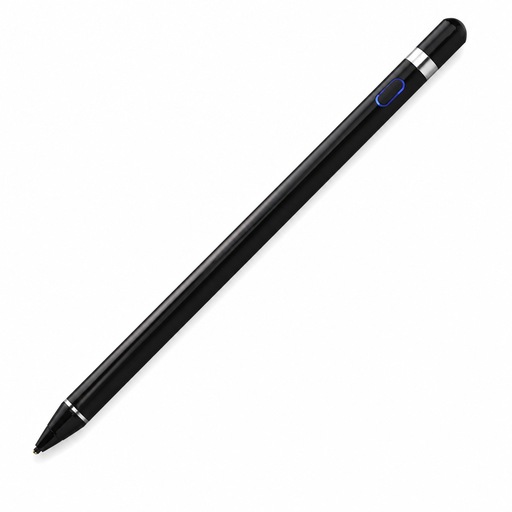 No image available
An option for drawing on a capacitive touchscreen. Check that the app and connection described suit your needs.
The product information lists a pressure-sensitive tip, built-in battery and Bluetooth pairing with the companion app.
No. Check your exact device model against the pen manufacturer’s compatibility list. Apple also specifies a minimum iPadOS version for some Pencil models.
Check that the pen and tablet support pressure input, and that your drawing app links pen pressure to brush size or opacity. Adobe describes a dedicated setting for this in Photoshop; it doesn’t automatically apply to other apps.
It depends on the model. Apple says Pencil Pro charges magnetically on a compatible iPad, while Apple Pencil (USB-C) charges via a USB-C cable. Samsung says the S Pen Creator Edition doesn’t need charging.
For online purchases made by consumers in the Netherlands, ACM ConsuWijzer says you generally have up to 14 days after delivery to change your mind, with some exceptions. Your legal rights if a product is faulty are separate. The Dutch government says there is no fixed statutory guarantee period in the Netherlands; the seller is your point of contact.