
Cartoonist with an existing iPad
You’re looking for a pen that works with your exact iPad model and offers the controls you need for sketching. Apple publishes compatibility information for each Pencil model.


Start with the exact device: an Apple Pencil, Galaxy S Pen and pen for a computer-connected drawing tablet are not interchangeable. For expressive lines, look for clearly stated pressure sensitivity. At a shared desk, connection and storage may matter more. Also check the pen variant, compatible software and any other equipment you’ll need.
You’re looking for a pen that works with your exact iPad model and offers the controls you need for sketching. Apple publishes compatibility information for each Pencil model.
You want to draw directly on your tablet, so you’ll need to match the S Pen to your exact Tab model. Samsung lists the S11 Series S Pen covered here as compatible with the Tab S11 and Tab S11 Ultra.
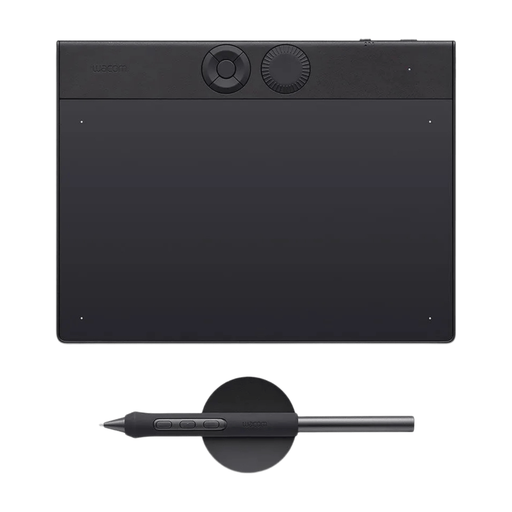
You want to connect a drawing surface to an office computer and put it away when you’re finished. Wacom describes the Intuos Small as a drawing tablet without its own screen.
First, check which device and drawing app you use. Then choose the line controls you need and consider whether the set-up will work well at a shared desk.
| What to consider | What should you check? | Who is this important for? |
|---|---|---|
| Device compatibility | Compare the full pen and tablet model names with the manufacturer’s compatibility information, and check for any software requirements. | If I already have an iPad or Galaxy Tab, I want to be sure the pen I choose works with that exact model. Around 33% of consumers put device compatibility first. |
| Expressive lines | Look for explicit support for pressure sensitivity, tilt recognition or shortcut buttons, and check whether your drawing app supports the feature you want. | If I want to vary eyebrows, mouths and shading, I check which controls suit my drawing style. Around 27% of consumers prioritise line control. |
| Space and storage | Check how you’ll store the pen, which connection you need and whether there’s room for a separate drawing surface. | If I share my workspace, I want to be able to put my drawing set-up away when I’m finished. Around 20% of consumers focus mainly on space and storage. |
| Equipment and maintenance | Work out which equipment and software you already have, then check how the pen charges and whether it has replaceable parts. | If I don’t want to buy unnecessary extras, I first check what I already have and what the pen I choose requires. Around 20% of consumers prioritise the equipment they’ll need overall. |
Apple lists compatibility for each Pencil model. For the S11 Series S Pen covered here, Samsung lists the Tab S11 and Tab S11 Ultra; that doesn’t mean it will automatically work with other Galaxy Tabs.
Make a note of your full tablet model, then check the compatibility information for that exact pen variant.
A pen that doesn’t work with your device won’t be suitable for the drawing you have in mind, and you may need to place another order.
Tilt recognition and pressure sensitivity are different features. Logitech describes tilt support for the Crayon, while Samsung lists pressure sensitivity for the S11 Series S Pen covered here.
Decide whether you want to use the angle of the pen or the pressure of your hand, then check that both the pen and your drawing app support the feature.
A drawing tablet without a display needs to be connected to a computer and used with an external screen. You’ll look at the monitor while drawing on the tablet surface.
Before you buy, check that you can use the computer and connection at the shared workspace, and that there’s room for the drawing surface.
You’ll need a suitable computer and monitor for this set-up.
ACM ConsuWijzer explains that the Dutch statutory guarantee applies alongside a retailer’s or manufacturer’s warranty. With normal use, the product must meet what you could reasonably expect of it; there is no fixed general two-year period.
Keep your proof of purchase and contact the retailer if there’s a fault.
Apple Pencil models are designed for specific iPads. The right choice depends on your iPad model and the controls you want.
The S11 Series S Pen covered here is designed for the Galaxy Tab S11 and S11 Ultra.
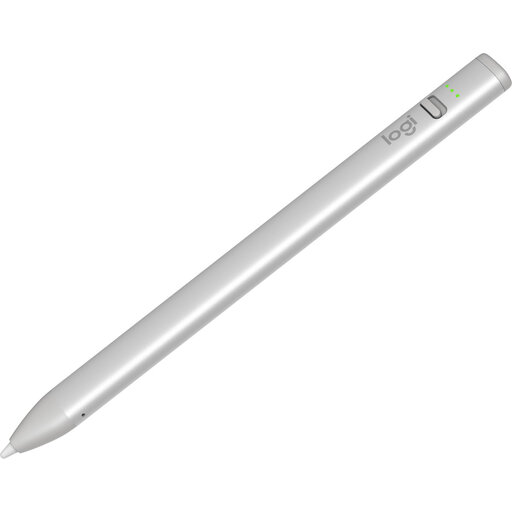
The Crayon USB-C is an option for sketching on compatible iPads without a separate Bluetooth pairing process.
The Intuos Small is designed for drawing on a separate surface connected to a computer.
The Deco series offers a separate drawing surface as an alternative to drawing on a tablet screen.
These products are suitable for drawing on a computer, sketching on a compatible iPad or drawing on certain e-ink tablets. Check each pen’s compatibility with your own device.
 No image available
Suitable for a workflow where you draw on a computer using a separate drawing surface.
For use with a computer; according to the product information, you’ll need to install a Wacom driver for full pen and software integration.
 No image available
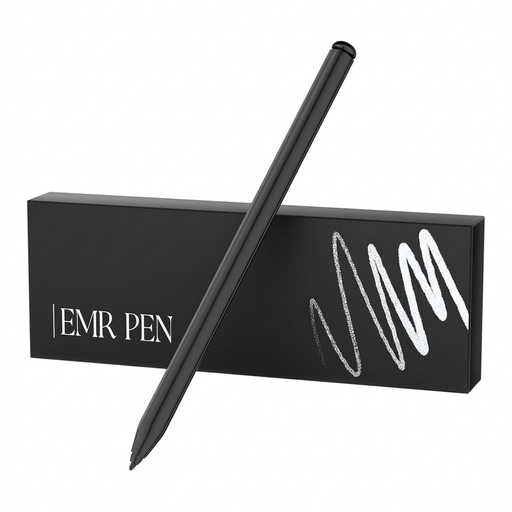
Worth considering if you draw on one of the compatible e-ink tablets listed; check your device model before choosing.
The product title lists 4,096 pressure levels. The stated compatibility is for reMarkable 1, reMarkable 2 and Kindle Scribe.
 No image available
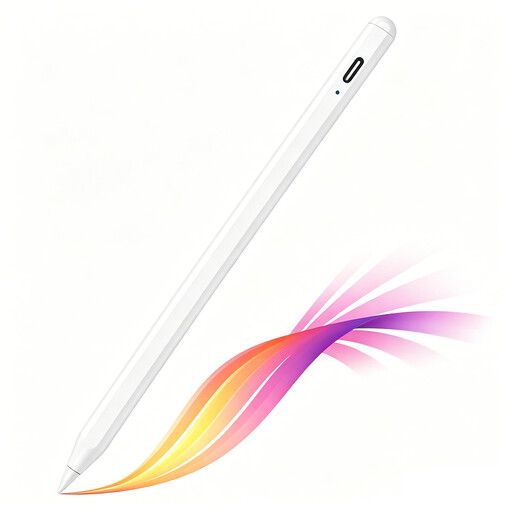
An option for sketching if your iPad is one of the compatible models listed.
The product title lists USB-C charging, tilt recognition, palm rejection and magnetic attachment; compatibility is limited to selected iPad models.
 No image available
Suitable for simple sketching on a compatible iPad; check that your iPad meets the stated requirements.
The product information lists iPads from 2018 onwards and iOS 12.2 or later.
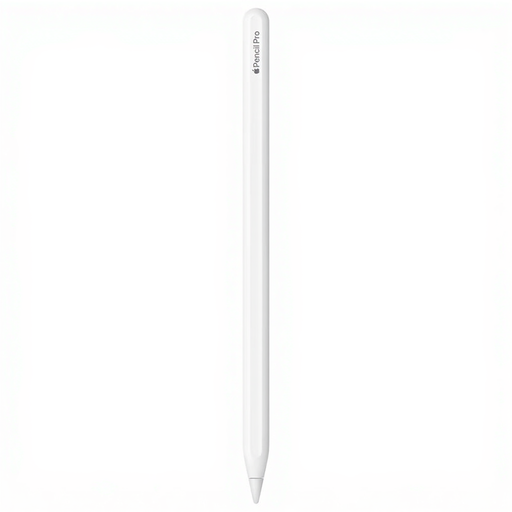 No image available
An option if you use a compatible iPad and want extra pen controls while sketching.
Apple lists squeeze, barrel roll, double tap, and magnetic pairing and charging. Check that your specific iPad model is compatible.
Look up your exact iPad model in Apple’s compatibility information and check the iPadOS version required for the Pencil you’re considering. A USB-C connection or the name Apple Pencil alone isn’t enough to confirm compatibility.
According to Samsung, the S11 Series S Pen can be stored on the tablet and has a replaceable nib. Logitech describes the Crayon as a pen you switch on when you want to use it. When packing up, check the condition of the nib and make sure you have a suitable place to store the pen.
No. A manufacturer’s or retailer’s warranty doesn’t replace the statutory guarantee. ACM ConsuWijzer explains that, with normal use, a product must meet what you could reasonably expect of it; in the Netherlands, there is no fixed general two-year period. The retailer is your point of contact.
For a standard online purchase by a consumer, there is generally a statutory cooling-off period of up to 14 days after delivery, according to ACM ConsuWijzer. Exceptions apply, so check the terms and how far you’re allowed to try the product before placing your order.