Products at Joybuy
This selection includes Apple Pencil versions for compatible iPads, as well as graphics tablets and styluses for use with an existing computer. Before buying, check that your device is supported and that you have the necessary software or power supply.
 No image available
Wacom Intuos Pro Pen Tablet Small
An option if you want to create card illustrations on a computer you already own. Check whether you can install the necessary Wacom driver on the shared computer.
View at Joybuy
 No image available
Wacom One Pen Tablet Small S
Suited to a workflow where you draw on a graphics tablet and look at a connected computer screen. Bear in mind that you’ll need the Wacom driver to use full pressure sensitivity.
View at Joybuy
 No image available
Apple Pencil Pro 2024 for iPad Air and iPad Pro
For drawing on a compatible iPad: Apple lists pressure and tilt sensitivity, as well as magnetic pairing and charging, for Pencil Pro. Check your exact iPad model and the required software version with Apple Support.
View at Joybuy
 No image available
Apple Pencil (USB-C), White
For sketching on a compatible iPad. Apple says it pairs and charges using a USB-C cable; check separately which drawing features your iPad and app support with this version.
View at Joybuy
 No image available
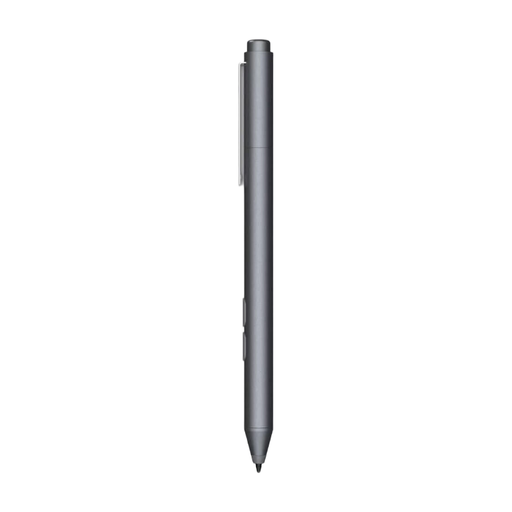
HP MPP 1.51 stylus pen for PC and tablet, 1 replaceable tip
An option for drawing on a compatible HP or Microsoft device; check support for your exact model. The product description specifies an AAAA battery.
View at Joybuy
Frequently asked questions
How do I know which pen works with my iPad?
Check your exact iPad model against the compatibility list for the Pencil version you’re considering, including the required iPadOS version. If you choose a pen from another brand, also check that manufacturer’s compatibility information and support in your drawing app.
Do I need to install or charge a drawing pen?
It depends on the model. Apple says Apple Pencil (USB-C) pairs and charges using a USB-C cable; Logitech says the Crayon (USB-C) can be used without a complicated Bluetooth pairing process. XPPen describes the pen for Deco mini7 V2 as passive, so according to the manufacturer it doesn’t need to be charged separately.
What should I check before sending my card design to print?
Check your print service’s file requirements. If you’re using Canva, keep text within the safe margin and check bleed, crop marks and resolution at the final card size; Canva recommends 300 dpi for PDF Print.
What are my rights in the Netherlands when I buy a pen online?
Online purchases generally come with a statutory cooling-off period, although exceptions may apply; check the terms explained by ACM ConsuWijzer. The right to change your mind about a purchase you don’t want to keep is separate from your rights if a product is faulty or doesn’t meet what you could reasonably expect. ACM ConsuWijzer provides information on this too. Any manufacturer’s warranty does not replace your statutory rights.


