
Artists with an existing iPad
You want to draw directly on the screen. Before buying, check which Pencil version is compatible with your exact iPad model.


Start with the device you want to draw on. If you already have a tablet, choose a pen that’s compatible with your exact model; for computer use, opt for a compact graphics tablet with the right connection. Then measure the space on your desk and compare it with the active drawing area. A smaller drawing area takes up less room, but gives you less space for physical drawing movements.
You want to draw directly on the screen. Before buying, check which Pencil version is compatible with your exact iPad model.
You’re looking for a separate drawing surface for your computer. Compare both the overall dimensions and the active drawing area with the space you have available.
You want control over variations in your sketching and inking lines. So, look at the pen’s features as well as the input supported by your drawing app.
Choose this option: if you want to draw on your iPad screen and the Pencil version is compatible with your iPad model.
Bear in mind: a standalone pen doesn’t include an iPad, and features vary between Pencil versions.
Choose this option: if you have a Galaxy Tab for which Samsung specifies this particular S Pen model.
Bear in mind: a listing for certain Tab models doesn’t prove that the pen works with every Galaxy Tab or Android tablet.
Choose this option: if you create your character sheet in computer software and have room for a separate drawing surface.
Bear in mind: you draw on the tablet while usually looking at a different screen. Also check the connection and system requirements.
| Buying concern | What should you check? | Who is this important for? |
|---|---|---|
| Compatibility | Note the full model name of your iPad or Galaxy Tab and compare it with the pen’s compatibility information. For a graphics tablet, also check the operating system, connection and driver. | If I want to keep using my current device, I first want to know whether the pen works with it. Around 31% of consumers make compatibility their top priority. |
| Space and drawing area | Measure the available space, including room for your hand and cable. Compare the overall dimensions separately with the active drawing area. | If my desk is small, I want to leave enough room without unnecessarily restricting my drawing movements. Around 31% of consumers give available desk space top priority. |
| Line control | Check the pressure and tilt input offered by the exact pen model, and whether your drawing app supports these features. | When I need variation in outlines and inking lines, I look at both the pen and the app. Around 23% of consumers put line control first. |
| Total cost | Check what you already own, what comes with the pen or graphics tablet, and the terms and conditions for any software included. | If I want to limit extra purchases, I want to know in advance what hardware and software I’ll still need. Around 15% of consumers put total costs and follow-up purchases first. |
Apple distinguishes between Pencil versions and iPad generations. A general description doesn’t give you enough certainty that the pen will work with your device.
Compare the full model name and generation with the compatibility list from Apple Support Netherlands.
For certain USB-C iPads, Apple specifies an adapter when using the first-generation Apple Pencil. Check this before choosing that combination.
The overall dimensions and active drawing area are different. So, a graphics tablet may take up little desk space while still offering less room for physical drawing movements.
Measure your workspace and compare it with both the overall dimensions and the active area.
For the One by Wacom Small model reviewed, the Wacom eStore lists a three-month Clip Studio Paint licence.
Check the current licence terms and what happens when it expires before factoring the software into your decision.
A temporary licence may mean you’ll need to decide again later which software you want to use.
Apple Pencil accessories for certain iPad models, designed for anyone who wants to draw directly on an iPad they already own.
S Pen accessories for specific Galaxy Tab models, including replacement pens for compatible tablets.
One by Wacom Small and Intuos S are separate pen tablets for use with a computer.
Deco mini7 is a compact graphics tablet for computer use, with customisable shortcut keys.
Inspiroy 2 S is a compact pen tablet with a scroller and battery-free pen.
These Joybuy products include pens for existing iPads and Galaxy Tabs, as well as graphics tablets for computer use. Check each product to make sure the stated device variant and features suit the way you draw.
 Image unavailable
A pen tablet for anyone creating a character sheet on a computer. Check that the connection and driver are compatible with your system.
 Image unavailable
For drawing on an existing iPad that’s compatible with this Pencil version. Apple lists features including squeeze and barrel roll for Pencil Pro. Check your exact iPad generation and software requirements with Apple Support Netherlands.
 Image unavailable
For drawing on a compatible iPad. Apple describes this model as tilt-sensitive. Check compatibility and whether the input features suit your drawing app.
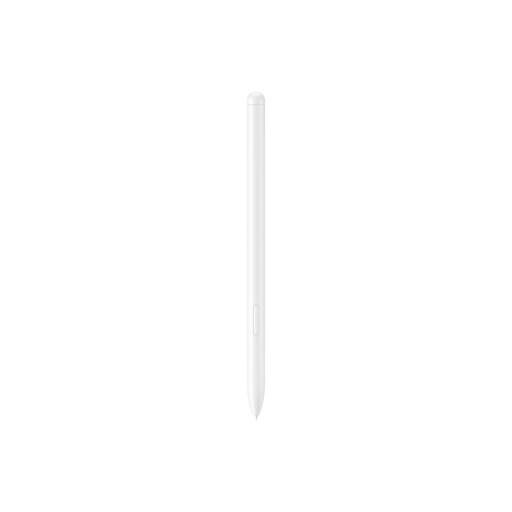 Image unavailable
For anyone with a compatible Galaxy Tab who wants to draw on it. The product information lists the Galaxy Tab S9 FE and Tab S9 FE+; compare your tablet’s full model variant with Samsung’s accessory information.
Weight: 8.7 g.
 Image unavailable
For drawing and sketching on a compatible iPad. The product information lists iPad Pro 12.9-inch (3rd, 4th, 5th and 6th generations), iPad Pro 11-inch, iPad Air (4th and 5th generations) and iPad mini (6th generation). Check your exact model.
No, Apple Pencil versions aren’t all compatible with the same iPads. Find your exact iPad generation in Apple’s compatibility information. For Apple Pencil Pro, Apple also specifies a required version of iPadOS.
For Mac and PC, Wacom describes connecting via the USB cable, followed by driver installation. For Chromebook, Wacom specifies connecting via USB without installing a driver. Check the instructions for your own system.
No. For the One by Wacom Small model reviewed, the Wacom eStore lists a three-month Clip Studio Paint licence. Check the current licence terms and what happens when it expires before assuming the software is included permanently.
According to the Dutch government, consumers buying from a business at a distance have a 14-day cooling-off period in many cases, with some exceptions. If a product is faulty, the retailer is your point of contact. The legal guarantee is your right to a product that works as it should; there is no single statutory guarantee period for all products.