What should you look for?
First, check that your computer supports the video and power connection you want to use. Then find out which cables and any additional power supply are needed for the exact model. For your finished logo, also consider how you’ll turn your sketch into a vector file.
| What to consider |
What should you check? |
Who is this important for? |
| Drawing without an extra socket |
Check the power requirements for the exact model, and whether your computer port outputs video and supplies enough power. Wacom specifies a minimum of 15 W for the Movink 13’s single-cable connection. |
If I don’t have a spare socket, I want to know whether my computer can power the display through a single cable. Around 33% of consumers say avoiding the need for an extra socket is their top purchasing priority. |
| Connecting to your computer |
Check the video output, the USB-C requirements specified by the manufacturer and which cables are included. For the Kamvas 13 (Gen 3), Huion specifies, among other things, USB 3.1 Gen 1 and DP 1.2 for USB-C video. |
If I’m using a computer I already own, I want to know in advance which port and cable will work with the display. Around 27% of consumers prioritise compatibility with their existing computer. |
| From pen sketch to vector logo |
Decide whether you want to develop the concept into editable vector shapes later, and whether your chosen software suits that workflow. Adobe explains that vector shapes in Illustrator can be resized without losing quality. |
If the finished logo needs to work in different sizes, I’ll plan for vector editing as well as sketching. Around 20% of consumers prioritise creating a scalable logo. |
| Cables, adapters and support |
Check what’s included with each offer and whether you may need an additional power supply. Compare any extra warranty terms with your statutory rights. |
I want to know the total cost before I buy, including any parts my setup needs. Around 20% of consumers focus mainly on potential additional costs for cables, adapters and support. |
Joybuy products
These drawing displays are designed for sketching a logo concept. Before you buy, check that the connection described will work with your computer.
 No image available
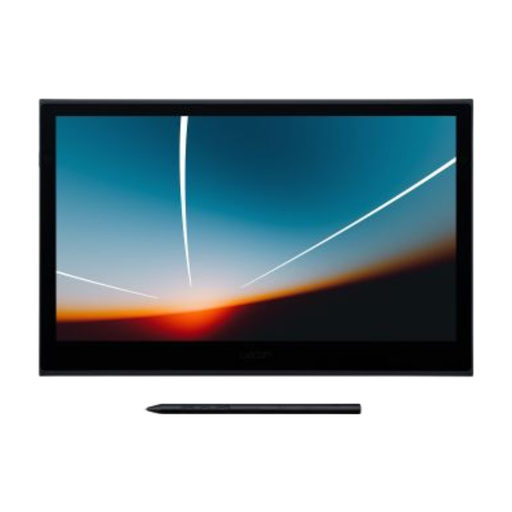
Wacom Movink 13 pen touch
This could suit you if you want to draw directly on the screen and your computer supports the required USB-C video and power connection.
13.3-inch OLED screen. According to Wacom, a single USB-C cable requires video output and at least 15 W; additional power may require a separate cable and adapter.
View at Joybuy
 No image available
Wacom One pen display 14.0"
This could suit you if you’re looking for a pen display to sketch a logo concept on screen and want to explore a USB-C connection.
14-inch Full HD screen and pen included. The product description specifies a single USB-C cable for data and power, with no separate AC adapter.
View at Joybuy
Frequently asked questions
Is one USB-C connector on your laptop enough?
Not always. For the Movink 13, Wacom specifies both video output over USB-C and a minimum of 15 W for single-cable use. Check that your laptop port supports both; the USB-C connector alone doesn’t confirm this.
What can you do if a connected Movink 13 screen stays black?
If the screen is black or the power indicator is flashing quickly, Wacom recommends supplying additional power through the second USB-C port. According to Wacom, the adapter must support at least 20 W. Also check whether the extra cable and adapter you need are included with your purchase.
Does drawing on a drawing display automatically make your logo scalable?
No. Adobe explains that vector shapes in Illustrator let you resize a logo to different formats without losing quality. The drawing display captures your pen input; you’ll need to develop the final design in suitable vector software.
What are your rights when buying online or if a product is faulty?
According to the Dutch government, online consumer purchases often come with a 14-day cooling-off period. In the Netherlands, there’s no set term for the statutory guarantee: if a product is faulty, the seller is responsible for providing an appropriate solution. Any manufacturer’s warranty is in addition to this.
Which product rules apply to a drawing display sold in the Netherlands?
According to the Dutch government, electrical and electronic equipment sold in the Netherlands must comply with the applicable European product rules. Where required, the manufacturer must apply the CE marking and draw up an EU declaration of conformity. A CE marking doesn’t assess drawing quality or whether the product is suitable for your computer.


