
Vandaag of morgen in huis

Kwaliteit gegarandeerd

Welkomstaanbiedingen ontgrendelen: GRATIS bezorging | Tot 80% korting | Gratis 30 dagen JoyPlus-proefperiode
Download de app
As a Joybuy Product Recommendation Officer, I see daily how freelancers and SMBs struggle with paperwork. Invoices, contracts, and receipts pile up, while an efficient digital archive is essential. A document scanner with Wi-Fi and ADF seems like the perfect solution, but the market is full of pitfalls that lead to purchase regret. Before you invest, it's crucial to know what to look for.
Many buyers fall for clever marketing tricks and end up with a device that causes more frustration than efficiency. These are the most common pitfalls:
quickly digitizing documents from a stack of double-sided paper, 'ipm' (images per minute) is the only relevant metric. A low ipm value means that in practice, you'll be spending twice as long.wireless document scanner sounds ideal, but many budget-friendly models only offer the option to scan to a connected computer. This undermines the entire purpose of flexibility. A good Wi-Fi scanner must be able to scan directly to the cloud (Google Drive, Dropbox), email, or a network folder, without a PC.scanner with an automatic document feeder (ADF) is crucial for processing stacks of paper. Models with a small ADF capacity (e.g., 20 sheets) force you to constantly reload paper, which interrupts your workflow and negates any efficiency gains.To avoid a bad buy, you should focus on the specifications that actually matter in practice. Pay attention to the following three key points.
The true speed of a duplex scanner is expressed in ipm (images per minute). A scanner that scans 35 ppm single-sided but also 70 ipm double-sided processes 35 sheets of paper per minute, capturing both sides simultaneously. This is the speed you need for an efficient A4 office scanner. Don't be fixated on the ppm number alone.
The capacity of the Automatic Document Feeder (ADF) determines how many sheets you can have scanned in one go. For a small office or a serious remote worker, a capacity of at least 50 sheets is recommended. Also, check if the scanner can handle different types of media, such as thin receipts, thicker cardstock, or even plastic cards. This significantly increases the device's versatility.
A document scanner with Wi-Fi must do more than just connect to your network. The key question is: where can it scan to? Look for models with features like "Scan-to-Cloud," "Scan-to-Email," and "Scan-to-Network Folder." An intuitive touchscreen where you can directly select these destinations is a huge plus for a PC-free workflow.
Based on the criteria above, we have selected a number of models that suit different user profiles.
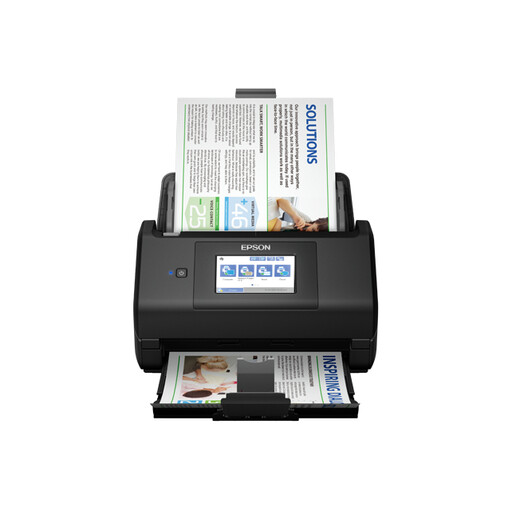
Why This Fits Their Persona: This model is designed for users who refuse to compromise. Ideal for SMB administration or a freelancer who processes large volumes of documents and wants a smooth, PC-free workflow. If you're considering buying the Epson ES-580W, you're choosing pure productivity.
With a 100-sheet ADF, a duplex scanning speed of 70 ipm, and direct scan-to-cloud/network options via the large touchscreen, this model bypasses all common pitfalls.
The large 10.9 cm color touchscreen makes PC-free scanning exceptionally simple. Its 100-sheet ADF capacity is one of the highest in its class.
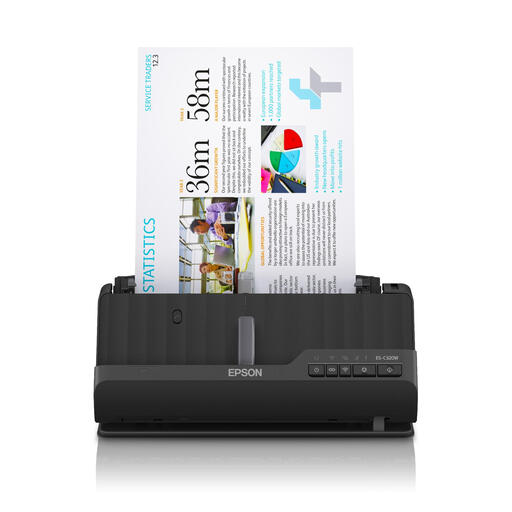
Why This Fits Their Persona: Perfect for a modern home office or a front desk where every inch counts. This model delivers professional scanning performance without taking up much desk space.
This model proves that compact doesn't have to mean 'limited.' It offers full-featured Wi-Fi connectivity and automatic duplex scanning, features often missing in other small scanners.
The unique U-turn paper path ensures paper is fed and ejected from the top, minimizing the device's footprint. It can also switch to a straight path for passports or booklets.
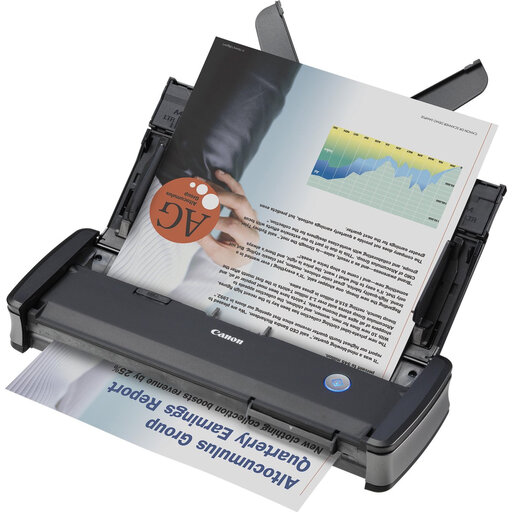
Why This Fits Their Persona: For the professional who is often on the go, visiting clients, or working from hot desks. This device is lightweight, USB-powered, and fits easily into a laptop bag.
Although its ADF capacity (20 sheets) is smaller, this is robust for a mobile scanner. It offers fast duplex scanning and the option for a Wi-Fi unit, making it more versatile than other portable scanners.
Extremely compact and lightweight (1 kg). Plug-and-scan functionality via USB. The optional WU10 Wi-Fi unit turns it into a full-fledged wireless document scanner for maximum flexibility on the go.
We have compiled a complete, up-to-date list of products that fully meet these strict selection criteria and local regulations.
For occasional scanning, an all-in-one printer may suffice. However, for systematically digitizing documents, they fall short. Dedicated document scanners offer much higher (duplex) scanning speeds, have larger and more reliable ADFs, and come with advanced software for optimizing and organizing scans. An all-in-one is a jack of all trades, but a master of none.
PPM stands for 'pages per minute' and measures the speed of single-sided scanning. IPM stands for 'images per minute.' Because a double-sided scanned sheet produces two images (front and back), IPM is the most accurate measure of the actual throughput speed of a duplex scanner. A scanner with 30 ppm and 60 ipm scans 30 sheets per minute on both sides.
Regular maintenance is important for a long lifespan and consistent scan quality. Periodically clean the glass platen and the transport rollers with a soft, lint-free cloth. Most manufacturers specify in the manual how and how often this should be done. Dust and paper debris can cause paper jams and streaks on your scans, so a quick cleaning can prevent many problems.
