What should you look for when choosing?
First, measure the space needed for the full paper path while scanning. Then compare the feeder, connection and how you want to find your scans. If forms contain personal data, you’ll also need to manage how digital records are stored, who can access them and how long they are kept.
| What to consider |
What should you check? |
Who is this important to? |
| Workspace while scanning |
Measure the space with the feed and output trays in their working positions. Canon Netherlands lists dimensions of 285 × 257 × 174 mm for the R10 with the tray open; Epson Netherlands describes a compact U-turn paper path on the ES-C320W and DS-C330. |
If I have a fixed scanner spot with little room to spare, I want to know where the forms will go while scanning. Around 29% of consumers say the workspace required is their top priority. |
| Batch handling and double-sided scanning |
Compare the feeder capacity and double-sided scanning with the quantity and type of paper you actually scan. Canon Netherlands lists 20 sheets of 80 g/m² paper for the R10. |
When I’m processing several forms one after another, I want to spend less time feeding paper by hand. Around 23% of consumers prioritise handling batches and double-sided forms. |
| Finding scans again |
Check which software and file formats are compatible with the model, then test how searchable your own forms are. OCR support doesn’t prove that handwritten fields will be recognised correctly. |
If I want to find names or completed details later, I want to know whether my own forms will be easy to search. Around 18% of consumers say how easy scans are to find again is their top priority when choosing. |
| Security and retention management |
Decide where files will be stored, who can access them and how long you need them. The Dutch Data Protection Authority highlights the need for appropriate security; the GDPR does not set a general fixed retention period for personal data. |
When I store scans containing personal data, I want to know in advance how access and storage will be managed. Around 18% of consumers prioritise protecting membership data and managing how long it is kept. |
| Connection to your workspace |
Check that the connection and software suit your computer and workflow. USB-powered is not the same as wireless scanning; Epson Netherlands lists Wi-Fi for the ES-C320W. |
If the scanner isn’t next to my computer or I find a cable inconvenient, I want to know which connection suits my workspace. Around 12% of consumers choose primarily based on the connection. |
Scanners at Joybuy
These product picks are aimed at scanning membership forms in a small or flexibly arranged workspace. For each model, check that the paper path, connection and software suit the way you’ll use it.
 No image available
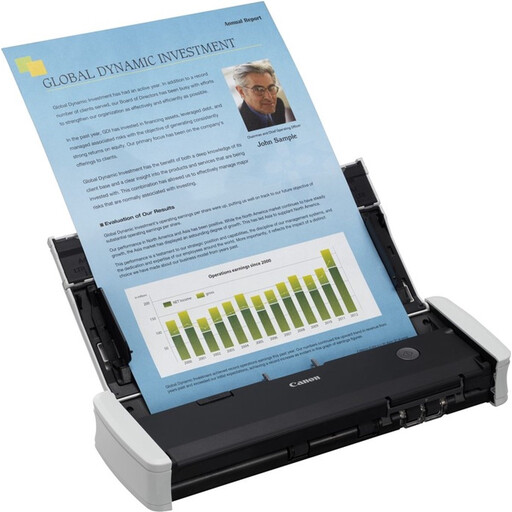
Canon imageFORMULA R10
Well suited to scanning sessions with several forms when double-sided scanning and portability matter; allow for the space needed when the tray is open.
Canon lists an automatic feeder for 20 sheets of 80 g/m² paper and dimensions of 285 × 257 × 174 mm with the tray open.
The product name specifies A4 and 600 × 600 dpi.
Joybuy
 No image available
Epson DS-C330
Well suited to a fixed, compact workspace where a U-turn paper path and archiving software are important. Epson also describes a straight-through paper path for other media on this model.
Epson lists Document Capture Pro and output to formats including PDF, JPG and TIFF.
The product name specifies A4 and 600 × 600 dpi.
Joybuy
 No image available
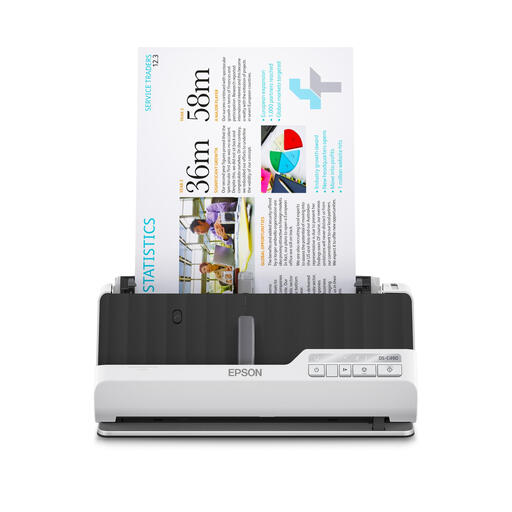
Epson DS-C490
An ADF and sheet-fed model to consider when comparing scanners for forms; check that the feeder suits the paper you use.
The product name specifies A4 and 600 × 600 dpi.
Joybuy
 No image available
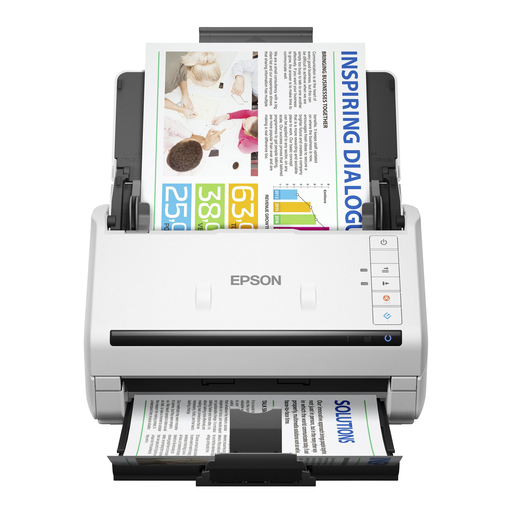
Epson DS-770 II
Consider this sheet-fed model if you’re looking for an automatic feeder for forms; check that its feed suits the size and condition of your paper stacks.
The product name specifies A4 and 600 × 600 dpi.
Joybuy
 No image available
Epson WorkForce DS-80W
The handheld design may suit you if you’re looking for a portable setup; before choosing, check that the feeder is suitable for your forms.
The product name specifies A4 and 600 × 600 dpi.
Joybuy
Frequently asked questions
What should I measure before buying a scanner?
Measure the space for the device and for the paper path while it’s in use. Canon Netherlands lists separate dimensions for the R10 with the tray open; Epson describes a U-turn paper path on the ES-C320W and DS-C330 that keeps the footprint small during use.
Can I automatically search scanned forms by name?
OCR software can make text searchable, but that doesn’t confirm how accurately handwritten fields will be recognised. Test representative forms and check names and other important details before relying on the scans for searches.
What should an organisation arrange if scanned forms contain personal data?
The organisation must identify an applicable lawful basis under the GDPR, put appropriate security measures in place and avoid keeping personal data for longer than necessary for its purpose, subject to any applicable retention obligations under other legislation. The Dutch Data Protection Authority states that the GDPR does not set a general fixed retention period for this.
Do I need a data processing agreement for storage with an external cloud service?
If a service provider processes personal data on behalf of the organisation and therefore acts as a processor, the GDPR requires a data processing agreement, according to the Dutch Data Protection Authority. Whether this applies to a particular service depends on the actual roles and services involved.
What should I check when installing and maintaining a scanner?
Check that the connection and software suit your workspace, and follow the model-specific maintenance instructions. Canon lists USB power for the R10; Brother provides drivers and manuals for the ADS-1300.


