
A scanner for a crowded desk
You scan loose service documents at a workstation where the paper path needs to take up as little space as possible during use. Epson says the ES-C320W’s U-turn paper path does not increase its footprint while scanning.


Start by considering how much space the paper path takes up while scanning, then compare the feeder, duplex handling and where you want to save your files. Epson says that a U-turn paper path can limit the footprint when scanning loose sheets. A USB scanner is better suited to a workflow based around one computer, while scanning directly to network locations is only useful if it fits your storage process. For tax documents and personal data, also check separately that your scanning and storage processes meet the relevant requirements.
You scan loose service documents at a workstation where the paper path needs to take up as little space as possible during use. Epson says the ES-C320W’s U-turn paper path does not increase its footprint while scanning.
You regularly handle several sheets or double-sided forms and want the feeder and scanning workflow to suit your workload. Brother and Canon specify a 20-sheet automatic document feeder for certain models.
You need to be able to find scanned documents and store them securely, especially if they include invoices or personal data. The Dutch Tax Administration and the Dutch Data Protection Authority outline considerations for digital record-keeping and the protection of personal data respectively.
Start with your main constraint: the space around the scanner, the amount of paper you scan at a time, the types of documents you handle or where you want to save your files.
| What to consider | What should you check? | Who is this important for? |
|---|---|---|
| Space while in use | Measure with the input and output trays open; check whether the model has a U-turn or straight paper path. | If I have limited desk depth, I want to know how much space the scanner takes up while I’m feeding documents through it. Around 36% of consumers say saving space is their top buying priority. |
| Batch processing | Compare the ADF capacity and check whether speed is given in pages or images per minute. | If I regularly process batches or double-sided forms, I want the feeder and speed to suit the way I work. Around 29% of consumers prioritise processing batches of files. |
| Document types and retrieval | Check which paper paths and document types are supported, and whether the software you use supports OCR to create searchable PDFs. | If my files contain different types of documents and I want to search the text later, I look for a feeder that suits those documents and for OCR support. Around 21% of consumers say document types and retrievability are their top priorities. |
| Storage destination | Decide whether you’ll scan from a computer or want to scan directly to an approved network location. | If I need to store scans in line with my organisation’s approved process, I want to know where the files will go before I start. Around 14% of consumers prioritise a suitable storage route. |
A scanner’s dimensions can change when its trays are open. For example, Canon gives separate dimensions for the imageFORMULA R10 with the tray closed and open; Epson’s footprint claim for the ES-C320W specifically applies to its U-turn position.
Compare the dimensions with the paper feed in use, and allow space for a straight-through feed if you might need one.
On a crowded desk, this could mean you need extra workspace while scanning or have to move the scanner.
Brother specifies up to 30 pages per minute for single-sided scanning and up to 60 images per minute for double-sided scanning on the ADS-1300. These units do not describe the same number of sheets.
Only compare speeds when they use the same unit and the same single- or double-sided scanning method.
For digital invoices and receipts, the Dutch Tax Administration specifies conditions, including an accurate and complete reproduction and the retention of authenticity features. Digital records must also remain auditable. This does not automatically clarify the retention requirements for every other type of service document.
Before disposing of your originals, check the requirements for those documents and make sure your digital files are complete and accessible.
The ES-C320W is designed for a compact U-turn workflow, while the ES-C380W adds direct scanning to destinations.
The ADS-1300 is designed for a portable USB-C workflow. The ADS-1800W is worth comparing if you want a wireless connection.
The imageFORMULA R10 is a portable, USB-powered scanner for loose A4 sheets, used with a computer.
The iX1300 is a compact scanner to compare if you want a choice of feeding methods and Wi-Fi.
This selection includes sheet-fed and handheld scanners for a compact workspace. Compare the paper path with the documents you handle, and consider whether you need the scanner to take up little space during use or only when it’s stored away.
 No image available
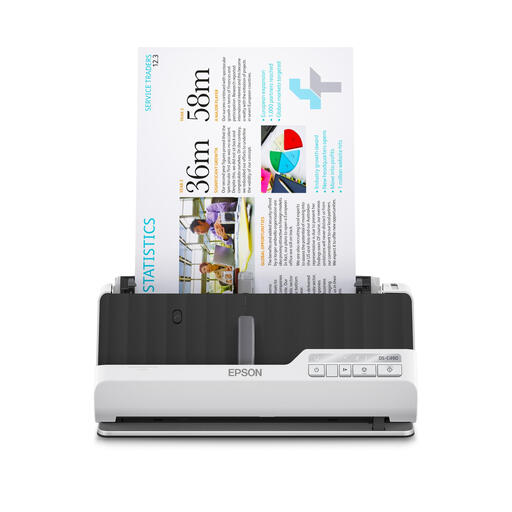
An option to compare if you’re looking for a compact scanner for service files on a small desk.
The product information lists both a U-turn and a straight paper path; check which feed route suits the documents you scan.
 No image available
Compare this model if duplex processing of files is important and you’re looking for a sheet-fed scanner.
Make sure you have enough clear space for the U-shaped or straight paper path.
 No image available
A handheld model to compare if a compact scanner is important for your small workspace.
The product information warns against forcing thick or damaged documents into the feed slot.
 No image available
Compare this handheld model if a compact scanner and continuous feeding suit your workspace.
The product information warns against feeding damaged, folded or stapled documents into the scanner.
 No image available
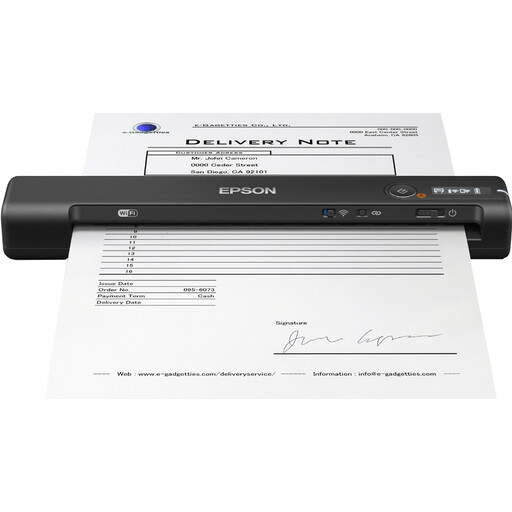
A compact handheld model to compare if you’re looking for a portable scanner for a small workspace.
Check whether the supported paper weight of 35 g/m² to 270 g/m² suits the documents you want to feed through it.
No, measure the space you’ll need while scanning too. Canon gives separate dimensions for the R10: 285 × 95 × 40 mm with the tray closed and 285 × 257 × 174 mm with it open. Epson’s smaller-footprint claim for the ES-C320W specifically applies to its U-turn position.
No, you’ll need a suitable OCR process for that. Epson describes conversion to searchable PDFs with ScanSmart; before buying, check that the software and support are compatible with the specific device and your computer system.
Check that the connection suits your workspace and find out which accessories you’ll need. Brother describes the ADS-1300 as a USB-C-powered scanner that connects to a laptop or PC; its output tray is optional. For maintenance, consult the manual for the specific model.
Not automatically. According to the Dutch Tax Administration, invoices and receipts can be stored digitally if the scan is an accurate and complete reproduction and authenticity features are also retained; digital records must remain auditable. Whether other service files are subject to additional retention requirements depends on the documents concerned.
No, assess the destination and how the data will be processed first. The Dutch Data Protection Authority says organisations that process personal data must determine appropriate security measures based on the risks. The fact that a scanner offers a cloud destination does not, by itself, mean that destination is suitable for your workflow.