For the occasional service document, a mobile scanner is handy if you want to put it away after use. If you regularly scan piles of paperwork, look for automatic feeding and duplex scanning instead. Also compare how much space the scanner takes up when in use, and check that its paper path suits your originals. If records contain personal data or tax documents, consider how you will store your scans and which retention requirements apply.
Who is this relevant to?
If your desk is already full
Want to scan service documents without permanently giving up space for a scanner? Compare the dimensions and paper path when it is in use. Epson describes the ES-C320W as having a U-turn paper path, which feeds paper through without increasing its footprint.
If you regularly scan records
For multi-page or double-sided forms, automatic feeding and duplex scanning are useful features to compare. Brother lists these features for the ADS-1800W; the DS-640 scans one side at a time.
If your originals vary
Do you scan receipts, cards or booklets as well as standard sheets? Make sure the paper path and supported media suit the documents you actually handle. Epson describes the ES-C320W as having both a U-turn paper path and a straight-through path.
What should you look for?
| What to consider |
What to look for |
Who it matters to |
| Space needed when in use |
Measure the available space and compare the scanner's operating position and paper path. |
If I use a scanner on a small desk, I want to know how much room its feeder and paper path need. Space is the top priority for around 33% of consumers. |
| Multi-page and double-sided records |
Check the feeder capacity, duplex scanning support and the size of the stacks you usually scan. |
If I regularly process piles of forms, I want to feed fewer sheets by hand. Handling stacks is the top priority for around 27% of consumers. |
| Mixed originals |
Compare the sizes and thicknesses of your originals with the supported media and paper path. |
If I also scan different types of documents, such as cards or booklets, the feeder needs to suit them. This is the top priority for around 20% of consumers. |
| Finding and storing scans |
Check that the file formats and storage process suit your needs; separately confirm which rules apply to tax documents or personal data. |
If I want to find scans easily later and store records carefully, my filing process matters too. This is a top priority for around 20% of consumers. |
Common pitfalls
-
Comparing only the dimensions of the scanner when closed
The space it needs can change when a tray or paper path is open. Canon lists the imageFORMULA R10 as 95 mm deep when closed and 257 mm deep when open.
Measure the space available while you are scanning, including room for the paper path.
-
Choosing a single-sheet scanner for regular stacks
The Brother DS-640 scans one side at a time; according to Brother, the ADS-1800W has a 20-sheet automatic feeder and duplex scanning. Feeding methods can therefore vary considerably between models.
Take into account the number of sheets you usually scan and how many originals are double-sided.
With manual feeding, processing regular stacks may involve more steps.
-
Assuming a digital copy always replaces the original tax document
The Dutch Tax and Customs Administration allows invoices and receipts to be stored digitally if the scan is an accurate and complete representation and authenticity features are preserved.
Before disposing of paper originals, check that these conditions are met for the relevant tax documents.
Brands to consider
Epson
The ES-60W and ES-C320W offer different ways to scan: a mobile scanner with a battery, or a compact scanner with a U-turn paper path.
- According to Epson, the ES-60W has Wi-Fi and a battery; the ES-C320W has a U-turn paper path and a straight-through paper path.
- Choose based on the paper path and feeding method of the specific model, not just the brand name.
Brother
According to Brother, the DS-640 is designed for mobile simplex scanning, while the ADS-1800W has a 20-sheet automatic feeder and duplex scanning.
- The differences between these models make feeding method and duplex scanning important points to compare.
- The stated feeder capacity and features are manufacturer specifications, not the results of an independent performance test. Check that the capacity suits the records you scan.
Canon
Canon describes the imageFORMULA R10 as a portable A4 scanner powered via USB, with duplex scanning and a 20-sheet feeder.
- Canon gives the R10's dimensions when both closed and open: its depth changes from 95 to 257 mm.
- The stated interface is USB 2.0. Check that the software is compatible with your computer.
Ricoh ScanSnap
The iX1300 features in an independent scanner comparison; Ricoh describes the model outside the Netherlands as having both automatic and manual feeding.
- The two feeding methods may be useful if you handle different types of originals.
- The product specification consulted is not published for the Dutch market. Check the version and support for the product you are considering.
Joybuy products
This selection includes compact scanners with automatic feeding, as well as portable models for putting away after use.
 No image available
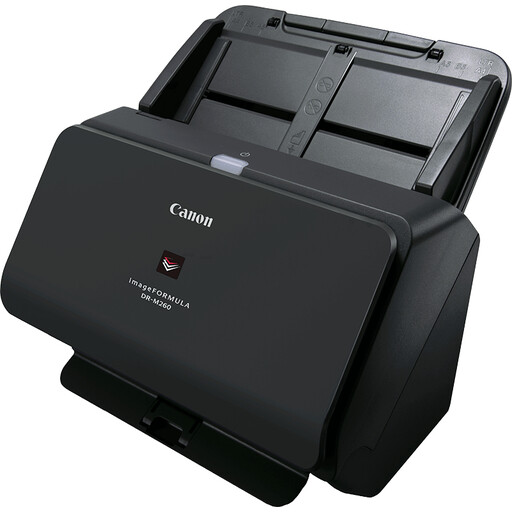
Canon imageFORMULA DR-M260 Sheet-Fed Scanner
An option to consider if you scan long documents or credit cards as well as single sheets.
Listed specification: A4, 600 x 600 DPI, black.
View at Joybuy
 No image available
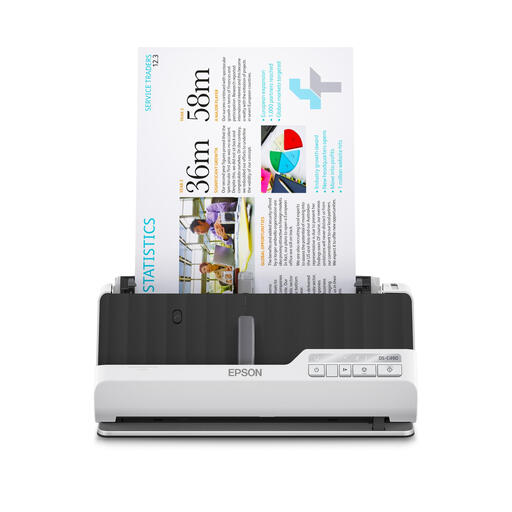
Epson DS-C490 ADF + Sheet-Fed Scanner
Consider this model if you scan regular batches of double-sided records and a variety of originals.
Listed specification: A4, 600 x 600 DPI, black and white. Bear in mind the stated feeder capacity of 10 sheets.
View at Joybuy
 No image available
Epson WorkForce DS-70 Handheld Scanner
A portable model to consider if you want to put the scanner away after use or take it with you.
Listed specification: A4, 600 x 600 DPI, white. Check that the stated USB connection suits the way you work with your laptop or PC.
View at Joybuy
 No image available
Epson WorkForce DS-80W Handheld Scanner
A portable model to consider if you scan in different locations and want to put the scanner away after use.
Listed specification: A4, 600 x 600 DPI, white. The product information advises against feeding damaged, folded or stapled documents into the scanner.
View at Joybuy
 No image available
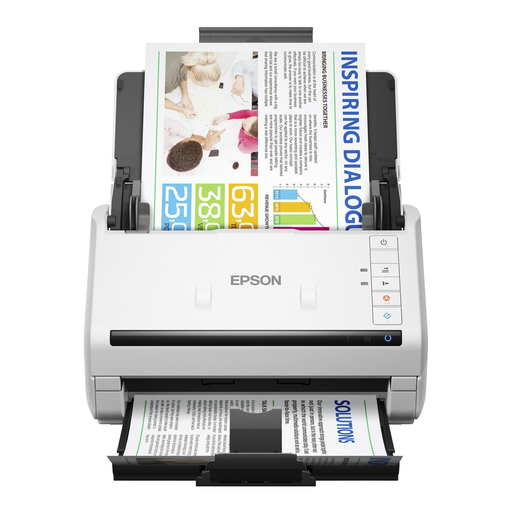
Epson WorkForce DS-530 II Sheet-Fed Scanner
Consider this model if you regularly scan multi-page records and want to scan double-sided documents.
Listed specification: A4, 600 x 600 DPI, black and white.
View at Joybuy
Frequently asked questions
Should I measure the scanner when it is open?
Yes, compare its operating position with the space available on your desk too. Canon lists the imageFORMULA R10 as 285 × 95 × 40 mm when closed and 285 × 257 × 174 mm when open.
Can I scan double-sided service records in one batch?
That depends on the model. According to Brother, the ADS-1800W scans both sides and has a 20-sheet feeder; the DS-640 scans one side at a time. Also check that your originals meet the supported paper specifications.
Should I factor maintenance or replaceable parts into my choice?
Check the requirements for the feed roller and separation pad for the exact model. Canon lists these parts as consumables for the imageFORMULA R10.
Can I throw away paper invoices after scanning them?
Not automatically. According to the Dutch Tax and Customs Administration, invoices and receipts may be stored digitally if the scan is an accurate and complete representation and authenticity features are preserved. This does not necessarily apply to every other service document.
What should I consider if service reports contain personal data?
According to the Dutch Data Protection Authority, an organisation that processes personal data must decide for itself which security measures are necessary. A scanner's Wi-Fi or cloud feature does not, in itself, prove that your chosen storage process meets this obligation.


