What should you look for?
For digitally stored receipts, the Dutch Tax and Customs Administration requires an accurate and complete representation of the original, including its authenticity features. Organisations must prevent unauthorised access to files containing personal data, according to the Dutch Data Protection Authority.
| What to consider |
What to look for when buying |
Who should prioritise this? |
| Shared scanning workflow |
Check that your preferred network folder or other destination is available, and find out how access permissions are managed. |
If you want colleagues’ scans sent to the agreed accounts system and access restricted, check the available destinations and permissions. Around 33% of consumers put a shared scanning workflow first. |
| Feeding receipts and batches |
Compare the supported paper sizes and paper weight for the appropriate feeder; also check the ADF capacity and duplex scanning. |
If you process small receipts as well as batches of invoices, you need a feeder that can handle both. Around 27% of consumers give feeding different receipts and batches top priority. |
| Auditable archive |
Review scans before archiving and test OCR with your own receipts; searchable text is no substitute for checking the scanned image. |
For consumers who need to check that records are complete and retrievable later, image quality and storage matter. Around 20% put an auditable digital archive first. |
| Desk space |
Allow for the space needed for paper feeding during use, and check which paper path suits your documents. Epson lists both a U-turn and a straight paper path for the DS-C490. |
If you are setting up a shared scanning station on a small desk, you need a device that is practical to use while feeding paper, too. Around 20% of consumers give limited desk space top priority. |
Sheet-fed scanners at Joybuy
This selection focuses on sheet-fed scanners for receipts and invoices at a shared or centrally managed scanning station.
 No image available
Epson DS-C490 ADF sheet-fed scanner
Suitable for a central scanning station that processes receipts and documents using different paper paths.
Epson lists a U-turn and a straight paper path, automatic duplex scanning and shortcut buttons. The product title specifies 600 x 600 DPI and A4.
Joybuy
 No image available
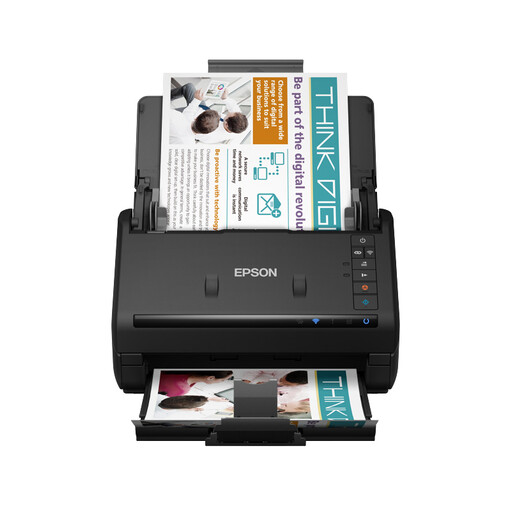
Epson WorkForce ES-500WII
An option to compare if colleagues need to process scans using several devices and destinations.
The product description lists Wi-Fi, automatic duplex scanning and a 100-sheet ADF. It also mentions scanning to network, email and cloud destinations.
Joybuy
 No image available
Epson DS-770 II
Suitable for a workstation that handles larger batches of documents and also needs to feed delicate documents with care.
The product description lists a 100-sheet ADF, duplex scanning, a slow mode for delicate documents and a double-feed prevention system.
Joybuy
 No image available
Epson WorkForce DS-530 II
Worth comparing for invoices and other double-sided documents, including when you process batches alongside individual receipts.
The product description lists a 50-sheet ADF, USB 3.0 and single-pass duplex scanning. Crumpled, long and delicate documents are also mentioned.
Joybuy
 No image available
Epson ES-C380W ADF sheet-fed scanner
An option to compare for a compact shared scanning station with several listed destinations.
The product description lists a touchscreen and both a U-turn and a straight paper path. Automatic duplex scanning is not available.
Joybuy
Frequently asked questions
Can a Dutch business owner throw away paper expense receipts after scanning them?
Only if the Dutch Tax and Customs Administration’s requirements are met. The scan must be an accurate and complete representation of the original, including its authenticity features, and the digital records must remain available for inspection within a reasonable period. A scanner feature alone does not prove that these requirements have been met.
How long should digital receipts be kept in the accounts?
According to the Dutch Tax and Customs Administration, the general retention period for Dutch business records is 7 years; records relating to immovable property and rights to it must be kept for 10 years. The start of the retention period depends on when a record ceases to be relevant.
How should we set up a shared scanner if receipts contain personal data?
Agree scan destinations and access permissions before everyone starts using the scanner. The Dutch Data Protection Authority says that organisations must prevent unauthorised access to personal data and tailor permissions to what employees need for their work. A shared network folder does not manage access automatically.
What should we consider when installing and maintaining the scanner?
Before installation, check the scan destination, supported operating systems and paper sizes. Brother lists a replaceable feed roller kit for the ADS-4300N; when it needs replacing depends on usage and the model you choose.


