
Vandaag of morgen in huis

Kwaliteit gegarandeerd

Welkomstaanbiedingen ontgrendelen: GRATIS bezorging | Tot 80% korting | Gratis 30 dagen JoyPlus-proefperiode
Download de app
Piles of paper on your desk, an overflowing filing cabinet, and hours spent searching for that one contract? Efficiently digitising your paperwork is a crucial step for any modern business, from freelancers to SMEs. A quality document scanner can make all the difference. But with so many models and specifications, the choice isn't always simple.
As a Joybuy Product Recommendation Officer, I'm here to help you see past the marketing jargon. In this guide, I'll provide practical tips and objective product information so you can make an informed choice for a document scanner that fits your business needs.
Before we look at specific models, it's helpful to understand a few key features. These specifications determine how a scanner performs in a business environment.
One of the most critical features for office use is the scanner with an automatic document feeder, or ADF. This allows you to place a stack of paper in the tray, and the scanner will automatically feed the sheets one by one. This saves a tremendous amount of time compared to manually feeding each page.
Also, consider the ADF's capacity. A 20-sheet capacity is fine for occasional use, while an office with higher scanning volumes is better off with 50 or even 100 sheets. A duplex scanner that automatically scans both sides of a sheet will cut your scanning time in half again.
A scanner's speed is expressed in pages per minute (PPM) or images per minute (IPM). PPM counts the number of sheets scanned per minute. IPM is used for duplex scanners and counts the number of scanned sides per minute (so one double-sided sheet equals 2 images). For a small home office, 20-30 PPM may suffice, but for a busy department processing hundreds of documents daily, a professional scanner with a speed of 60 PPM or more is a wise investment.
How do you connect the scanner? Most models have a USB connection. However, an increasing number of scanners also offer Wi-Fi connectivity. This gives you the freedom to place the scanner anywhere in the office, without a direct connection to a computer. It also makes it easier for multiple colleagues to use the same device. Also, pay attention to the size. A compact A4 scanner fits easily on a desk, while a model with a flatbed for scanning books or passports takes up more space.
Based on the criteria above, we have selected popular models that meet various business needs.
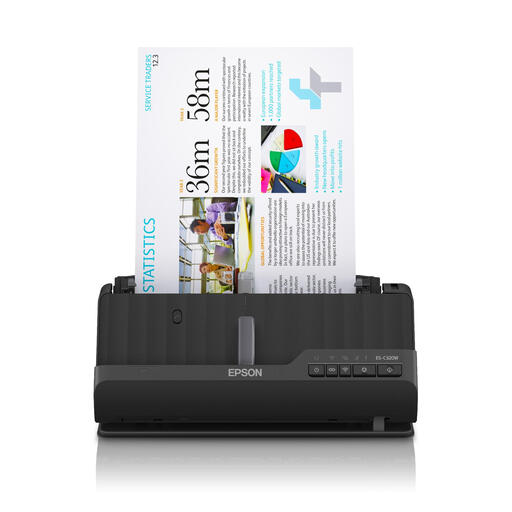
Why This Model Stands Out The Epson ES-C320W is designed with space-saving in mind. Thanks to its unique U-turn paper path, the device takes up hardly more space than an A4 sheet. With Wi-Fi connectivity, it's a flexible solution for desks where every inch counts.
Advantages
Who is this for? Ideal for freelancers, small home offices, or employees in a flexible workspace who need a compact, yet fast and versatile Epson scanner.
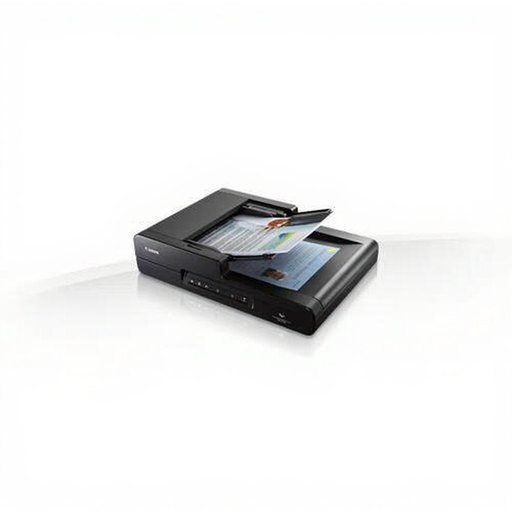
Why This Model Stands Out The Canon DR-F120 combines the best of both worlds: a fast automatic document feeder (ADF) for loose sheets and a flatbed scanner for bound, fragile, or thick documents like books, magazines, or passports.
Advantages
Who is this for? An excellent choice for SME offices, administrative departments, or legal teams that need to digitise a wide range of document types, from stacks of invoices to ID cards or pages from a book.
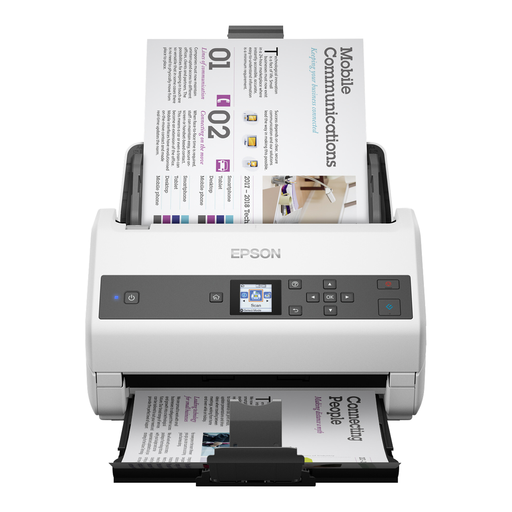
Why This Model Stands Out This is a workhorse, built for speed and volume. According to Epson, this is their fastest A4 document scanner. With a massive ADF capacity and a very high scan speed, the DS-970 is designed to handle large archiving tasks effortlessly.
Advantages
Who is this for? This professional scanner is aimed at larger organisations, mailrooms, and departments with a constant, high flow of documents to digitise, where speed and reliability are top priorities.
The choice of a scanner heavily depends on your specific workflow and volume. The models mentioned above represent popular choices for different scenarios. Are you looking for a different model or want to compare more options?
View our full range of desktop scanners
What is the difference between a document scanner and an all-in-one printer? An all-in-one printer can also scan, but it is often slower and less advanced. A dedicated document scanner is built for one task: quickly and efficiently digitising large quantities of documents. Features like a large ADF, high speed, duplex scanning, and advanced image correction are typical for a dedicated scanner and often limited on an all-in-one.
How important is scan resolution (DPI) for office documents? For most office documents (text, invoices, contracts), a resolution of 300 DPI (Dots Per Inch) is the standard. This produces a clear, legible digital file that isn't unnecessarily large. A higher resolution of 600 DPI is useful for scanning detailed images or documents with very small fonts, but for daily archiving, 300 DPI is generally sufficient.
Can a document scanner also scan passports or plastic cards? Yes, many modern document scanners can handle more than just A4 paper. Models like the Epson ES-C320W have a special straight-through paper path or a flatbed (like the Canon DR-F120) that allows you to scan thicker media such as plastic ID cards, business cards, and even passports. Always check the model's specifications to see which media types are supported.
