
Vandaag of morgen in huis

Kwaliteit gegarandeerd

Welkomstaanbiedingen ontgrendelen: GRATIS bezorging | Tot 80% korting | Gratis 30 dagen JoyPlus-proefperiode
Download de app
Piles of paper on your desk, lost invoices, and manually digitizing documents are common frustrations for many entrepreneurs and office workers. A quality document scanner can significantly speed up this process and streamline your administration. But which model is right for your situation?
As a Joybuy Product Recommendation Officer, I'm here to help you make the right choice. In this article, we'll discuss the most important features and provide concrete recommendations, so you can find a scanner that fits your workflow.
Scanner specifications can be overwhelming. Focus on the features that are most important for your daily tasks.
The choice of scanner type depends on what you need to scan.
For an efficient office workflow, two specifications are crucial:
Most scanners connect easily via a USB cable. However, some models also offer Wi-Fi connectivity. This allows you to share the scanner with multiple colleagues without physical cables and scan directly from a computer or even a mobile device.
Based on functionality and specifications, we have compiled a list of popular choices for you.
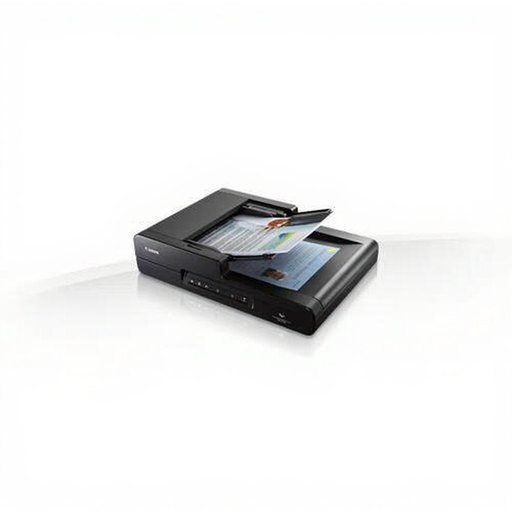
Canon imageFORMULA DR-F120 Flatbed & ADF Scanner 600x600DPI A4 Black
Why This Model Stands Out The Canon DR-F120 is a versatile solution that combines a flatbed scanner with an automatic document feeder. This makes it suitable for offices that need to process a wide range of documents, from loose A4 sheets to books and passports.
Pros
Who is this for? Small business users and departments that need to digitize both stacks of paper and non-standard documents like magazines or ID cards.
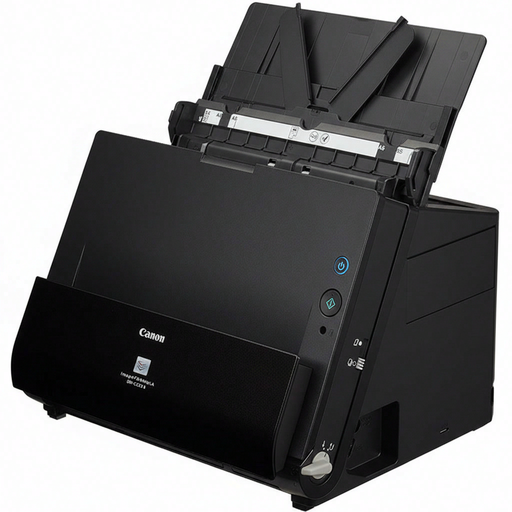
Canon imageFORMULA DR-C225 II ADF + Manual Feed Scanner 600 x 600 DPI A4 Black
Why This Model Stands Out This model is designed for speed and efficiency in a compact design. The DR-C225 II focuses purely on rapidly processing loose documents via its automatic document feeder.
Pros
Who is this for? Freelancers and offices with a high paper volume that primarily need to digitize loose documents (like invoices and contracts) quickly.
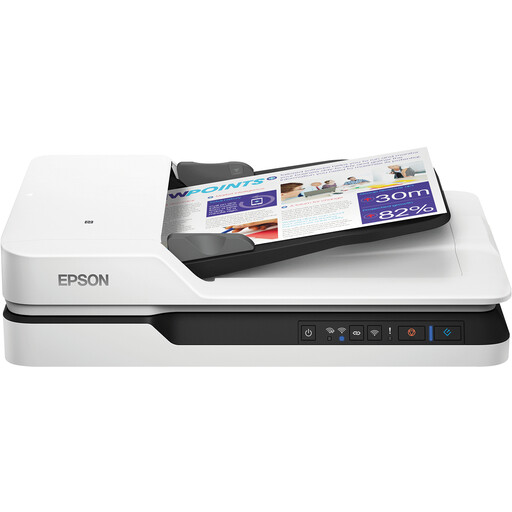
Epson WorkForce DS-1660W Flatbed Scanner 1200 x 1200DPI A4 Black, White
Why This Model Stands Out The Epson WorkForce DS-1660W combines the flexibility of a flatbed and ADF with modern connectivity options. The addition of Wi-Fi makes this a practical choice for a dynamic office environment.
Pros
Who is this for? Modern offices and home offices that value flexibility and want to use the scanner wirelessly. Also a great option if high-quality images need to be scanned regularly in addition to documents.
The right A4 scanner heavily depends on your specific needs. If the models above don't quite fit the bill, or if you're looking for different specifications, there's more to explore.
Check out our full range for more options, such as a Black scanner.
1. What is the difference between a document scanner and an all-in-one printer? An all-in-one printer can also scan, but a dedicated document scanner is specifically designed for quickly and efficiently processing large volumes of documents. They often have a faster ADF, better support for automatic duplex scanning, and come with more advanced document management software.
2. How important is scan resolution (DPI) for office documents? For most text documents, a resolution of 300 DPI (Dots Per Inch) is sufficient for a clear and legible scan. A resolution of 600 DPI offers more detail, which can be useful for documents with fine print or images. Higher resolutions are primarily important for graphic design work or archiving photos.
3. Can a document scanner also scan passports or books? Yes, but only if you choose a model with a flatbed scanner. A scanner that only has an ADF cannot process thick, bound, or rigid documents like passports, books, or ID cards. A combination model is the solution here.
