
Vandaag of morgen in huis

Kwaliteit gegarandeerd

Welkomstaanbiedingen ontgrendelen: GRATIS bezorging | Tot 80% korting | Gratis 30 dagen JoyPlus-proefperiode
Download de app
Piles of invoices, contracts awaiting signatures, and scattered receipts. For many entrepreneurs and office workers, overwhelming paperwork is a daily reality. A good document scanner can significantly simplify this process and set you on the path to an organised, digital archive.
But the market offers a wide range of models. Which scanner is right for your situation? In this guide, we'll help you understand the specifications and highlight some popular choices for 2026, so you can make an informed decision.
Before making a choice, it's helpful to consider a few key specifications. These will determine how the scanner fits into your daily workflow.
The scanner's form factor determines what you can digitise with it.
Modern scanners offer features that can save you a significant amount of time.
Based on the specifications above, we have selected models suitable for various business users.
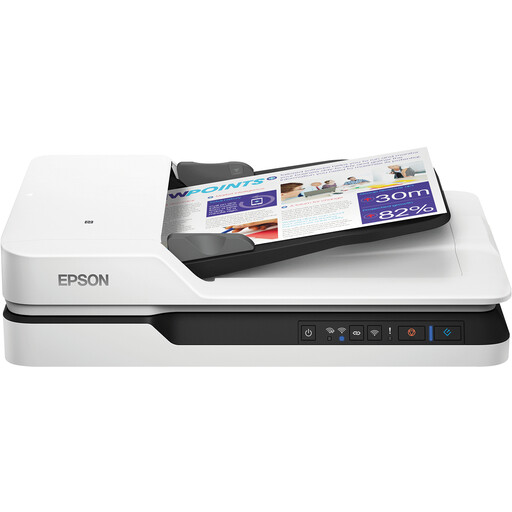
Why This Model Stands Out The Epson WorkForce DS-1660W combines the flexibility of a flatbed scanner with the speed of an automatic document feeder. This makes it a versatile solution for offices that need to process both stacks of A4 sheets and non-standard formats like books or passports.
Pros
Who Is It For? This is an excellent choice for a small office/home office (SOHO) or a department within an SME where diverse document types, from contracts to identification documents, need to be digitised.
View the Epson WorkForce DS-1660W on Joybuy.nl
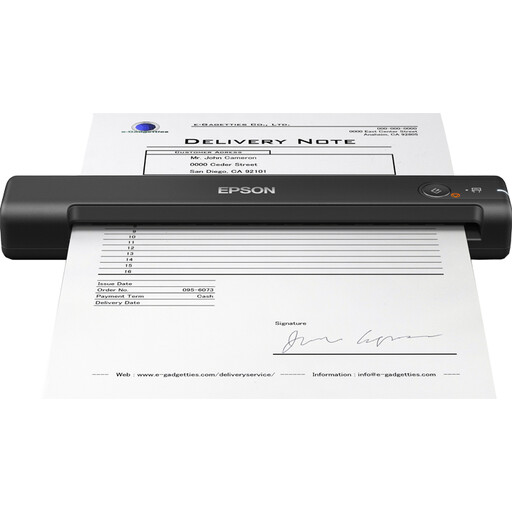
Why This Model Stands Out The WorkForce ES-50 is an extremely compact and lightweight mobile scanner. Weighing just 270 grams and powered by USB, this device is made for those who are frequently on the go and need to process documents instantly.
Pros
Who Is It For? Ideal for freelancers, sales representatives, and remote workers with limited space. Perfect for quickly scanning receipts, business cards, or signed documents at a client's location.
View the Epson WorkForce ES-50 on Joybuy.nl
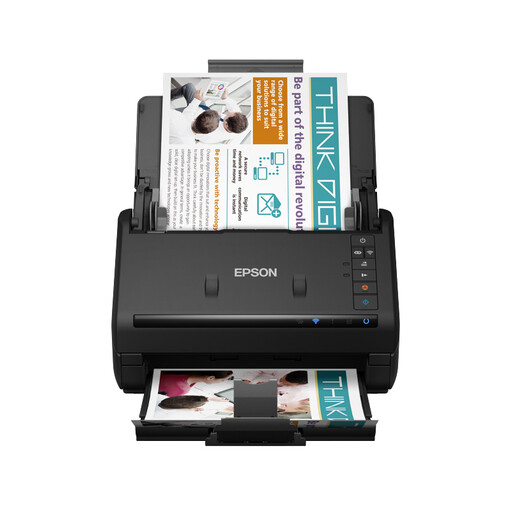
Why This Model Stands Out The Epson ES-500WII is a workhorse, designed for rapidly processing large volumes of documents. With a high scanning speed and a large-capacity automatic document feeder, this is a model for serious office digitisation tasks.
Pros
Who Is It For? This office scanner is a logical choice for administrative departments, legal practices, or other environments where large stacks of documents need to be digitised daily.
View the Epson WorkForce ES-500WII on Joybuy.nl
The right scanner depends entirely on your specific needs. The models mentioned above are popular choices, but many more options are available. If you're looking for different specifications or brands, we invite you to explore our wider range.
Check out our full range of office equipment for more scanners and other solutions for your workplace.
An all-in-one printer can also scan, but a dedicated document scanner is specialised for this task. They are typically much faster, have a more advanced Automatic Document Feeder (ADF) for larger stacks of paper, and often offer better software for organising and editing digital documents.
ADF stands for Automatic Document Feeder. This is a mechanism that allows you to place a stack of paper into the scanner, which then automatically feeds and scans the sheets one by one. A scanner with an ADF is essential for anyone who needs to process multiple pages efficiently.
Yes, but for that, you specifically need a flatbed scanner. This type of scanner has a glass platen where you can place thicker or bound documents that cannot pass through an automatic feeder. The Epson WorkForce DS-1660W is an example of a model that offers this functionality.
