
Vandaag of morgen in huis

Kwaliteit gegarandeerd

Welkomstaanbiedingen ontgrendelen: GRATIS bezorging | Tot 80% korting | Gratis 30 dagen JoyPlus-proefperiode
Download de app
Looking to buy a document scanner for invoices, forms, books or passports? It’s tempting to focus only on scan speed or resolution. In practice, the paper feed, scan size and connectivity options are what determine whether a scanner is easy to use day to day.
The requirements also vary depending on whether you’re working from home, in a small office or on the move. A compact mobile scanner can be handy for occasional scans, while a business scanner with an ADF is better suited to stacks of documents.
A quoted speed, such as 35 ppm or 60 ppm, usually applies under specific conditions, for example when scanning A4 documents at a particular resolution. In practice, speeds can vary for colour scans, double-sided documents or non-standard paper sizes.
So don’t just look at ppm: check for duplex scanning too. A duplex scanner scans both sides of a sheet in a single pass, so you don’t have to turn double-sided documents over by hand.
A scanner with an ADF, or automatic document feeder, is designed for loose sheets. Staples, paper clips, torn pages and damp documents can cause jams. Books, passports and delicate originals may also be unsuitable for a standard feeder.
If you need to digitise different types of originals, choose a model with a flatbed scanner, a straight paper path or specialist protection against double feeds and paper damage.
A scan saved as a PDF isn’t automatically searchable or editable. For that, you need OCR: optical character recognition converts letters in an image into text. Check whether OCR software is included and which file formats are supported.
According to the manufacturers’ product descriptions, the Epson DS-80W and Epson DS-70, among others, include OCR software for editable text and searchable PDFs. The accuracy of the recognition can depend on the font, contrast, skew and paper quality.
An ADF’s capacity is measured by the number of sheets you can load at once. A 20-sheet feeder is suitable for occasional use. For invoices, case files or forms, a capacity of 50 to 100 sheets is more practical.
Also look for features such as double-feed detection, paper protection and a slow mode for delicate documents. These can help reduce interruptions and damage to originals, but they’re no substitute for preparing the stack properly.
For everyday office documents, 600 × 600 dpi is a common resolution. A higher resolution can be useful for small text, images or detailed originals, but it also creates larger files.
Check whether the model supports A4 only. A flatbed or straight paper path is more suitable for books, brochures, passports and bound materials. According to its product specifications, the CZUR Shine 800 A3 Pro supports flat originals up to A3 and has an 8MP CMOS sensor. Its stated maximum optical resolution is up to 270 dpi for A4, so always compare resolution in the context of how you plan to use the scanner.
A USB scanner is straightforward to use at a fixed workstation. A wireless scanner or network model offers more flexibility if several devices or users need to scan. Check compatibility with Windows, macOS, Chromebook, mobile devices and cloud destinations before you buy.
Also check which software is included. Features such as automatic cropping, skew correction, PDF creation and OCR can save you more time day to day than a small increase in scan speed.
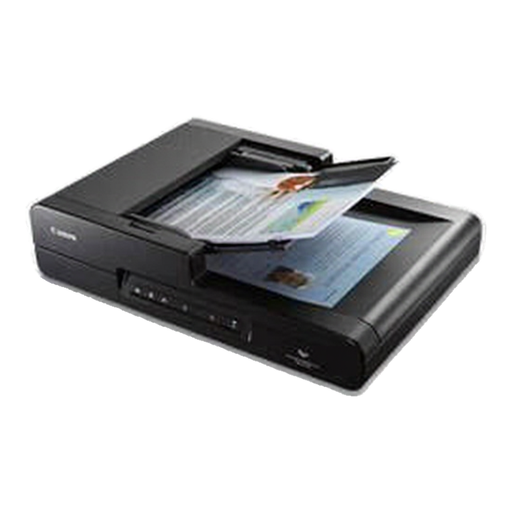
Why it suits this user: This model combines an ADF that holds up to 50 sheets with a flatbed for books, magazines and delicate originals. You get two ways to scan in one A4 device.
You don’t have to rely solely on the paper feeder when an original is delicate, thick or bound. According to the specifications, duplex scans run at 20 pages per minute.
600 dpi, automatic duplex scanning, USB 2.0 and CaptureOnTouch 3 software with task buttons.
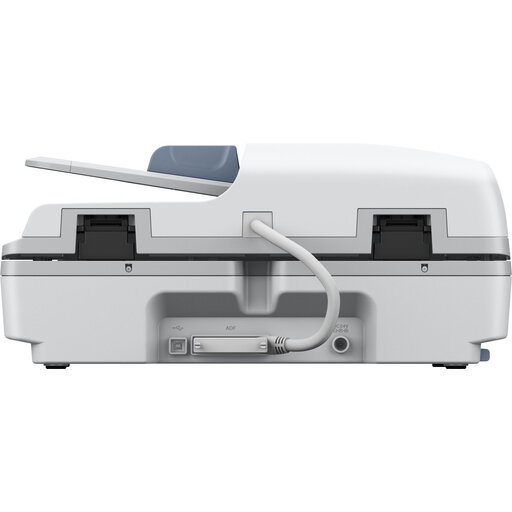
Why it suits this user: The combination of a flatbed and ADF is ideal for offices that handle both stacks of loose documents and books, forms and other non-standard originals.
The 100-sheet ADF means you don’t have to reload it for every small stack. One-pass duplex scanning is available for double-sided documents.
According to the product specifications, 25 ppm, 50 ipm and 1,200 dpi; an optional network interface is available.
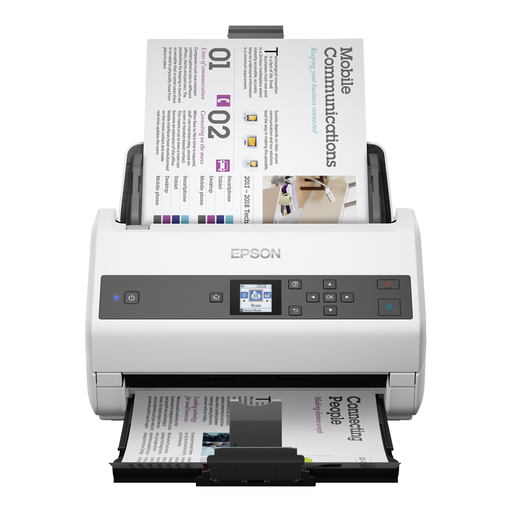
Why it suits this user: This model is designed for large volumes of loose A4 documents in a business environment where loading sheets by hand would take too much time.
The 100-sheet ADF capacity, automatic feeding, double-feed detection and paper protection are designed for longer scanning jobs.
According to the manufacturer, 85 ppm and 170 ipm, support for A3 to B6, and optional flatbed and network upgrades.
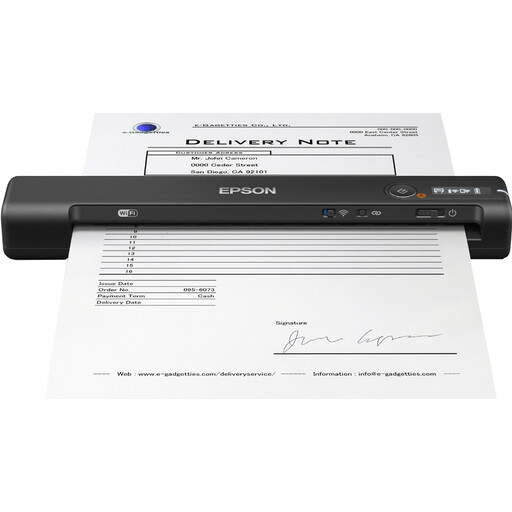
Why it suits this user: This compact mobile scanner is ideal for home workers, sales representatives and professionals who need to digitise receipts, forms or contract pages while on the move.
There’s no need to make room for a large office machine. The model works via USB or Wi-Fi and, according to the product description, its battery can scan up to 300 pages.
600 dpi, Wi-Fi, rechargeable battery, LCD screen and a stated scan time of 4 seconds per page.
We’ve put together a complete, up-to-date list of products that meet these strict selection criteria and the applicable European safety regulations.
It depends on what you’re scanning. An ADF is handy for stacks of loose A4 sheets. A flatbed scanner is better suited to books, passports, magazines and delicate originals. If you scan both types, you can choose a combined model.
Its lifespan depends on how often it’s used, paper quality, maintenance and when the rollers are replaced. Remove staples and paper clips, keep the feeder clean and follow the manufacturer’s maintenance instructions. For business use, also check the recommended daily scan volume.
As well as the purchase price, the main costs to consider are electricity, maintenance and any replacement rollers. Mobile USB scanners take up little space and can often be powered by your computer. A faster business scanner may be more efficient if you process lots of pages every day. So consider your workload, rather than just the purchase price.
