What should you look for when buying?
First, decide whether you’ll mainly be processing stacks of loose sheets or also need to scan originals on glass. Then consider where you’ll scan and where the files will be sent.
Automatic feeding for stacks
Choose this option: if you regularly scan loose, undamaged statements.
Trade-off: a feeder is less suitable for delicate originals, so check that its capacity matches the size of your stacks.
Flatbed or combination with a flatbed
Choose this option: if you want to place delicate or bound documents on glass, possibly alongside loose sheets.
Trade-off: with a flatbed, you place sheets on the glass one at a time; a combination scanner offers both scanning methods.
Portable scanner
Choose this option: if you scan in different places and usually handle smaller stacks.
Trade-off: compare feeder capacity and check that the scanner works with the computers you use.
| What to consider |
What should you check? |
Who should pay particular attention? |
| Privacy and scan destination |
Establish whether statements contain identifiable information, who will receive the files and where they will be stored. |
If I scan real statements, I want to know in advance who can see the files and where they’ll end up. Around 36% of consumers prioritise privacy and control over where files are sent. |
| Processing stacks |
Compare duplex scanning and feeder capacity with the number of sheets you process in each session. |
If I regularly process stacks of loose statements, I want to reduce the number of manual feeding steps. Around 29% of consumers give processing recurring stacks their top priority. |
| Protecting originals |
Check whether the model has a flatbed and what paper sizes it can accommodate. |
If a statement is delicate, I’d rather place it on glass than feed it through a scanner. Around 21% of consumers prioritise scanning delicate originals without feeding them through a machine. |
| Scanning in different places |
Check the power supply, connection, computer compatibility and how many sheets fit in the feeder. |
If I move between scanning locations, I want to know whether the scanner will be practical to use there. Around 14% of consumers give portability their top priority. |
Scanners at Joybuy
This Joybuy selection includes scanners with automatic feeding, flatbed scanning or a combination of both, for loose stacks and originals scanned on glass.
 No image available
Canon imageFORMULA DR-F120, flatbed and ADF
The combination of a feeder and flatbed is ideal if you want to scan stacks of loose statements as well as originals on glass.
50-sheet automatic feeder; duplex scanning; flatbed; 600 × 600 DPI; A4.
View at Joybuy
 No image available
Canon imageFORMULA R10, sheet-fed
This portable USB model is suited to smaller stacks and scanning in different locations.
20-sheet automatic feeder; duplex scanning; 600 × 600 DPI; A4.
View at Joybuy
 No image available
Epson ES-C320W, ADF and sheet-fed
Automatic duplex scanning and a compact design make this a good fit for loose sheets in a limited workspace.
Wi-Fi; compact U-path design; 600 × 600 DPI; A4.
View at Joybuy
 No image available
Epson WorkForce DS-6500 Power PDF
The flatbed and automatic document feeder offer two ways to scan loose stacks and originals on glass.
100-sheet automatic feeder; duplex scanning in a single pass; flatbed; searchable PDF output.
View at Joybuy
 No image available
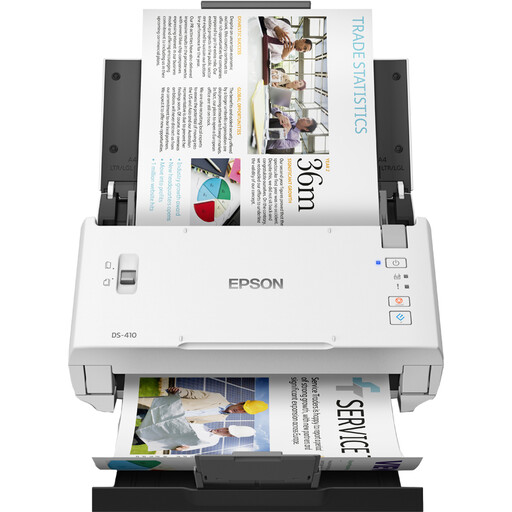
Epson WorkForce DS-410, sheet-fed
The automatic feeder and duplex scanning are suited to batches of loose sheets. Check compatibility with your computer before buying.
50-sheet feeder; up to 26 pages per minute according to the product description; Windows and Mac support; 600 × 600 DPI; A4.
View at Joybuy
Frequently asked questions
Should a class treat real statements differently from fictional practice statements?
Yes. If information can be linked to a living person, it counts as personal data. The Dutch Data Protection Authority says you must determine the purpose and legal basis for processing it, and protect the files appropriately. Fully fictional material with no identifiable information isn’t subject to the same processing requirements on that basis.
Can I send scans of real statements to a cloud service without checking first?
First, assess how the data will be processed and the service you’ve chosen. If an external party processes personal data on behalf of the organisation responsible for it, the Dutch Data Protection Authority states that a data processing agreement is required. Whether a destination is suitable depends on the service and the arrangements in place.
How long should the class keep scans?
Don’t keep personal data for longer than necessary for its stated purpose. The Dutch Data Protection Authority says the GDPR doesn’t set a single, specific retention period for all data, so decide how long the scans are needed for the lesson activity.
Does every PDF button make a bank statement searchable?
No. Check whether the software supports OCR or explicitly offers searchable PDF output. Plustek lists OCR for Windows for the OpticSlim 2700, while Epson lists optical character recognition for the ES-550W. Check the features and operating system compatibility for the exact model.
What should I check before installation and for ongoing maintenance?
Check the exact model’s computer compatibility and connection. For a feeder scanner, rollers and cleaning are also worth considering: Canon lists a feed roller and separation pad as consumable parts for the R10.


