First, check whether your bank offers the statement you need as a digital download. For example, ABN AMRO lists account statements as PDF downloads. If you have piles of paper statements, a compact scanner with an automatic document feeder and duplex scanning is a practical choice. For just a few loose sheets, a portable scanner that you can put away may be a better fit. Also measure the space needed for the paper path while scanning, and decide how you’ll store your files securely.
Who is this buying guide for?
Frequent scanners with a small desk
If you regularly process piles of paper statements, consider the space needed for feeding them through, automatic feeding and duplex scanning. Epson Netherlands, Brother Netherlands and Canon Netherlands describe models with different paper paths and feeding options.
Occasional home archivists
If you only scan individual statements now and then, you may want to put the device away after use. First, check whether your bank offers the document you need digitally; for example, ABN AMRO lists account statements as PDF downloads. Epson Netherlands also describes a portable scanner for occasional scanning.
Business administrators
Business bank statements may form part of your company’s records. The Dutch Tax and Customs Administration explains how business records must be kept; organisations processing personal data must determine appropriate security measures in line with the Dutch Data Protection Authority’s guidance.
What should you look for when buying?
For consumers who want to digitise paper bank statements at a small desk, the right choice mainly depends on the space needed while scanning, how much paper you have and how you’ll store the files.
Compact scanner with automatic feeding
A good fit for: people who regularly scan piles of loose statements and have little desk space. For the ES-C320W, Epson describes a U-shaped paper path that does not increase the scanner’s footprint during use.
Bear in mind: the power supply and clear space needed for the paper path; straight-through feeding is a separate mode.
Stowable scanner with ADF and duplex scanning
A good fit for: people who want a clear desk between scanning sessions but need to feed several double-sided sheets at once. Brother and Canon specify a 20-sheet ADF and duplex scanning for the ADS-1300 and imageFORMULA R10 respectively.
Bear in mind: even a stowed scanner needs space for the paper path when in use; check that the USB connection and software suit the way you work.
Portable scanner for individual sheets
A good fit for: people who only scan a few paper statements now and then and want to put the scanner away afterwards. Epson describes the WorkForce ES-60W as a portable scanner with a battery and Wi-Fi.
Bear in mind: Epson lists an automatic feeding mode for the ES-60W, but this does not mean the model has a batch-feeding ADF. Check how many sheets you’ll need to feed individually.
Download statements from your bank
A good fit for: people who can get the right statement and period from their bank digitally. ABN AMRO lists account statements as PDF downloads.
Bear in mind: available documents and the period you can access vary by bank; downloading a statement is no substitute for scanning paper documents that aren’t available digitally.
| What to consider |
What should you check? |
Who is this important for? |
| Space while in use |
Measure the available space with the scanner set up in the position you’ll actually use to scan A4 statements, including the feeder and output area. |
If I use a scanner on a crowded desk, I want to know whether there’s room for the whole paper path. Around 36% of consumers prioritise the space needed during use when buying. |
| Batches and duplex scanning |
Check the stated ADF capacity and whether duplex scanning happens automatically. |
If I want to process a pile of statements, I’m mainly looking to reduce manual feeding and scan both sides. Around 29% of consumers prioritise batch processing. |
| Finding and storing files |
Check PDF and any text-recognition features for your model and software, as well as file naming, backups and access controls. |
If I need to find statements later or keep them for my records, I want to be able to check them and protect them appropriately. Around 21% of consumers give archiving and privacy top priority. |
| Occasional use |
First check whether your bank offers the statement you need; then work out how many individual sheets you’ll scan and what type of feeder you need. |
For a few individual statements, I don’t want to choose a solution that needs more space or effort than my usage justifies. Around 14% of consumers choose mainly based on occasional use and the option to put the device away. |
Common pitfalls
-
Comparing only the dimensions when closed
The paper path may need more space while scanning than the scanner’s casing alone. Epson specifically describes the ES-C320W’s small footprint when used in U-shaped paper-path mode.
Measure the setup while an A4 sheet is being fed through, and check which mode you’ll need.
-
Confusing an automatic feeding mode with a batch feeder
An automatic feeding mode doesn’t necessarily mean a scanner can process a batch of sheets. Epson describes an automatic feeding mode for the ES-60W; Brother and Canon each specify a 20-sheet ADF capacity for the ADS-1300 and imageFORMULA R10.
Look for a stated ADF capacity if you want to scan batches.
-
Assuming scanning also takes care of storage and security
Business bank statements may form part of your company’s records. The Dutch Tax and Customs Administration sets out requirements for keeping business records; organisations must protect personal data appropriately in line with the Dutch Data Protection Authority’s guidance.
Check that each scan is complete, arrange storage that makes files easy to find, and review the applicable business record-keeping requirements before destroying originals.
Brands to compare
Epson
Epson describes both a compact scanner with a U-shaped paper path and a portable scanner for occasional scanning.
- According to Epson, the U-shaped paper path on the ES-C320W can reduce the space it takes up while scanning.
- According to Epson, the WorkForce ES-60W has a battery and Wi-Fi.
- The ES-60W’s automatic feeding mode does not, on its own, indicate a batch-feeding ADF; don’t assume the two models have the same features.
Brother
The ADS-1300 is a compact, USB-C-powered scanner for processing piles of statements and putting the device away afterwards.
- Brother specifies a 20-sheet ADF and duplex scanning for this model.
- Check that connecting it to a laptop or PC suits your workflow, and whether you need an optional output tray.
Canon
According to Canon, the portable imageFORMULA R10 combines USB power, duplex scanning and an ADF.
- Canon lists a 20-sheet ADF and built-in CaptureOnTouch Lite software for the R10.
- Also measure the space needed with the tray open; the speed quoted by Canon is a manufacturer’s specification, not an independent measurement.
Joybuy products
These Joybuy products include compact scanners with paper paths designed to save desk space, as well as portable models you can put away between scanning sessions. Choose based on how much paper you have and how much space is available while the scanner is in use.
 No image available
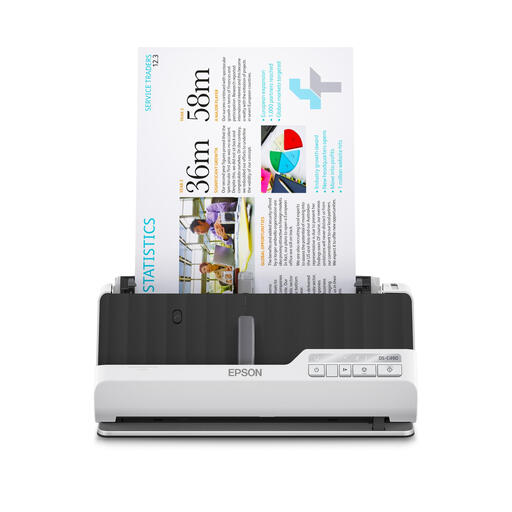
Epson DS-C490 sheet-fed scanner, ADF, 600 × 600 DPI, A4
A good fit if you want to process double-sided statements without using much desk space; leave room for the U-shaped or straight paper path while scanning.
The product name specifies A4 and 600 × 600 DPI.
View at Joybuy
 No image available
Epson ES-C320W sheet-fed scanner, ADF, 600 × 600 DPI, A4
A good fit if you scan statements at a small desk: Epson describes the U-shaped paper path as a mode that doesn’t increase the scanner’s footprint during use.
The product description specifies a separate straight-through feed for passports and booklets. Don’t scan documents with staples, paper clips or wet ink.
View at Joybuy
 No image available
Epson WorkForce DS-70 handheld scanner, A4
A good fit if you scan individual statements and want to put the device away afterwards; bear in mind that it connects to a laptop or PC via USB.
The product description warns against feeding thick or damaged documents.
View at Joybuy
 No image available
Epson WorkForce DS-80W handheld scanner, A4
A good fit if you want to put a portable scanner away between scanning sessions. Check that the feeding method suits the number of statements you need to process.
The product description warns against feeding damaged, folded or stapled documents.
View at Joybuy
 No image available
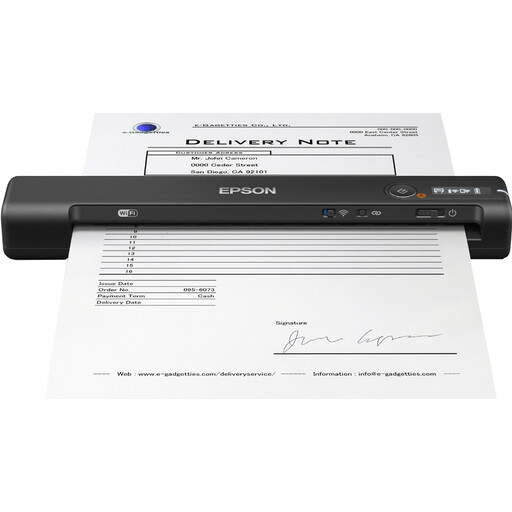
Epson WorkForce ES-60W handheld scanner, A4
A good fit for occasional scanning, with the option to put it away after use. Epson lists a battery and Wi-Fi for this model.
The automatic feeding mode does not mean it has a batch-feeding ADF; check how many sheets you’ll need to feed individually.
View at Joybuy
Frequently asked questions
Do I need to scan paper bank statements if I can download them?
Not if you can already get the digital statement you need from your bank. Check which documents and periods are available; for example, ABN AMRO lists account statements as PDF downloads.
How do I set up a scanner on a small desk?
Measure the space with the scanner in the position you’ll use to scan statements, including the paper path and output area. Epson describes a U-shaped paper path and a separate straight-through feed for the ES-C320W; Canon describes a USB connection for the imageFORMULA R10. Scan both sides of a document as a test to check that the results are suitable.
How long should I keep Dutch bank statements?
According to the Government of the Netherlands, individuals are not legally required to keep bank statements; it recommends keeping personal records for at least five years. The Dutch Tax and Customs Administration generally requires businesses and self-employed people to keep records for seven years, with longer periods for certain records. It classifies business bank statements as business records.
Can I throw away paper business statements after scanning them?
Don’t assume that you can. The Dutch Tax and Customs Administration sets out requirements for keeping business records in their original form and for converting them; check that keeping only digital copies meets the applicable requirements for your records before destroying originals. The specific scanning requirements described for invoices and receipts do not automatically apply to every bank statement.
Do I need to protect scanned statements that contain personal data?
Organisations processing personal data must determine appropriate security measures based on the risks, in line with the Dutch Data Protection Authority’s guidance. This doesn’t mean that a particular scanner or cloud service automatically complies with the GDPR; check the storage and sharing settings in your own workflow.


