What should you look for when buying?
Start by deciding whether you’ll mainly be filming paper from above for extended periods or switching between your face and notes during calls. Then check the framing, lighting and compatibility with your computer and app.
| What to consider |
What should you check? |
Who should pay particular attention? |
| Legible handwriting |
Test the full size of the paper, including its corners and your writing hand, at the actual camera height and in the app you use. |
If I’m filming a whole page, I want small notes to remain sharp and fully visible too. Around 31% of consumers give the legibility of notes top priority. |
| Privacy and setup space |
Check the full field of view, make sure the base fits on your desk and turn off the microphone when you don’t need it. |
If I share my bedroom, I want to be able to point the camera and put it away without recording my housemate by accident. Around 25% of consumers prioritise privacy and a suitable setup. |
| Lighting on the paper |
Take a test shot at the time you usually write and check for shadows cast by your hand and the camera. |
If the light in my room changes, I want to check that the writing on the paper remains easy to see. Around 19% of consumers prioritise lighting on the work surface. |
| Switching between your face and notes |
From where you sit, check that both camera angles are usable without having to keep moving the setup around. |
If I switch between my face and notes during a call, I want to be able to do so quickly. Around 13% of consumers put this feature top of their list. |
| Connection and app |
Check the USB connection, operating system and whether your video-calling app supports external cameras. |
If I want to use the camera with my computer and app without any hassle, I check they’re compatible beforehand. Around 12% of consumers give compatibility top priority. |
Joybuy products
This selection includes webcams for a monitor or laptop setup, as well as a CZUR document camera. If you want to film handwritten notes, check that the desk-view feature on each model works with your app and setup.
 No image available
Philips 4000 Series 4K UHD Webcam, SPL6408BT/00, EU Version, Black
For a webcam setup; if you want to show notes, check beforehand that the framing works for your desk.
The product name lists 8 MP, autofocus, two built-in microphones and a privacy cover.
View at Joybuy
 No image available
Philips 2K QHD PC Webcam, SPL6308S/00, EU Version, Silver
For anyone wanting to mount a webcam on a monitor, laptop or tripod; check whether you can frame your notes clearly from that position.
The product name lists 2K QHD video and a noise-cancelling microphone. The product description mentions a clip for a monitor, laptop or tripod.
View at Joybuy
 No image available
Insta360 Link 2C Standard Bundle, Graphite Black
For anyone wanting to show notes while using a webcam; check whether DeskView or Whiteboard Mode offers the angle you need.
The product name lists a 4K webcam for PC and Mac and a 1/2"-sensor. The product description mentions PDAF autofocus, DeskView, Whiteboard Mode and a physical privacy switch.
View at Joybuy
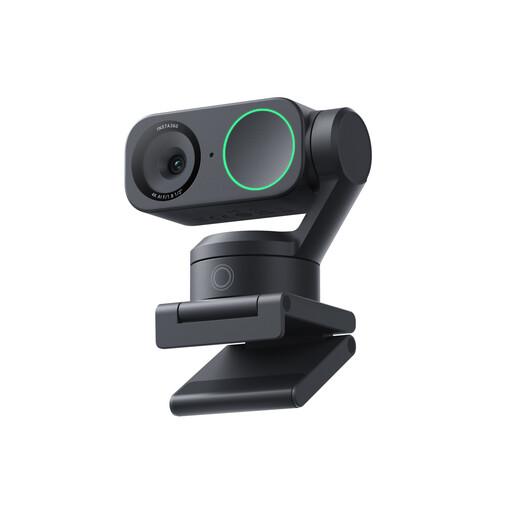 No image available
Insta360 Link 2 Standard Bundle
For anyone considering a webcam for calls; check whether the camera can show the desk in the way you want in your app.
The product name lists a 4K webcam for PC and Mac, a 1/2"-sensor and compatibility with Zoom. The product description mentions AI tracking, auto-framing and a microphone with AI noise cancellation.
View at Joybuy
 No image available
CZUR Shine 800 A3 Pro Document Camera
For A3 documents and OCR; before buying, check whether the included software also offers the live view you need to film handwriting.
The product name lists a maximum flat paper size of A3 and OCR. The product description mentions an 8 MP CMOS sensor, Windows and macOS support, and a foldable design.
View at Joybuy
Frequently asked questions
Do I need a 4K webcam for handwritten notes?
Resolution alone won’t tell you. First, check whether the whole work surface is in focus and legible in your setup. Manufacturers list up to 4K at 15 fps for the CZUR Fancy S Pro and 4K at 30 fps for the Logitech MX Brio; these are product specifications, not the results of a comparative legibility test.
How do I position a camera above my notes?
Place a document camera securely on a flat desk, point the lens at the paper and check the framing in the app before recording. If the focus is manual, refocus when you change the height and check that your hand isn’t casting a shadow over the text.
Will a USB document camera work automatically in my video-calling app?
Not always. IPEVO warns that the V4K may not be recognised by apps that don’t support external cameras. HUE says you need to select the camera in the app after connecting it, so test it with your computer and application.
Can I share identifiable recordings of my housemate online?
It depends on how the recording is used and shared. The Dutch Data Protection Authority distinguishes between private use within a limited circle and sharing more widely. The GDPR may apply when people are identifiable, in which case you need a lawful basis, often consent. Keep your housemate out of frame and discuss recording and sharing beforehand.
What are my rights when buying online in the Netherlands?
When you buy from a business at a distance, you generally have a 14-day cooling-off period, although exceptions apply. You’re also entitled to a product that meets legal requirements. The Government of the Netherlands says there is no fixed statutory warranty period in the Netherlands; if something is faulty, contact the seller.


