
Maker demonstrating constructions
You’re drawing with a compass and ruler and want viewers to follow your work on paper. Mathpaul describes using a document camera to demonstrate written maths work.


If you mainly need to show drawings on paper, an adjustable document or overhead camera is likely to be the better choice. It lets you frame the work surface precisely. If video calls with your face on screen are the priority and you only need to show a sketch occasionally, a webcam that tilts down towards your desk may be suitable. Whichever you choose, check that the whole sheet and its fine lines are visible. Position the camera and microphone so that others in the shared studio aren’t captured or recorded unintentionally.
You’re drawing with a compass and ruler and want viewers to follow your work on paper. Mathpaul describes using a document camera to demonstrate written maths work.
You hold video calls and want to show a sketch in between. Logitech describes the MX Brio’s Show Mode for sharing notes and sketches on a desk.
You want to demonstrate your work without unintentionally capturing other workspaces or conversations. The rules that apply depend, among other things, on who is recognisable in the footage and how it is used. The Dutch Data Protection Authority explains the requirements for workplace CCTV.
Choose this option: if you regularly do constructions on paper and want to keep the paper, your hands and your instruments in view.
Keep in mind: a wider capture area can make fine lines look smaller. Compare the adjustability and frame with your paper size and desk space.
Choose this option: if video calls are your priority and you want to share notes or sketches on your desk from time to time.
Keep in mind: tilting a webcam down doesn’t guarantee that a large sheet will be fully visible or viewed directly from above.
Choose this option: if image settings are important to you and you can arrange a suitable, stable mount.
Keep in mind: check for yourself that the mount, working height and connection suit your desk; camera specifications alone won’t confirm this.
| What to consider | What to look for when buying | Who is this important for? |
|---|---|---|
| Keeping the whole work surface in view | Compare the capture area with your paper size and check that the arm or base fits your desk space. | I want to show the whole sheet with a compass and ruler without having to adjust the frame repeatedly. Around 36% of consumers prioritise seeing the entire work surface. |
| Keeping fine lines clear | Test the focus at your working distance, using pencil lines and intersections in the app you plan to use. | When I demonstrate small markings, I want the lines and intersections to remain easy to follow. Around 29% of consumers say fine details are their main consideration. |
| Limiting what is seen and heard | Check the frame and selected microphone, and make sure recording is off before you begin. | In a shared studio, I want people to see and hear only the demonstration, not other workspaces or conversations by accident. Around 21% of consumers prioritise limiting what is captured from the room. |
| Switching between face and paper | Test both camera modes in your video-calling software and check your computer’s connection. | I want to be able to show a sketch during a call without having to set everything up again. Around 14% of consumers prioritise switching between face and paper. |
A resolution figure on its own doesn’t prove that your entire construction will be clear. Paper size, working distance and focus also affect what viewers can see.
Consider these factors together and test the image in the app you plan to use.
A webcam that tilts towards your desk won’t automatically show a large sheet in full or directly from above.
Check the space available and the edges of the frame at your working height before you buy.
A wide frame or active microphone may also capture people or conversations outside the demonstration.
Check the edges of the frame and the audio source before use. Consider live demonstrations and any recordings separately.
IPEVO positions the V4K PRO 120 as a document camera that can capture materials up to A3 size from above and can also be used as a webcam.
Logitech describes the Reach as an adjustable content camera and the MX Brio as a webcam that can also share sketches on a desk.
The HUE HD Pro is a flexible USB document camera for showing paper and other work.
IRIS describes the IRIScan Visualizer 7 as suitable for document camera and webcam use, with software that includes features such as annotation.
The Facecam Pro is a webcam option for anyone putting together their own suitable setup above a desk.
This selection includes webcams and a document camera for video calls or showing paper on screen. Check that the work surface and camera angle you need are suitable for your setup with each model.
 No image available
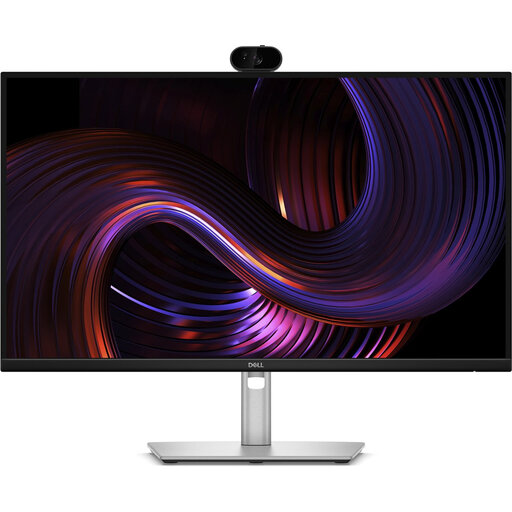
Suitable if you want to combine a webcam with your monitor setup. The product title doesn’t mention an overhead setup, so check separately how you’ll get paper into view.
27" QHD IPS, 100Hz and integrated webcam.
 No image available
Suitable if you’re looking for a webcam for video calls. The product title doesn’t say whether the camera is suitable for an overhead view of the entire sheet of paper.
2K QHD, noise-cancelling microphone and clip-on design.
 No image available
Suitable if you’re looking for a document camera for flat sheets up to A3 size. Check that the image works well for a live demonstration in your video app.
The product title mentions a portable design, OCR and compatibility with Windows and macOS.
 No image available
Suitable if you’re looking for a webcam for video calls. Check separately whether the camera angle shows your entire sheet of paper.
4K UHD, 8 MP, autofocus, dual microphones and a privacy shutter. The privacy shutter covers the lens when the camera isn’t in use, not during a demonstration.
First, compare the paper size with the stated capture area. Then take a test shot in your own video app, with the paper, compass and ruler set up where you plan to work. A wider frame makes small markings look proportionally smaller.
Check the connection and see whether the app recognises an external USB camera. IPEVO lists USB-A and UVC for the V4K PRO 120. Apps that don’t support external cameras may not recognise it.
First, check the focus at the actual distance from the camera to the paper. HUE lists manual focus for the HD Pro; IPEVO lists autofocus for the V4K PRO 120. Check the image again after moving the camera or paper.
For a consumer purchase in the Netherlands, contact the seller if a product is faulty. The Dutch government states that there is no fixed statutory guarantee period in the Netherlands. Distance purchases generally come with a 14-day cooling-off period, subject to conditions and exceptions that depend on the purchase.
There isn’t a simple yes-or-no answer based only on the description ‘shared studio’. Factors such as the purpose, whether people can be identified and how the footage is used all matter. The Dutch Data Protection Authority states that permanent CCTV monitoring of employees at their regular workplace is generally not permitted. Its guidance on workplace CCTV doesn’t automatically apply to every occasional live demonstration. Point the camera at the paper and consider video and audio recordings separately.