
Leading a demonstration with a printed dictionary
You want the group to follow headwords, clues and page-turning. That makes framing and focusing on the book important; IPEVO and HUE describe their cameras as suitable for showing documents.


A document camera is the better choice if your group needs to follow words and clues on the page. A tilting webcam is more suitable if you’ll mainly be talking and occasionally showing something on your desk. Test your own dictionary or text, page-turning and spoken explanations at the intended viewing distance to make sure they’re clearly visible and audible; specifications alone can’t guarantee this.
You want the group to follow headwords, clues and page-turning. That makes framing and focusing on the book important; IPEVO and HUE describe their cameras as suitable for showing documents.
You want to connect the camera to a computer during a session and show the book in the application you’re using. IPEVO says the V4K requires software and can be used as a video source in compatible applications.
You want to address the group and occasionally show a page on your desk. Logitech describes a Show Mode for the Brio 500; check that the screen mount gives you the viewing angle you need in your setup.
Choose this option: if looking up and pointing out words is the main focus. Check that the pages and sufficiently large text can fit in the frame at the same time.
Bear in mind: you may need a computer and a compatible camera application. With manual focus, you may need to readjust it when the distance changes.
Choose this option: if you’ll mainly be talking to the group and occasionally showing a page or activity on your desk.
Bear in mind: the screen mount determines the viewing angle. Logitech says Logi Tune is required for Show Mode. Pointing the camera down doesn’t guarantee that small text will be readable.
Choose this option: if the group will be looking at a screen and you want to consider a direct connection; ELMO lists HDMI and USB output for the MX-P3.
Bear in mind: check which inputs the screen has and which cables you’ll need. The connection itself says nothing about readability at a distance.
| What to consider | What should you check? | Who is this important for? |
|---|---|---|
| Readable dictionary text | Compare the capture area, camera angle and focus with the size of your book; view the image on the screen the group will be using. | If I want participants to be able to make out the words, I check the text size using my own book. Around 36% of consumers prioritise readability. |
| Easy connection | Check the USB connection and whether you can select the camera on the computer and in the application you’re using. | For a session, I want to use the camera in my presentation without a complicated workaround. Around 29% of consumers prioritise an easy connection. |
| Switching between the speaker and the book | Test whether the camera and mount can practically frame both your face and a page. | If I’ll mainly be talking and occasionally showing how to look something up, I check that the camera position works for this. Around 21% of consumers prioritise this flexibility. |
| Clear spoken explanations | Test the sound from the distance at which the group will be listening; a position above the book isn’t automatically the best place for a microphone. | When participants need to hear my instructions, I check that they’re clear in the room. Around 14% of consumers prioritise spoken explanations. |
IPEVO lists a maximum of 30 frames per second at Full HD and up to 15 at the highest resolution for the V4K. Resolution doesn’t tell you how large the words will appear on screen.
Assess the resolution alongside the visible area of the book and readability in your intended setup.
Logitech says the Brio 500 can be angled downwards, but that doesn’t prove it will show two open pages straight and clearly.
Test the camera angle and text size with your own dictionary before choosing this setup.
You may need a different mount or camera setup; check in advance that your chosen setup will fit on your desk.
IPEVO says that you need a camera application to use the V4K, and that you must select the camera as the source.
Check in advance that the computer, USB port and presentation or video application you’ll use during the demonstration are compatible.
ACM ConsuWijzer explains that your statutory rights may still apply after an advertised manufacturer’s or seller’s warranty has expired.
Keep your purchase and product information, and contact the seller if a product is faulty. Separately check whether the rules for consumer purchases apply to your purchase.
The V4K is a USB document camera for showing printed material via a computer, for example when pages are the main focus.
The HD Pro is a USB document camera for showing printed material and giving spoken demonstrations.
The Brio 500 is a video-call webcam with a mode for occasionally showing something on your desk.
AVer describes the U50+ as a USB document camera and webcam in an adjustable setup.
The MX-P3 is a document camera to consider if you also want to connect directly to a compatible screen.
This selection of products at Joybuy includes webcams for spoken explanations and a document camera for demonstrations focused on printed material.
 No image available
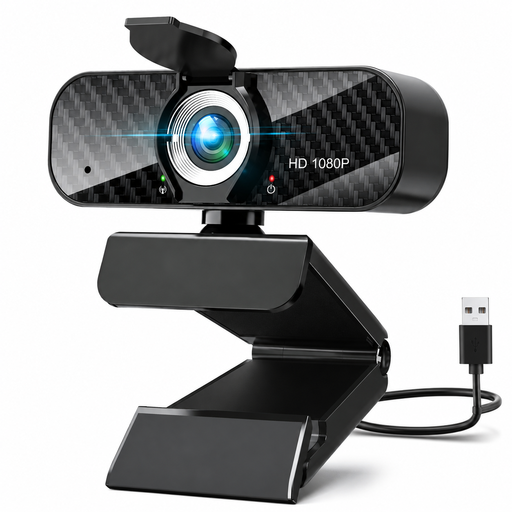
A webcam option for giving spoken explanations via a PC or laptop.
The product information lists 1080p, 30 fps, a wide-angle lens and a built-in microphone.
 No image available
A desktop webcam to consider if you also want to give spoken explanations during a demonstration.
The product name lists 4K UHD, 8MP, autofocus, two built-in microphones, a privacy shutter and EU Version, Black.
 No image available
A PC webcam option for giving spoken explanations during video calls or online lessons.
The product name lists QHD, a noise-cancelling microphone and a clip mount; the model is EU Version, Silver.
 No image available
A document camera option for demonstrations where you want to show printed material.
The product name lists a maximum size of A3, OCR and compatibility with Windows and macOS.
Connect a compatible USB camera, open the video application you’re using and select the camera in its settings. IPEVO says the V4K requires a camera application and can be selected as a video source in compatible software. Also check the image on the screen the participants will be using.
Check the distance and refocus if needed. HUE says you may need to adjust the focus ring on the HD Pro when the camera is moved closer to or further away from the book.
If participants can be identified in the footage, it counts as personal data. The Dutch Data Protection Authority distinguishes between strictly personal use and sharing more widely or on behalf of an organisation. Where the GDPR applies, you need an appropriate legal basis. Consent is one possible basis and, if you rely on it, must meet GDPR requirements. Decide in advance whether you’ll film or record participants or share any footage.
According to ACM ConsuWijzer, online consumer purchases generally come with a cooling-off period of up to 14 days after delivery, subject to exceptions. Your statutory rights are separate from any manufacturer’s warranty. If a product doesn’t do what you could reasonably expect during normal use, the seller is responsible for providing an appropriate solution. Check whether consumer rules apply to your purchase, for example if you’re buying on behalf of an organisation.