
Board game demonstrator
Primarily wants to show the full game setup and would benefit from a repeatable overhead view. The IPEVO V4K’s maximum capture area means the size of the board and the rest of the setup are key considerations.


For a repeatable overhead view, a document camera is a good choice if the entire game setup fits within its capture area. If you also want to film yourself, consider mounting a standard webcam on a suitable arm. Measure the board first, then check the mounting options and framing: the IPEVO V4K has a maximum capture area of 342 × 255 mm, while Logitech describes the MX Brio’s Show Mode as a way to display items on a desk. Then check the video mode and take a test shot of any glossy cards, as higher resolution won’t eliminate reflections.
Primarily wants to show the full game setup and would benefit from a repeatable overhead view. The IPEVO V4K’s maximum capture area means the size of the board and the rest of the setup are key considerations.
Wants to show text and small game pieces, so focuses on focus and framing. IPEVO and Elgato list autofocus for the models mentioned; the video mode and camera height still matter.
Switches between showing themselves and the table, and needs a mounting option that works for both camera angles. Logitech lists a tripod mount and downward-facing Show Mode for the MX Brio.
Choose this if: you usually want to show the same tabletop and position the camera above that playing area each time.
Trade-off: the model’s capture area limits what fits in the frame, so check it against your complete setup.
Choose this if: you want to use the same camera alternately to show yourself and the game.
Trade-off: a downward-facing desk mode doesn’t guarantee that the whole board will be visible; you may need a suitable arm.
Choose this if: you want to repeat a fixed shot and set the focus yourself.
Trade-off: check the required USB connection; settings are no substitute for a stable mount or suitable lighting.
| What to consider | What to look for | Who is this important for? |
|---|---|---|
| Framing the whole setup | Measure the board, cards and space for hands together. Check the capture area at your intended camera height and make sure the mount remains stable. | If I want to show the whole playing area, I don’t want pieces to fall outside the frame. Around 36% of consumers say full framing is their top concern when buying. |
| Readable detail | Test the smallest card text from your planned distance and check the video mode, not just the maximum photo resolution. | When card text and small game pieces need to remain clear, I look at focus and framing. Around 29% of consumers give readable detail top priority. |
| Reflections and lighting | Take a test shot with glossy components and your own lighting, and check whether exposure and white balance can be adjusted. | If bright reflections could obscure text, I want to check the lighting and glare with my own setup first. Around 21% of consumers prioritise reflections and lighting. |
| Connection and switching | Check the USB connection, cable reach and software requirements; test the camera as a video source in your recording app. | When I want to switch quickly between my face and the tabletop, I want the camera to work with my computer and recording app. Around 14% of consumers give easy setup and versatility top priority. |
Maximum image resolution, an available livestreaming mode and how readable text is in your chosen frame are different things. For the IPEVO V4K, IPEVO lists a maximum of 3264 × 2448 for still images and up to 30 fps for Full HD live video.
Compare the video mode for the exact model and take a test shot of the smallest text from your planned distance.
A downward-facing mode won’t automatically show the whole board; a document camera also has a limited capture area.
Measure your complete game setup, then work out what mount and framing you need.
For a stable overhead view, you may need a suitable arm, clamp or tripod.
Direct light can reflect off glossy components and obscure information, whatever the stated resolution.
Test the lighting with your own cards and check that the filter mount is compatible with the exact camera model.
You may need to adjust your lighting setup. Elgato lists support for 49mm filters for the Facecam 4K; this model-specific feature does not automatically apply to other Facecam models.
Document cameras for showing physical materials; the V4K has a positionable design.
Webcams for mixed use; according to Logitech, the MX Brio has a tripod mount and downward-facing Show Mode.
Studio webcams with model-specific adjustment options.
The Taxon is a QHD webcam with a wide-angle lens and autofocus.
The Tiny 2 offers controllable pan and tilt, as well as automatic and manual focus.
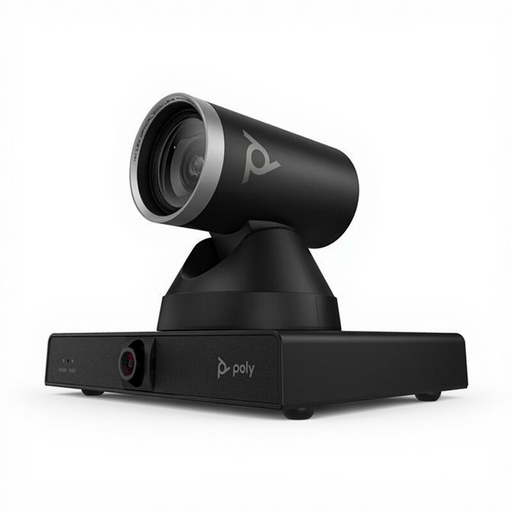
This selection includes webcams and conference cameras with framing or tabletop recording features. Check each model to see whether its mount and field of view can capture the whole game board.
 No image available
Could suit you if you want to adjust the framing with zoom; check that your chosen mount keeps the board steady in the shot.
4K camera with 12× optical zoom. The stated weight is 1.79 kg, so choose a mount that can safely support it.
 No image available
Could be worth considering if you want to try different framing options; check that the mounting position and field of view suit your board.
The product description lists 4K, two cameras, 7.3× digital zoom and a 93° to 111° field of view. Freestanding and wall-mounted placement are mentioned; the model is described as being for meeting rooms.
 No image available
Could suit you if you’re looking for a desktop webcam with autofocus; check whether the included clip lets you achieve the tabletop setup you want.
4K UHD, autofocus and USB-A. The product description mentions a universal clip for desktops, monitors and more.
 No image available
Could suit you if you want a webcam that, according to the product description, can be mounted on a tripod; check that your setup covers the whole playing area.
2K QHD. The title mentions a noise-cancelling microphone; the product description lists mounting on desktops, laptop screens or tripods.
 No image available
Could suit you if you want a tabletop recording mode and autofocus; test the field of view at the actual distance from the board.
4K webcam with DeskView, HDR and PDAF autofocus. According to the product description, this model is not compatible with ARM-based Windows systems.
In OBS, add a video capture source and select your camera. If you’re also using a separate microphone, check your audio sources: the OBS Project documentation warns that using the same audio source in multiple places can cause echo.
Not necessarily. For the IPEVO V4K, IPEVO lists a maximum of 3264 × 2448 for still images, but a maximum of 30 fps for Full HD live video. Check the video mode for the exact model and the app you use.
For online purchases, you generally have a 14-day cooling-off period, according to the Dutch government. If there’s a problem with a faulty product, the seller is responsible for providing a solution, according to the Dutch government. Check the terms and conditions that apply to your purchase.
People who can be recognised in video footage are considered personal data. The Dutch Data Protection Authority says that publishing footage on social media generally requires a legal basis, usually consent. Discuss publication with fellow players beforehand, or keep them out of shot.