
The detail-focused demonstrator
You want to show small changes or actions on the work surface. Pay attention to the focusing distance, camera angle and capture area of the specific model.


If the experiment and actions on the desk are the main focus, an adjustable document camera is likely to be the better choice. A tilting webcam is more suitable if you mainly want to show yourself and occasionally switch to the desk. Check the focusing distance, framing, connection and audio source against your workspace. Manufacturer specifications describe features, but they are not an independent assessment of image quality in your setup.
You want to show small changes or actions on the work surface. Pay attention to the focusing distance, camera angle and capture area of the specific model.
You switch between speaking to the camera and showing an experiment on the desk during an explanation. Check whether you can easily switch views with your chosen camera and setup.
You want to show the experiment without unnecessarily including other people or their belongings in the frame. Decide on the framing beforehand and check the preview from the intended position.
Choose this option if: you want to show objects or actions on the work surface from above or at an angle for an extended period.
Bear in mind: an adjustable arm takes up space on a shared desk; according to IPEVO, the IPEVO V4K PRO has autofocus from 10 cm and a capture area of up to 342 × 255 mm.
Choose this option if: talking to the camera is your priority and you occasionally want to show an object on the desk; Logitech describes Show Mode on the Brio 500 as a way to tilt the camera towards the desk.
Bear in mind: tilting the camera does not, by itself, guarantee that small details will be in focus; the monitor position also affects which part of the shared desk appears in shot.
Choose this option if: you want one device that lets you switch regularly between a desk view and an on-camera conversation; IPEVO describes the DO-CAM as a model with a reversible camera head.
Bear in mind: according to IPEVO, the DO-CAM does not have a built-in microphone; also check that the software required for the IRIScan Visualizer 7 works with your computer.
When choosing a camera for a physics or biology observation at a shared desk, the key considerations are focus, switching views, framing and connectivity.
| What to consider | What should you look for? | Who should prioritise this? |
|---|---|---|
| A clear view of the experiment | Compare the focusing distance and capture area of the exact model with the distance and dimensions of your experiment. | If I want to show small parts or changes, focus at the working distance and suitable framing are crucial; around 36% of consumers give observational detail the highest priority. |
| Switching between your face and the work surface | Try how quickly you can switch between views and check that the experiment is correctly oriented afterwards. | I want to switch easily between my face and the work surface during the same explanation; around 29% of consumers put switching at the top of their list. |
| Framing on a shared desk | Point the camera at the experiment, check the preview and, if necessary, agree how the image and recordings will be handled. | At a shared desk, I want to show the experiment without unintentionally including other people or their work; around 21% of consumers say controlling what appears in shot is their main requirement. |
| Connectivity and clear audio | Check the port, operating system and software; also consider which microphone you will use. | I want the camera to work with my computer and my explanation to be recorded; around 14% of consumers give connectivity and audio the highest priority. |
A stated resolution does not tell you whether the experiment will be in focus at your chosen distance or fit fully in the frame.
For the exact model, compare the focusing range and capture area with your experiment setup.
A webcam tilted towards the desk is set up differently from an adjustable arm positioned above the experiment.
Choose based on how long you need to show the work surface, and check that the camera angle suits the available space.
IPEVO states that the DO-CAM does not have a built-in microphone.
Decide in advance which audio source you will use and check that it picks up your voice clearly from the intended position.
If your computer's microphone is not up to the job, you may need a separate microphone.
A webcam option if you mainly talk to the camera and occasionally want to show something on the desk.
The V4K PRO is designed for an adjustable desk view; the DO-CAM is intended for switching between document camera and webcam use.
According to CZUR, the Fancy S Pro combines a document camera/webcam with an adjustable arm for a desk setup.
The IRIScan Visualizer 7 is a switchable document camera/webcam for demonstrations.
The Facecam MK.2 may suit a setup where the camera is positioned far enough away from the observation.
Below are webcams and a document camera. For your experiment, check that the model offers a live view, the required focusing distance and the framing you want.
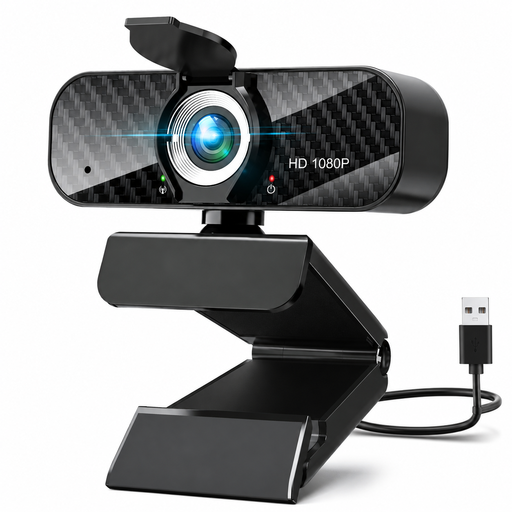 Image unavailable
Could suit you if you want a webcam that you can position flexibly on a shared desk; check that it frames your experiment well from where it is placed.
Resolution: 1080p. Lens: 120° and 360° rotation. Flexible tripod stand. USB plug-and-play. Built-in omnidirectional microphone.
 Image unavailable
Suitable if you are looking for a webcam with autofocus; check the focusing distance for small details in your experiment, as it is not specified here.
4K UHD, 8 MP, autofocus, dual built-in microphones and privacy shutter.
 Image unavailable
Could suit a webcam setup with clip mounting; check that the camera frames the experiment well from that position.
2K QHD. Clip mounting for desktop or laptop. The product name describes the microphone as noise-cancelling.
 Image unavailable
A document camera option if document sizes and OCR are also important to you; check whether the model is suitable for live demonstrations of your experiment.
The description lists an 8 MP CMOS sensor, A3/A4 documents and OCR. Compatible with Windows and macOS according to the product name.
Not on its own. Also check the focusing distance, camera height and how much of the work surface needs to be in shot; manufacturers list different focusing ranges and capture areas for each model.
First point the camera at the part of the experiment you want to show, then check the preview from the intended position. An adjustable arm offers different positioning options from a webcam that tilts down from a monitor.
It varies by model. IPEVO states that the DO-CAM does not have a built-in microphone; use your computer's microphone or a separate one instead.
For eligible consumer purchases made at a distance, you will often have a 14-day cooling-off period, according to the Dutch government. You are also entitled to a product that meets legal requirements; the Dutch government states that the Netherlands does not have one fixed general guarantee period. Check the terms that apply to your purchase.
Do not assume that consent is automatic or that filming is always allowed. The Dutch Data Protection Authority advises agreeing who will appear on camera and how recordings will be handled when making video calls for online teaching. What applies in a specific situation depends on how the footage is used; rules for workplace CCTV do not automatically apply to an occasional demonstration.