
Student with written workings
Wants a teacher or tutor to be able to follow each step of a calculation without having to hold the exercise book up to a face-facing camera. IPEVO and HUE describe their document cameras as suitable for showing paper.


If the other person mainly needs to follow your written calculations, a document camera positioned above the paper is usually more practical. If you’ll mainly be talking and only occasionally showing a sum, an adjustable webcam may be enough. Check that the whole worksheet and your handwriting are clearly visible, and that the camera works with your computer and video-calling app. The camera’s stated resolution doesn’t guarantee that the other person will receive the same resolution.
Wants a teacher or tutor to be able to follow each step of a calculation without having to hold the exercise book up to a face-facing camera. IPEVO and HUE describe their document cameras as suitable for showing paper.
Usually talks to the camera, but also wants to show a sketch or calculation on the desk while explaining. Logitech describes the Brio 500 as having a mode for showing objects on a desk.
Works in a temporary space and wants to position the camera, worksheet and background so that only what’s needed is in shot. The Dutch Data Protection Authority highlights the privacy risks of showing people at home during online lessons.
A good fit if: you usually want to be on camera and occasionally show some written workings.
Bear in mind: your monitor and the position of the paper affect the viewing angle; Logitech describes the Brio 500 as having a desk mode.
A good fit if: the paper will be the main image for an extended period and the other person needs to follow your calculations.
Bear in mind: you’ll need space above the paper and may need a separate camera for your face. Focusing methods vary by model.
A good fit if: you want to show paper directly on a separate display without using a computer; ELMO lists USB, HDMI and RGB outputs for the MX-P3.
Bear in mind: extra connections don’t automatically mean the camera will work well with your video-calling app and worksheet; check the cables and setup you’ll need.
These considerations are for consumers who want to show written maths homework from a guest room. First decide what the other person mainly needs to see, then check the setup, connection and privacy.
| What to consider | What should you check? | Who should pay particular attention? |
|---|---|---|
| Legible handwriting | Check that the whole page fits in shot and test the focus with a real sum. HUE says the HD Pro can show a full A4 sheet in shot. | If I want the other person to be able to follow the numbers, symbols and working on the paper, I prioritise legibility. Around 36% of consumers say that readable written workings are their top priority. |
| Switching between your face and the worksheet | Check the mounting, the downward viewing angle and whether you can set the orientation correctly in your video-calling app. Logitech describes the Brio 500 as having a desk mode. | I want to switch between eye contact and showing a calculation on the table while I explain. Around 29% of consumers say that switching quickly between their face and the worksheet is their top priority. |
| Connection and video-calling app | Check the USB connection, supported operating system and camera selection in the app. IPEVO explains that you select the V4K in the software. | If the camera needs to work straight away with my computer and video-calling app, I check they’re compatible before buying. Around 21% of consumers give technical usability top priority. |
| Privacy in a shared workspace | Check what comes into shot when you turn or tilt the camera, and whether you can cover it when it’s not in use. According to its manual, the Logitech Brio 500 has a privacy shutter. | I only want to show the homework, not the room or other people by accident. Around 14% of consumers rank privacy in the room above the other considerations. |
Your video-calling app may limit the outgoing resolution, and small symbols can be harder to read when a whole worksheet is in shot. Zoom’s HD video depends on meeting settings and account requirements.
Test a real sum from the distance you plan to use, and ask the other person to check that the symbols and working are legible.
The Brio 500’s desk mode uses a monitor mount, while a document camera needs its own space above the paper.
Measure where your monitor, paper and camera can go in the guest room before choosing a model.
Depending on your setup, you may need a different mount or a separate document camera.
Turning the camera towards your face could show more than just the homework. The Dutch Data Protection Authority highlights the privacy risks for educational institutions of making video calls from home.
Check both camera positions before the call and limit the view to what’s needed. Consider any recordings separately.
The Fancy S Pro is designed for anyone who wants to point a single adjustable USB camera at paper or at the person speaking.
The Brio 500 is a webcam option for calls where you occasionally want to show a calculation on your desk.
The V4K is a document camera for anyone who wants paper to remain the main image for an extended period.
The HD Pro is a document camera that, according to HUE, can show a full A4 sheet in shot.
The MX-P3 is a document camera for setups that also connect directly to a separate display.
This selection of Joybuy products includes webcams for a computer setup and a document camera for showing paper. Check that each model’s positioning suits the way you want to show the homework.
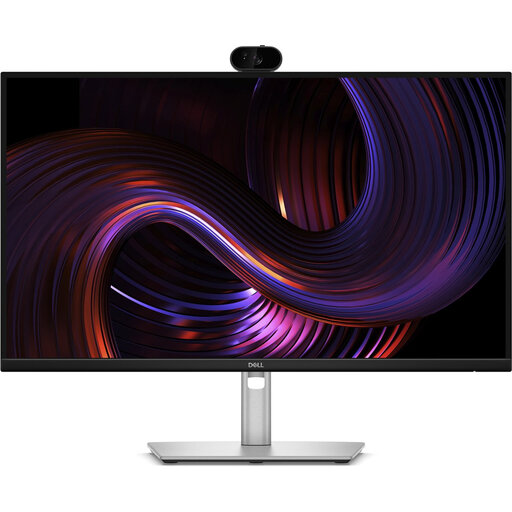 Image unavailable
A monitor with a webcam for anyone who wants to use a camera as part of their computer setup; check whether the viewing angle is suitable for showing paper too.
27-inch QHD IPS; 100 Hz; webcam.
 Image unavailable
The privacy cover is a useful feature if you want to cover the lens when the webcam isn’t in use in a shared room.
4K UHD; 8 MP; autofocus; built-in dual microphones; privacy cover; EU version, black.
 Image unavailable
A PC webcam with a clip mount for anyone who wants to position a camera on a desk or laptop.
2K QHD; noise-cancelling microphone; clip mount; EU version, silver.
 Image unavailable
A document camera for anyone who wants to show flat sheets of paper up to A3 size; check that this format suits your needs.
Up to A3 size for flat sheets; OCR; compatible with Windows and macOS.
Yes, if you can point the webcam safely at the paper and the sums you need to show are legible during a test call. Logitech describes the Brio 500 as having a desk mode; if paper will be the main image for an extended period, a document camera may offer a more straightforward setup.
Place the sheet under the camera, connect it and select it as the camera in your video-calling app. IPEVO describes this device selection for the V4K; then check the focus, framing and image orientation at the other end of the call.
Not necessarily. First check your video-calling app’s settings and requirements. Zoom says HD video depends on meeting settings and account requirements, so the camera’s specification doesn’t automatically determine the image quality the other person receives.
For a standard online consumer purchase in the Netherlands, you generally have a statutory 14-day cancellation period after delivery; check which exceptions and returns terms apply. Your statutory guarantee is separate from any manufacturer’s warranty. ACM ConsuWijzer notes that the seller is your point of contact if a product is faulty.
Don’t record other people without considering the implications. The Dutch Data Protection Authority says that, for educational institutions, recordings showing pupils can only be justified in exceptional circumstances. That guidance for institutions doesn’t automatically amount to a ruling on every private one-to-one tutoring session.