If you’ll mainly be filming paper and the hand doing the writing, start with a document camera with an adjustable arm. Check that the whole page fits in focus on your desk. If you want to switch between yourself and your notes during calls, a webcam with a downward-facing mode may be more practical. Be sure to test how clearly it captures small writing, how securely it attaches and how the light works in your workspace.
Who are these camera setups suitable for?
Filming notes from above
Want to show a whole page and your writing hand during an explanation or recording? A document camera with an adjustable arm is worth considering. IPEVO and INSWAN describe models with adjustable setups. Check that the working area and focus suit your desk and paper.
Switching between your face and paper
Do you make video calls or give short demonstrations and want to show your notes along the way? Logitech describes a Show Mode for the Brio 500, which lets you tilt the camera downwards. Your monitor’s position and mount will affect how well your desk appears in the frame.
Recording in a small workspace
Setting up a temporary recording desk in a spare room and want to move or put away the camera afterwards? Compare the base and arm of a document camera with the space available for a flexible camera setup.
What should you look for when filming notes?
Document camera with adjustable arm
Suitable when: paper and the writing hand are the main focus.
Consider: the base and arm take up space; check which recording settings you can actually use.
Flexible document camera
Suitable when: you move the camera regularly and want to adjust the focus yourself.
Consider: manual focusing takes attention when the distance to the paper changes.
Webcam with a downward-facing mode
Suitable when: you mainly want to switch between your face and notes during calls.
Consider: your monitor’s position determines the viewing angle, and Full HD alone doesn’t tell you whether small writing will be legible.
| What to consider |
What to look for |
Who is this most important for? |
| Fitting the whole page and your hands in frame |
Put down the paper you normally use and check that it and your hands fit in the frame at the same time. Compare the recording settings and frame rate you can actually use. |
If I want to show a whole page while writing, the frame needs to work at my desk height. Around 36% of consumers prioritise a full overhead view. |
| Keeping small writing sharp and legible |
Make a test recording using your smallest usual handwriting and check the saved file. See whether the camera uses autofocus or manual focus. |
If I want small writing to remain legible in the recording, I check the file at the screen size it will be viewed on. Around 29% of consumers prioritise legibility. |
| Switching between your face and notes |
Check that the monitor mount is secure and that the downward-facing position shows the whole writing area. |
If I want to show notes during a video call, it’s important that I can easily switch the view from my monitor. Around 21% of consumers prioritise this flexibility. |
| Setting up a temporary recording space |
Check the available desk space, USB connection and a test recording using the lighting you’d normally use. |
If I want to set up and move the camera quickly in a temporary workspace, the space it needs and how it connects both matter. Around 14% of consumers prioritise a practical temporary setup. |
Common buying mistakes
-
Comparing only the highest resolution
For the IPEVO V4K, the manufacturer specifies a maximum of 15 fps at its highest stated resolution of 3264 × 2448, compared with up to 30 fps at Full HD. The setting you choose therefore affects what you record.
Compare resolution and frame rate within the same recording mode. Make a test file and check both small writing and the movement of your hand.
-
Assuming a monitor webcam works like a fixed overhead camera
Logitech describes the Brio 500’s Show Mode as a setting where you tilt the camera down from the monitor. The monitor’s position affects the viewing angle; according to the manual, an unsecured mount must be held while tilting the camera.
Test the viewing angle and how securely the camera is attached, using a sheet of paper where you’ll actually be writing.
You may need to adjust the monitor mount or rearrange your desk.
-
Assuming an 8MP camera always saves 8MP video
A stated sensor resolution doesn’t automatically tell you the resolution of your recording file. For the INS-1, INSWAN lists different maximum recording settings for different operating systems.
Check the recording settings for your computer and software, not just the camera’s resolution specification.
Brands and models to consider
IPEVO
According to IPEVO, the V4K is a USB document camera with an adjustable arm for filming paper from above.
- IPEVO lists 8 MP and up to 3264 × 2448; the manufacturer specifies up to 30 fps at Full HD and 15 fps at that highest resolution.
- These stated settings don’t automatically show how legible your handwriting will be in a recording.
HUE
HUE describes the HD Pro as a document camera with a flexible neck, suited to a workspace you may need to move around.
- HUE lists Full HD, manual focus and built-in LEDs.
- Manual focus takes attention when the distance to the paper changes.
Logitech
The Brio 500 is a monitor webcam that, according to Logitech, can be tilted downwards in Show Mode to show sketches and work on your desk.
- Logitech lists Full HD and a downward-facing mode.
- The manufacturer doesn’t guarantee that small writing will be legible; your monitor’s position and the mount still matter.
INSWAN
INSWAN describes the INS-1 as a USB document camera with an adjustable arm and a stated working area of 374 × 280 mm.
- The manufacturer lists autofocus, a built-in LED and USB-A.
- According to INSWAN, the maximum recording settings vary by operating system; check compatibility with your computer and recording app.
AVer
AVer describes the U50+ as a document camera that can also be used as a webcam with its flexible arm.
- AVer lists 8 MP, an A3 capture area and an LED with three settings.
- These specifications don’t determine how your handwriting will look in a saved recording.
Products for filming notes
These Joybuy products include webcams for use with a laptop or monitor, and document cameras for capturing paper. Check that each model’s angle, frame and recording settings suit your desk.
 No image available
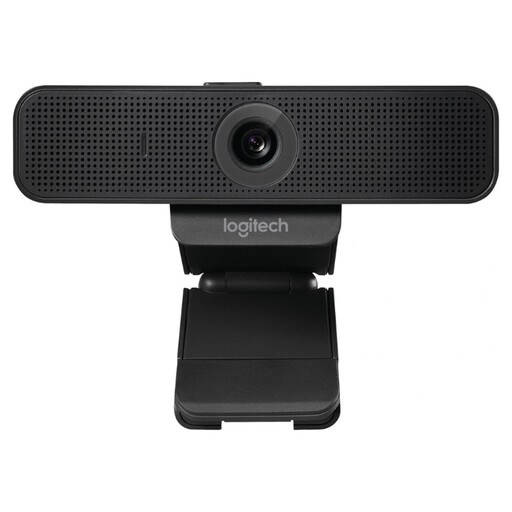
Logitech C925e USB-webcam, 30 fps, Black (960-001076)
Could suit a setup where you want to attach the webcam to a laptop or monitor; check that the angle shows your paper clearly.
Product information lists Full HD video, autofocus and 30 fps.
View at Joybuy
 No image available
Philips 4000 Series 4K UHD Webcam, 8MP, EU Version, Black (SPL6408BT/00)
Could suit you if you want to mount an autofocus webcam on a computer or monitor; make a test recording to see how your handwriting appears on screen.
Product information lists 4K UHD, 8 MP, autofocus and a USB-A connection.
View at Joybuy
 No image available
Philips 2K QHD PC-webcam, EU Version, Silver (SPL6308S/00)
Could suit you if you’re looking for a clip-on webcam for a laptop or desktop; check that the mount and viewing angle work for your writing space.
The product name lists 2K QHD and a noise-cancelling microphone.
View at Joybuy
 No image available
Logitech MeetUp, 4K, 30 fps, Black
Product information describes a camera for meeting rooms. Check in advance whether its placement and viewing angle suit a desk setup for filming notes.
The description lists USB, video recording up to 4K at 30 fps and a 120° viewing angle.
View at Joybuy
 No image available
CZUR Shine 800 A3 Pro Document Camera
Could suit you if you want to position handwritten pages under a document camera; check that its design and recording angle work for your desk.
Product information lists document capture up to A3 size, USB, an 8MP sensor and compatibility with Windows and macOS.
View at Joybuy
Frequently asked questions
How do I record the camera feed rather than just show it during a call?
You can add a compatible USB camera as a video source in OBS Studio and make a short test recording first. OBS Project recommends checking that your video, audio and storage settings are correct before making a longer recording. Also check that your camera works with your computer and software.
Will a built-in LED always make notes easier to film clearly?
No. A built-in LED doesn’t guarantee that the paper will be recorded without shadows or glare. HUE, INSWAN and AVer list LEDs on the models mentioned; check the results with your own paper and the lighting in your spare room.
What are the cooling-off period and warranty rules for online purchases in the Netherlands?
According to the Dutch government, distance purchases often come with a 14-day cooling-off period; check the terms that apply to your purchase. The Dutch government also states that the Netherlands has no fixed statutory warranty period. If a product is faulty, contact the seller.
Can I film my handwritten notes at home and share the video?
The Dutch Data Protection Authority distinguishes between footage you keep for yourself or share with a very limited personal circle and wider distribution. The exception for personal or household use doesn’t automatically apply to wider publication or business use. Privacy rules may be relevant if other identifiable people appear in the footage.


