
Writer creating videos
If you write while the camera is recording, compare the focus modes and the frame rate of the video mode you want to use. CZUR and INSWAN list both single and continuous autofocus for certain models.


First, choose a camera that captures your entire sheet of paper and the writing space you need. Then check that its focus and connections suit your recording software. If your hands are moving, focus control matters; for a fixed paper position, manual focus may be enough. A stated 4K mode doesn’t guarantee you can record in 4K at your preferred frame rate: CZUR lists a maximum of 4K at 15 fps and 1080p at 60 fps for the Fancy S Pro.
If you write while the camera is recording, compare the focus modes and the frame rate of the video mode you want to use. CZUR and INSWAN list both single and continuous autofocus for certain models.
If you’re filming diagrams, drawings or notes across a large area, check that the stated capture area covers both your paper and the space your hand needs. INSWAN and HUE provide details of the capture area for their models.
Make sure the connection and recording features suit your computer, screen and software. IRIS describes the Visualizer 7’s compatibility with Readiris Visual, while ELMO specifies multiple outputs and SD recording for the MX-P3.
| What to consider | What should you check? | Who should prioritise this? |
|---|---|---|
| How clearly small letters show up | Compare both the resolution and fps of the recording mode you plan to use. If possible, make a test recording of your own handwriting. | If I want small letters to be clear, I look at the final recording rather than just a resolution label. Around 31% of consumers prioritise the readability of small text. |
| Fitting the whole sheet in the frame | Measure your largest sheet and the space your hand needs, then compare those measurements with the stated capture area. | I want to keep the paper and writing space in one frame without making the text too small. Around 25% of consumers prioritise showing the whole sheet. |
| Keeping the image sharp while writing | Check whether you can choose the focus mode, then try your paper, pen and moving hand together in your own set-up. | If my hand is constantly moving above the paper, I want to see how the focus responds. Around 25% of consumers make sharpness while writing their top priority. |
| Connection and recording workflow | Check the port you need, the operating system, whether your recording software recognises the camera and which output mode it uses. | I want to connect the camera to my existing studio and know how the image is recorded as a file. Around 19% of consumers prioritise connection and recording workflow. |
The maximum mode can vary depending on the frame rate and whether you’re using live view or recording. CZUR lists a maximum of 4K at 15 fps and 1080p at 60 fps for the Fancy S Pro. INSWAN lists lower maximum recording resolutions in its own software for the INS-2 than for some live-view modes.
For the exact model, check both the resolution and fps available in your recording software’s mode, then view an exported file.
If the capture area doesn’t cover your whole sheet, the camera won’t suit a recording where all your notes need to stay visible. A wider frame can also make the same letters appear smaller.
Measure your sheet and the space your hand moves through before choosing a model. Then check that everything is readable in the frame you intend to use.
INSWAN lists USB-A for the INS-2 and recommends an adapter for USB-C users. ELMO specifies HDMI, RGB and USB outputs, as well as SD recording, for the MX-P3. The manufacturer says the SD function is for recording, not playback.
Map out the route from the camera to your screen or recording file, and check every connection and feature you need.
If your computer only has USB-C, you may need a suitable adapter. Depending on your set-up, you might also need additional recording equipment.
The INS-2 is a USB document camera for anyone looking for a stated large work area and a choice of focus modes.
According to CZUR, the Fancy S Pro combines an adjustable camera arm with document camera and webcam functionality.
The IRIScan Visualizer 7 is an option if you want to use the camera feed with its presentation and annotation software.
The HUE HD Pro is a flexible USB camera for a fixed writing area where manual focus is preferred.
The MX-P3 is worth considering for a studio that needs a screen output or SD recording as well as USB.
This selection includes webcams with features for filming a desk, as well as a document camera/scanner for flat sheets. Check whether each model’s preferred video mode is available in your recording software; a stated camera mode won’t necessarily be available as an output in every app.
 Image unavailable
The product description mentions DeskView and Whiteboard Mode, as well as PDAF autofocus, for computer-based recording of a work area.
The product title lists 4K UHD, 8 MP, autofocus, two built-in microphones and a privacy cover.
 Image unavailable
The product description mentions autofocus and Auto-Framing for computer-based video set-ups. Check that the framing suits your fixed paper layout.
The product title lists 4K, a 1/2-inch sensor, HDR and a microphone with AI Noise Cancellation.
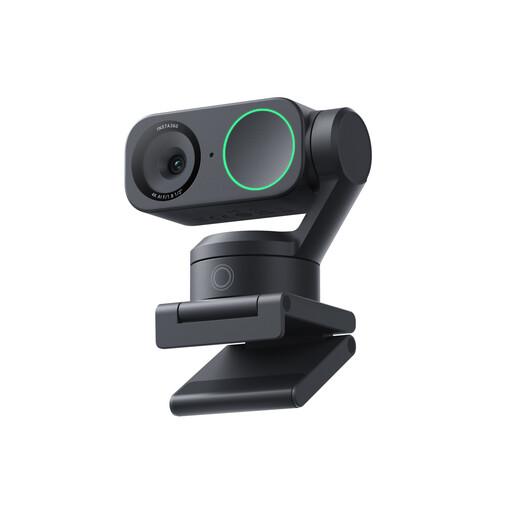 Image unavailable
The product description mentions autofocus and AI Tracking/Auto-Framing for computer-based video set-ups. Check the framing with your own writing area.
The product title lists 4K, a 1/2-inch sensor, AI Tracking, HDR and a microphone with AI Noise Cancellation.
 Image unavailable
An option if you want to digitise flat documents as well as capture notes. Check that the recording feature you need fits your workflow.
The product title lists A3 as the maximum paper size, while the product description mentions an 8 MP sensor and OCR for more than 180 languages.
No. Check both the live-view mode and the recording mode in your software for the exact camera. INSWAN lists 4K live view for the INS-2, but lower maximum recording resolutions in its own software.
Check the physical connection, supported operating system and whether your recording software recognises the camera. INSWAN lists USB-A for the INS-2; IRIS lists Windows 10/11 or macOS 10.15 or later for the Visualizer 7 and Readiris Visual.
Measure your sheet and the space your hand moves through in advance. Compare these measurements with the capture area of the exact model, then check that small letters are still readable once the camera is positioned.
For a consumer purchase in the Netherlands, you should contact the retailer about your statutory guarantee. The Dutch government explains that there is no fixed statutory guarantee period in the Netherlands; what you can expect from a product depends, among other things, on the product and the information provided.
According to the Dutch government, distance purchases generally come with a 14-day cooling-off period. This doesn’t automatically apply to purchases from private individuals, so check which terms apply to your purchase.
Filming only your own paper is different from publishing footage of identifiable people. The Dutch Data Protection Authority says the GDPR generally doesn’t apply to purely household recordings, but it can become relevant when footage is made available to an unlimited audience. Check the privacy rules before publishing footage of this kind.
No. According to the European Commission, the CE mark indicates that the manufacturer considers a product to meet the relevant EU product rules; there is no central EU body that issues a general certificate for this. The mark doesn’t assess whether the camera is suitable for your writing videos.