
Vandaag of morgen in huis

Kwaliteit gegarandeerd

Welkomstaanbiedingen ontgrendelen: GRATIS bezorging | Tot 80% korting | Gratis 30 dagen JoyPlus-proefperiode
Download de app
Choosing the right digital whiteboard for a classroom or conference room can be a challenge. The market offers a plethora of options with a wide range of specifications. How do you know which model fits your organisation's needs? As a Joybuy Product Recommendation Officer, I'm here to help you see past the marketing jargon. This article provides a clear overview of the key considerations and presents a selection of models chosen for their specifications and functionality.
Before making a choice, it's helpful to consider a few core aspects. These factors will determine how well the interactive whiteboard will perform in practice.
The size of the room determines the required screen size. For a standard classroom or a medium-sized conference room, a 75 to 86-inch screen is typically sufficient to ensure everyone can see the content clearly. A 4K digital whiteboard (3840 x 2160 pixels) resolution is the standard today. This provides a sharp and detailed image, which is essential when displaying complex diagrams, small text, or high-quality videos.
A modern touchscreen display must offer a smooth and responsive writing experience. Most boards use infrared (IR) touch technology. Pay attention to the number of simultaneous touchpoints. A board with 20 or more touchpoints allows multiple users to write or draw on the screen at the same time, which promotes collaboration. A fast response time (under 10 ms) prevents noticeable lag between the touch and the on-screen reaction.
A good interactive display for a conference room or classroom must connect seamlessly with existing equipment. Check for the presence of sufficient ports, such as HDMI, USB-C (for video, data, and power over a single cable), and USB-A. An OPS (Open Pluggable Specification) slot offers the ability to slide a full-fledged Windows PC into the display, increasing flexibility. For digital whiteboards in education, it is also important that the built-in software (often based on Android) is intuitive and provides access to educational apps.
Based on specifications and functionality, we have selected several models that are impressive for professional and educational use.
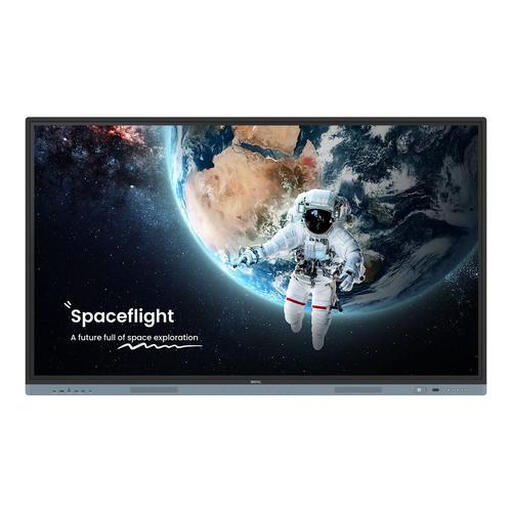
Why It Stands Out This model combines a very large screen area with advanced interactive features. With support for 50 touchpoints and a powerful processor, it is designed for dynamic environments where multiple users are active simultaneously.
Pros
Who Is It For? This BenQ digital whiteboard is a suitable choice for larger classrooms, lecture halls, and conference rooms where intensive collaboration and multimedia presentations are key.
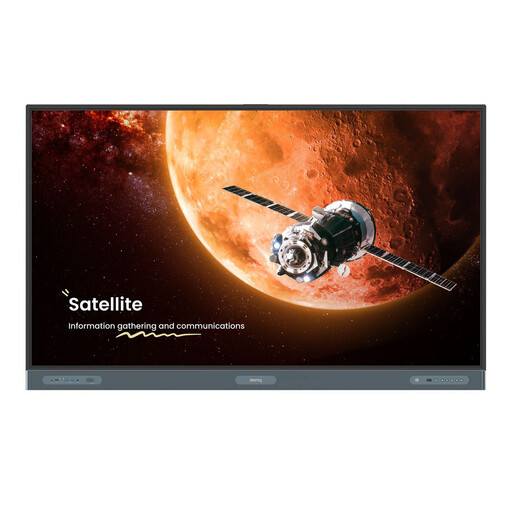
Why It Stands Out The RP7504 distinguishes itself with its premium specifications, including a more advanced processor (ARM Cortex A78 + A55) and additional sensors. It is designed for environments that demand the highest standards of performance and ease of use.
Pros
Who Is It For? Ideal for executive boardrooms, innovation labs, and educational institutions seeking a future-proof solution with maximum performance for interactive sessions.
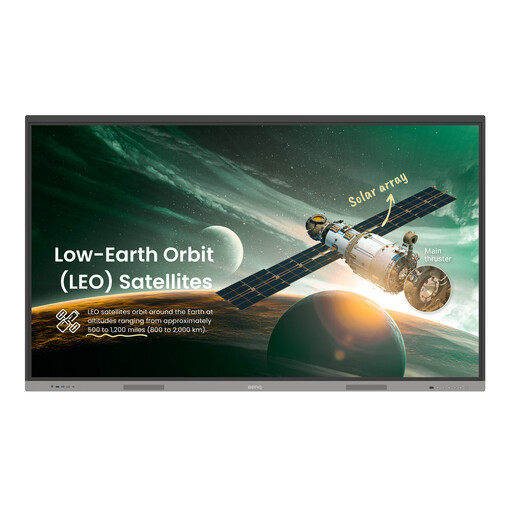
Why It Stands Out This model offers the benefits of a large 86-inch screen at a more accessible price point. It delivers all the essential features for an effective digital blackboard or presentation screen without unnecessary frills.
Pros
Who Is It For? An excellent all-round choice for schools and businesses looking for a large and functional interactive display for daily use, with a focus on core functionalities.
If your ideal model isn't listed here, or if you're looking for a different size or specific features, many more options are available to suit various budgets and use cases.
View our full range of touchscreen whiteboards
In practice, these terms are often used interchangeably. Originally, 'digital board' referred to a projection system with a separate board and projector. Today, both terms usually mean an integrated touchscreen display: a large screen with built-in touch functionality and a computer, like the models in this article.
Most digital whiteboards can be easily connected via an HDMI cable for video and audio. For touch functionality, a USB cable is also often required. Many modern displays support USB-C, which allows you to connect your laptop for video, audio, data, and even charging with just a single cable.
Maintenance is minimal. It is recommended to clean the screen regularly with a soft, dry microfiber cloth to remove fingerprints and dust. Do not use harsh cleaning agents. Additionally, ensure the display's ventilation openings remain clear to prevent overheating.
