
Vandaag of morgen in huis

Kwaliteit gegarandeerd

Welkomstaanbiedingen ontgrendelen: GRATIS bezorging | Tot 80% korting | Gratis 30 dagen JoyPlus-proefperiode
Download de app
As a Joybuy Product Recommendation Officer, I see businesses struggle daily with choosing the right professional display. The specifications can be overwhelming, and it's difficult to determine what truly matters for your situation. Are you looking for a display for advertising in your shop window, an information screen for the office, or an interactive display for the meeting room?
This guide is designed to help you. We'll skip the marketing jargon and focus on the specifications that matter for business use. This will enable you to make an informed decision for a reliable and durable solution.
Before we look at specific models, it's helpful to understand a few core specifications. These are the factors that distinguish a professional display from a standard consumer television.
One of the biggest differences is the suitability for continuous operation. A consumer TV is designed for a few hours of use per day. A professional display is built with higher-quality components, better cooling, and a more robust construction to function 24/7. If you plan to buy a 24/7 display for your shop or reception, this is a non-negotiable requirement. The warranty on consumer TVs often becomes void with commercial use, whereas professional displays are certified for it.
The brightness of a display is expressed in candelas per square meter (cd/m?). The required brightness depends on the environment:
Additionally, a 4K professional display (3840x2160 pixels) has become the standard. This high resolution ensures that text, images, and videos are displayed with razor-sharp clarity, even up close.
A good business information display should be easy to integrate and manage. Look for the following connections:
narrowcasting display.Based on the criteria above, we have selected models that excel in various business applications.
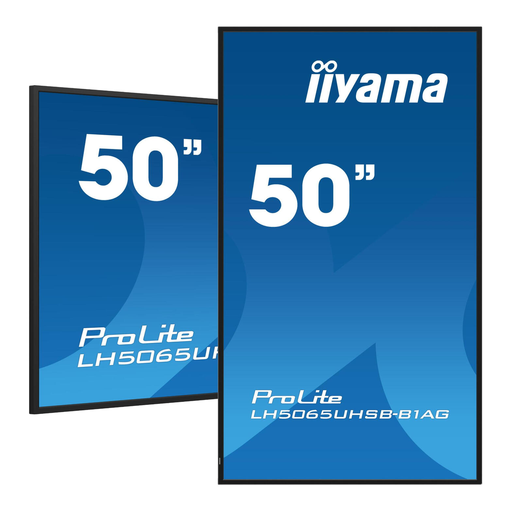
Why this display stands out: With a very high brightness of 800 cd/m?, this model is specifically designed for environments with a lot of light. The built-in Android 11 operating system provides a modern and flexible platform for direct content playback.
Advantages:
Who is this display for? Ideal for retailers with shop windows, quick-service restaurants, and other businesses where the display must compete with direct sunlight or bright lighting.
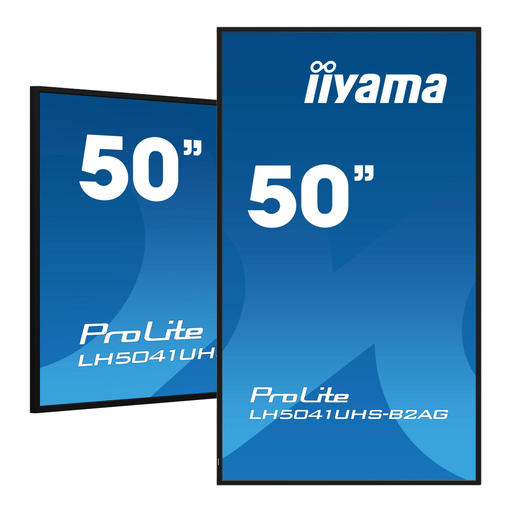
Why this display stands out: This model is a reliable all-rounder. It combines a sharp 4K resolution and 24/7 usability with a brightness level that is perfect for most indoor applications, such as offices and lobbies.
Advantages:
Who is this display for? An excellent choice for corporate communications in reception areas, as a menu board in restaurants (not in direct sunlight), or as a general business information display.
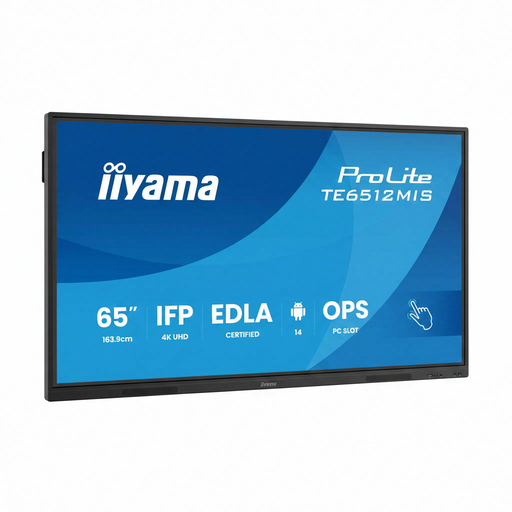
Why this display stands out: This is more than just a display; it's an interactive display. Thanks to PureTouch-IR technology, the 65-inch screen functions as a large touchscreen, encouraging collaboration and engagement.
Advantages:
Who is this display for? Perfect for meeting rooms, brainstorming sessions, classrooms, and training centers. Anywhere interaction with the displayed content is desired.
Every application is unique, and you may require a different size, higher brightness, or specific software. The models above, including the popular iiyama ProLite series, are a great starting point.
For a broader overview of professional displays, you can browse our full range.
A digital signage display is built for long-term, commercial use. This means more robust components, better cooling for 24/7 operation, higher brightness, and a warranty that covers business use. Additionally, they often have professional features like a built-in operating system and extensive connectivity options.
Content can be managed in several ways. The simplest method is via a USB stick. For more control, you can use the built-in operating system (like Android) to install content management software (CMS). This allows you to create playlists and remotely manage the content on multiple screens simultaneously over the network.
An interactive display can be very valuable in environments where engagement is key. Think of presentations where you want to make notes on the screen, educational settings where students can participate, or in a retail store where customers can browse a product catalog. It increases interaction and can significantly enhance the user experience.
