
Vandaag of morgen in huis

Kwaliteit gegarandeerd

Welkomstaanbiedingen ontgrendelen: GRATIS bezorging | Tot 80% korting | Gratis 30 dagen JoyPlus-proefperiode
Download de app
If you are considering purchasing a digital signage display, you are likely looking for a way to modernise your communications. Whether it's for a menu board in your restaurant, an advertising screen in your retail store, or a corporate information screen in your office, the options are vast. But this abundance of choice also comes with pitfalls. Many businesses make costly mistakes by falling for marketing hype or opting for a seemingly cheaper solution that proves more expensive in the long run. This guide will help you identify the right specifications and avoid a bad purchase.
Before we dive into the specifications, it's important to be aware of the most common missteps. These often lead to frustration and unnecessary costs.
Using a consumer TV as a commercial screen. The low price of a standard consumer television is tempting. However, this is a classic mistake. These TVs are designed for about 8 hours of use per day, not for the long hours in a commercial environment. The components are not rated for continuous use, causing them to overheat and fail more quickly. Furthermore, the brightness is often insufficient for a well-lit space, and the warranty is typically voided with commercial use.
Ignoring brightness and screen coating. A display might have a crystal-clear 4K resolution, but if the content is unreadable due to reflections or insufficient light output, the investment is wasted. Many standard screens have a glossy coating that is detrimental in spaces with a lot of ambient or natural light. Brightness that is too low, measured in candela per square metre (cd/m?), will cause your message to get lost in its surroundings.
To make a durable and effective choice, there are a few technical specifications you cannot overlook.
One of the most significant differences between a consumer TV and a professional display is the specification for its duty cycle. Displays designed for digital signage often have a 24/7 or 16/7 rating. This means the internal components, such as the power supply and cooling system, are built to operate continuously or for extended periods without performance degradation. A 24/7 display is a must-have for environments where the screen must run non-stop, such as in transportation hubs, reception areas, or in shop windows.
For a sharp and clear image, a 4K signage screen (3840 x 2160 pixels) is now the standard. This ensures that text and images look professional even up close. Just as important is the brightness.
Also, look for a matte or anti-glare screen coating. This significantly reduces reflections, improving readability in all lighting conditions.
A narrowcasting screen is only truly powerful if you can easily manage its content. Many professional displays run on a built-in operating system, such as Android. This allows you to install content management apps directly, without needing an external media player. This simplifies installation and maintenance. Features like FailOver, which automatically switches to another input if the main signal is lost, ensure maximum reliability.
Based on the criteria above, we have selected a few models that suit different business profiles.
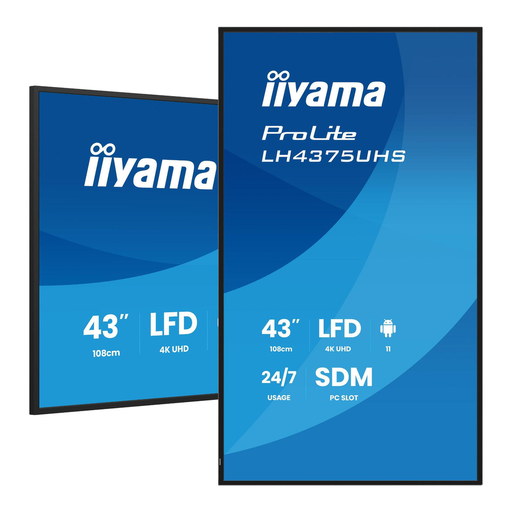
Why it's a match: Ideal for a café, boutique, or reception area. The compact 43-inch size fits into smaller spaces, while the 4K resolution and professional specifications ensure a reliable and sharp presentation of menus or promotions.
This is a true 24/7 display, not a consumer TV. It is built for continuous operation. The 500 cd/m? brightness and matte finish make it highly readable in a well-lit shop.
Runs on Android 11, allowing you to manage content directly on the screen without an external player. This saves on cost and complexity.
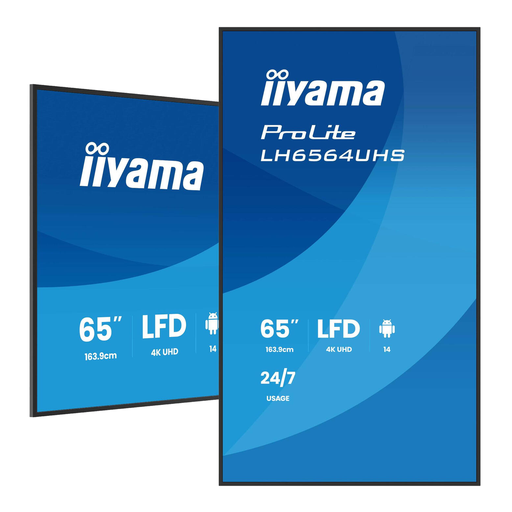
Why it's a match: Perfect for marketers in retail or corporate environments who want to make a statement. The large 65-inch screen captures attention on a busy lobby or shop floor.
The VA panel offers a high static contrast (5,000:1) for deep blacks and vibrant colours. The 500 cd/m? brightness and matte coating ensure excellent visibility, even in well-lit spaces.
Large format (165.1 cm) combined with 4K resolution and 24/7 reliability. This is a workhorse designed to impress continuously.
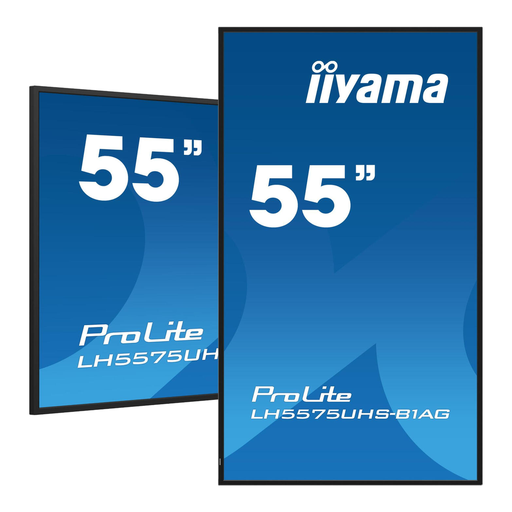
Why it's a match: For IT managers and integrators managing multiple screens. Reliability, scalability, and remote management are the keywords here.
The FailOver feature prevents a black screen by automatically switching to an available input. This is crucial for mission-critical communications and prevents downtime.
The Intel SDM slot provides a modular and future-proof way to upgrade the screen's computing power, which simplifies the management of a large network of displays.
We have curated a complete, up-to-date list of products that fully meet these strict selection criteria.
A professional display is built for long-term, continuous use (16/7 or 24/7), has higher brightness, an anti-reflection coating, and commercial warranties. A consumer TV is designed for short-term use in a home environment and lacks these crucial features for commercial success.
Professional displays are designed for a long lifespan. Many models have a rated lifespan of 50,000 hours or more. At 24/7 usage, this translates to over 5 years of continuous operation. The robust components and superior heat dissipation contribute to this durability.
Not always. Many modern screens, such as the iiyama ProLite series, run on a built-in Android operating system. This allows you to install content management apps directly onto the screen itself. For more complex networks with many screens, specialised narrowcasting software can offer additional functionality and control.
