
Vandaag of morgen in huis

Kwaliteit gegarandeerd

Welkomstaanbiedingen ontgrendelen: GRATIS bezorging | Tot 80% korting | Gratis 30 dagen JoyPlus-proefperiode
Download de app
Selecting the right professional display for your business can be a challenge. You need a reliable solution for your visual communication, but the market is flooded with technical specifications and marketing promises. This article aims to provide clarity. As a Joybuy Product Recommendation Officer, I will guide you through the specifications, enabling you to make an informed decision on a digital signage display that aligns with your business goals.
Before you make a choice, it's important to consider a few key features that distinguish a consumer TV from a professional narrowcasting display.
A professional display must be able to perform continuously. Many business displays are designed for 24/7 use, meaning they are built with components that can withstand long-term, uninterrupted operation without overheating or performance degradation. An additional, crucial feature is FailOver. This is a backup mechanism that automatically switches to a preset input (such as a USB drive with content) if the primary source fails. This ensures your information screen never goes blank, which is essential in environments like a reception area or control room.
How you manage the content on the screen is just as important as the display itself. A display with Android OS offers significant advantages. You can install content management system (CMS) applications directly onto the display, eliminating the need for an external media player. This simplifies installation and maintenance. It allows you to schedule, update, and play content remotely, which is ideal for managing an indoor advertising display across multiple locations.
The visual impact of your message heavily depends on the image quality. A 4K professional display (3840x2160 pixels) delivers razor-sharp images, making text, logos, and videos look crisp and professional. The size is equally important. A 55-inch business display is a versatile choice for meeting rooms and retail stores, while a 65-inch business display makes a greater impact in larger spaces like lobbies or auditoriums. Also, pay attention to the brightness, measured in cd/m?. For most indoor spaces, 500 cd/m? is sufficient, but a higher value may be necessary in brightly lit environments.
Based on objective specifications that align with the points above, we have selected a few popular models from the iiyama ProLite series.
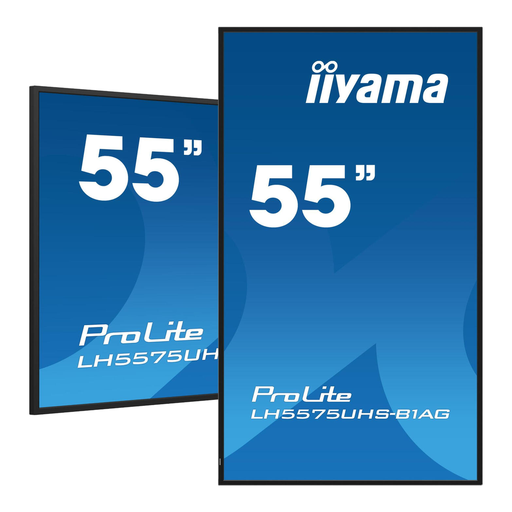
Why it stands out This model is a solid all-rounder that combines the most important professional features. With 24/7 operability, 4K resolution, and a built-in Android 11 OS, it offers a complete and reliable solution for most business applications. The addition of FailOver and an Intel SDM (Smart Display Module) slot makes it a future-proof investment.
Pros
Who is it for? This 55-inch business display is ideal for companies seeking a reliable and versatile screen for use in offices, meeting rooms, retail stores, or reception areas.
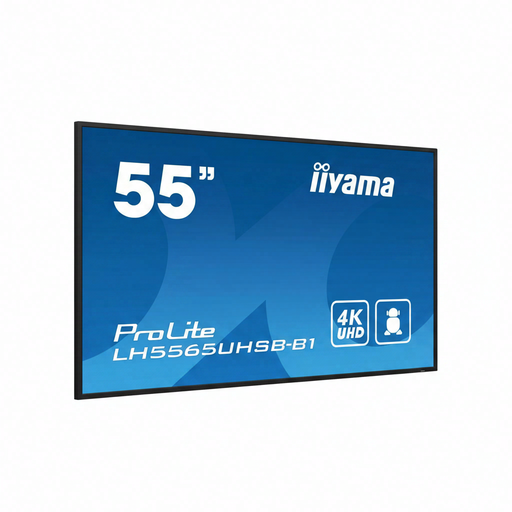
Why it stands out The key differentiator of this model is its high brightness of 800 cd/m?. This makes the screen significantly more readable in environments with high ambient light, such as shop windows or brightly lit atriums. Despite its high brightness, it retains professional 24/7 functionality and the Android OS.
Pros
Who is it for? Perfect for retailers, hospitality businesses, and organisations that need an indoor advertising display in locations with direct sunlight or bright artificial lighting, where a standard display would not suffice.
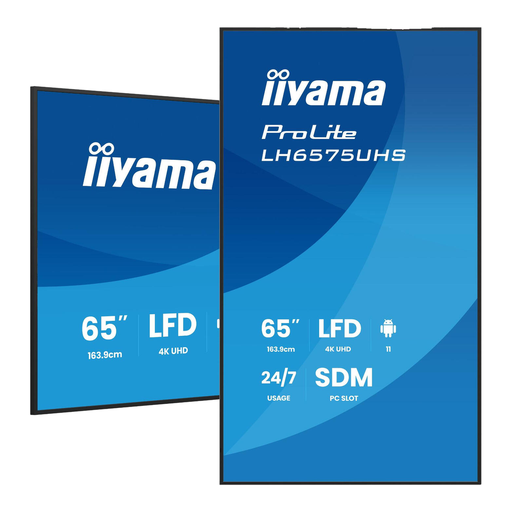
Why it stands out This model offers the same robust set of features as its 55-inch counterpart but on a larger 65-inch format. It is designed for maximum impact in larger spaces. The combination of size, 4K resolution, 24/7 reliability, and smart features like Android OS and FailOver makes it a powerful communication tool.
Pros
Who is it for? This 65-inch business display is the ideal choice for large conference rooms, auditoriums, spacious lobbies, or event venues where the message must be clearly visible from a distance.
The models above are popular choices for specific applications. Are you looking for a different size, brightness level, or specific connectivity options? More options are available.
View our full range and compare different models on the Digital LED Display category page.
A digital signage display is built for commercial use. The main differences are a longer lifespan (often rated for 24/7 use), higher brightness, more robust construction, and professional features like FailOver and the ability to be managed remotely. A consumer TV is designed for a few hours of use per day and lacks these business-oriented functionalities.
Content on a narrowcasting display is typically managed via a Content Management System (CMS). With a display with Android OS, you can install a CMS app directly on the screen. This allows you to create playlists, schedule content, and control the display on one or more screens simultaneously using a computer or even a smartphone.
A 24/7 display is designed with high-quality, heat-resistant components that allow it to be left on continuously, 24 hours a day, 7 days a week, without compromising performance or lifespan. This is a manufacturer's guarantee of reliability in demanding environments.
