
Cooking one pan of pasta
You want to set a cooking time easily and check it again when needed. Direct input of minutes and seconds may suit you.


For one pan of pasta, a simple digital countdown timer is a sensible choice. Set it according to the instructions on the packet, and look for a screen and alarm that suit your kitchen. If you’re also cooking a sauce or side dish that will be ready at a different time, choose a model with multiple timers only if it explicitly supports separate countdowns.
You want to set a cooking time easily and check it again when needed. Direct input of minutes and seconds may suit you.
You may step away from the hob while cooking, or want to see the time remaining from wherever you usually are. The screen’s position and the alarm are important to you.
You’re preparing dishes with different cooking times at once and want to know when each one is ready. Check whether the timer supports separate countdowns.
| What to consider | What should you look for? | Who is this important for? |
|---|---|---|
| Setting one pasta cooking time | Check whether you can set minutes and seconds, and whether the countdown suits the instructions on your packet. | If I usually cook one pan of pasta, I want to set the time quickly and follow the instructions on the packet. Around 36% of consumers say having one suitable pasta cooking time is their main purchasing need. |
| Seeing the display and noticing the alarm | Take a look at the display and alarm controls, and consider where you want to place or attach the timer. | If I’m not always standing next to the hob while cooking, I want to keep track of the time remaining or notice the end signal. Around 29% of consumers give visibility and the alarm their highest priority. |
| Keeping track of several cooking times | Check whether the model can run several countdowns at once and whether you can tell their signals apart. | If I’m cooking pasta and sauce that will be ready at different times, I want to be able to track each time separately. Around 21% of consumers say separate countdowns for different dishes are their main need. |
| Placement and batteries | Check the placement options, battery type and whether batteries are included. | In a small kitchen, I want to know where the timer will fit and whether I’ll need a battery straight away. Around 14% of consumers focus mainly on placement and battery requirements. |
The right cooking time depends on the pasta you choose; even an accurately set timer is no substitute for the cooking instructions.
Read the packet, then set the timer. If needed, taste the pasta towards the end of the stated cooking time.
A timer and stopwatch function doesn’t confirm that you can track separate times for pasta and sauce at the same time.
If you’re cooking several dishes, look for a model that explicitly states how many independent countdowns it can run simultaneously.
Battery requirements vary by model and may determine whether you can use the timer straight away.
Check the battery type required for the full model number and whether it’s included.
The HEMA 80841225 does not include one AAA battery. Two AAA batteries for the IKEA KLOCKIS 705.904.53 are sold separately.
The 80841225 digital magnetic kitchen timer is designed for setting one cooking time directly.
The 38.2021.01 digital timer may suit you if you want to repeat a setting or need different placement options.
The magnetic Tasty+ 121968 uses a rotating ring to set the time.
The KLOCKIS 705.904.53 combines a clock, thermometer, alarm and timer.
These Joybuy products have features that may suit cooking and keeping track of a countdown. Check whether each model’s controls, alarm and timing range fit your pasta routine.
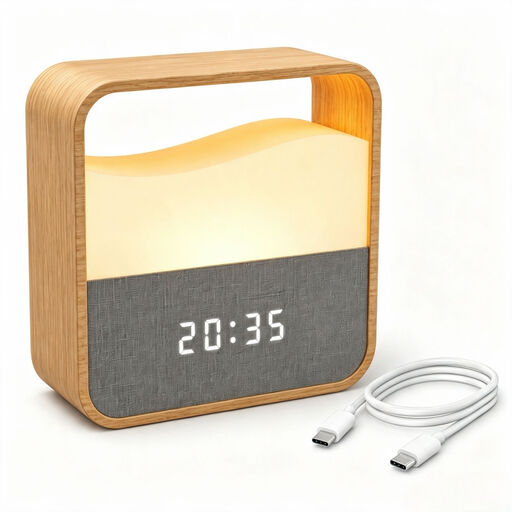 Image unavailable
The description mentions cooking as a use case and includes a countdown function. The product title identifies this device as an alarm clock, so check whether its timer controls suit your cooking routine.
The countdown runs for up to 99 minutes and 59 seconds. The device has an LCD display, an end signal and adjustable volume; placement options include a magnet, stand and hanging hook.
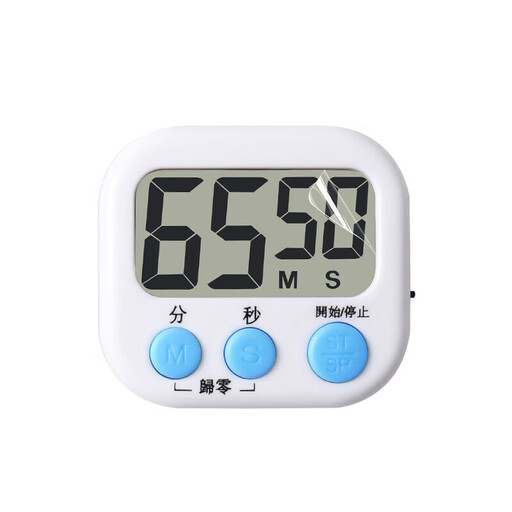 Image unavailable
The product description lists cooking as a use case and describes a compact timer for countdowns.
The description mentions a digital display, large buttons and reminders. Check whether the alarm function and controls suit the place where you cook.
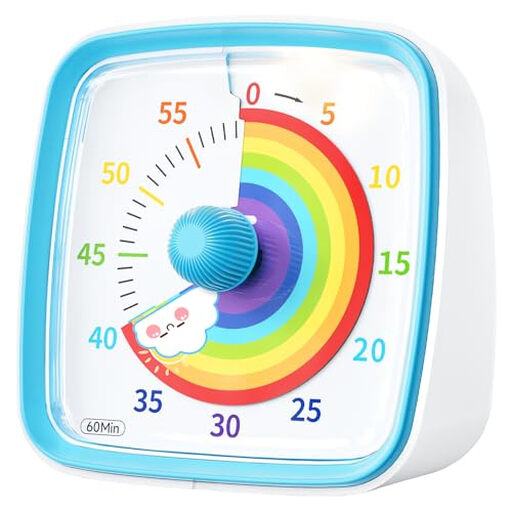 Image unavailable
The description mentions kitchen use and a visual display of the time remaining.
The countdown runs for up to 60 minutes and is silent: according to the description, there is no beep. So don’t choose this model if you need an audible end signal.
Use the cooking time on the packet of the pasta you’re preparing. For the Linguine Al Bronzo reviewed, Barilla says to add the pasta to boiling water and cook it for the time stated on the packet. This isn’t a fixed cooking time for all pasta.
They’re most useful if the dishes will be ready at different times and your chosen model supports separate countdowns running simultaneously. Check for this feature explicitly: a timer with a stopwatch function doesn’t, by itself, confirm that several countdowns can run side by side.
It varies by model. The HEMA 80841225 needs one AAA battery, which is not included; TFA Dostmann says one AAA battery is included with the 38.2021.01; Brabantia says one CR2032 battery is included with the Tasty+ 121968. Two AAA batteries for the IKEA KLOCKIS 705.904.53 are sold separately.
According to the manual, set the minutes and seconds using the MIN and SEC buttons, then start the timer with START/STOP. Press START/STOP again when the alarm sounds to stop it.
According to ACM ConsuWijzer, online purchases generally come with a statutory cooling-off period of up to 14 days after delivery, with some exceptions. A product must also work as you could reasonably expect under normal use; if it’s faulty, the seller is responsible for providing an appropriate solution.