
Woodworker with a crowded workbench
You want to examine the grain without permanently making room for a large stand. So, consider the dimensions of the complete setup and how you’ll position the device against the workpiece.


On a small workbench, a handheld microscope or smartphone clip is handy if you don’t want a permanent setup. A USB model with a stand is a better fit if you want to position the camera steadily and have room for a computer. As well as magnification, consider the field of view, working distance and how you’ll view the image. Microscopy-UK recommends 25–50× for key anatomical features of wood and highlights end grain, but this is not a performance test of the devices mentioned.
You want to examine the grain without permanently making room for a large stand. So, consider the dimensions of the complete setup and how you’ll position the device against the workpiece.
You want to examine or record the structures in different pieces of wood. The right magnification, field of view and a repeatable position can help you make your choice.
You want to view the image directly on a screen or phone. Check which viewing options the device offers and whether it’s compatible with your phone or computer.
A good fit if: you want to view wood directly without needing a dedicated computer space.
Bear in mind: keeping the camera still takes care if you want to examine the same spot each time.
A good fit if: you have a compatible phone and want a small accessory that’s easy to put away.
Bear in mind: the clip needs to fit your phone properly, and you must be able to point the camera at the wood.
A good fit if: you want to view or record the image on a computer and have room for the setup.
Bear in mind: the computer, cable and stand take up more space together than the camera head alone.
| What to consider | What to look for when buying | Who it’s for |
|---|---|---|
| Space and reach | Compare the dimensions of both the camera and the stand, and check whether you can reach the workpiece without the stand. | If my workbench is already full, I want to examine wood without having to keep a permanent space free for a large setup. Around 33% of consumers prioritise saving space. |
| Wood detail and field of view | Check the field of view, focusing and working distance at the magnification you want to use. Microscopy-UK recommends 25–50× for key anatomical features; this is not a universal minimum requirement. | If you want to distinguish a particular grain structure, it’s more useful to have a suitable image than simply a high maximum magnification. Around 27% of consumers prioritise visible wood detail. |
| Stable viewing and recording | Check whether a stand, image storage and any required software are included with the version you’re considering. | If I want to compare pieces of wood or save images, I look for a repeatable position and storage options. Around 20% of consumers choose this as their most important buying factor. |
| Display and compatibility | Check whether you need a computer, compatible phone or memory card, and whether the connection works with your equipment. | If you don’t have space for a computer, you’ll want to view the image directly on your own screen or a compatible phone. Around 20% of consumers prioritise direct viewing. |
Digital magnification figures can depend on screen size. The working distance and how much of the wood is visible at once also matter.
Compare magnification under the same viewing conditions, and check the field of view and working distance at the setting you want to use.
A stand, cable or computer may be part of the setup you need, even if the microscope itself is compact.
Measure the space required for the complete setup and check that you can position the device to reach the workpiece.
A smartphone clip needs to fit your phone. According to TOMLOV, the TOMLOV P50 requires a microSD card for video storage, and one is not included.
Check that the clip fits your phone and confirm what’s included with the exact version, including any storage accessories you’ll need.
So, you’ll need a separate microSD card to store video with the TOMLOV P50.
Offers USB handheld microscopes for computer viewing, as well as a smartphone clip.
The Handheld Digital Microscope Pro 44308 is worth considering if an adjustable stand is important to you.
The P50 is a portable digital microscope with its own screen.
The 9118500 smartphone clip is a compact option if you want to use the microscope with a compatible phone.
This pick is designed for viewing directly on a screen without needing a dedicated computer space. Check that the magnification, field of view and focusing suit the wood grain you want to examine.
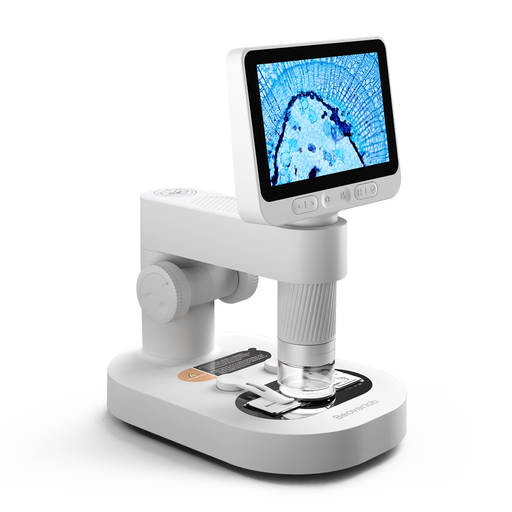 Image unavailable
The product description mentions a built-in screen and handheld use, so you can view the image on the device without setting up a computer.
The description lists 8 adjustable LED lights and a detachable stand. Check that the field of view and focusing suit your type of wood and workpiece.
Keep small accessories out of reach of children under 3 and, according to the manufacturer, only use the device under the direct supervision of an adult.
No. Choose a magnification that suits the detail you want to see, and check the field of view and working distance too. Microscopy-UK recommends 25–50× for key anatomical features of wood and highlights end grain. Digital magnification figures can also depend on screen size.
For examining anatomical features, Microscopy-UK mentions different cutting directions and highlights end grain. For a simple inspection, you can start with a clean surface that’s easy to see. Only prepare thin sections if you actually want to examine cellular features.
Check whether you need a computer, compatible phone or memory card. BRESSER lists software for Windows 10 and 11 for the DST-1028; according to TOMLOV, the TOMLOV P50 requires a microSD card for video storage, which is not included. Also check what comes with the exact version.
When you buy as a consumer in the Netherlands, your statutory guarantee applies alongside any manufacturer’s guarantee. ACM ConsuWijzer explains that, under the applicable conditions, the seller must put a faulty product right, for example by repairing or replacing it, or refunding you. What you can reasonably expect from the product is important.
No. CE marking is required in the EU when the applicable harmonised product rules call for it. The European Union’s Your Europe service explains that the specific product category and applicable rules determine this. A CE mark on its own says nothing about image quality or suitability for examining wood.