What should you look for?
First decide whether you want to demonstrate without a computer or view images on one. Then check that the stand and working distance suit your crystals.
| What to consider |
What should you check? |
Who is this important for? |
| Working space and focusing |
Check the size of your specimens, how adjustable the stand is and the working distance at the magnification you want to use. |
If I want to show uneven crystals at a fair, I need to position them securely and focus on them. Around 31% of consumers give working space and focusing top priority. |
| Viewing together |
Check the screen position, the power requirements and whether there’s room for the setup on your stall. |
If visitors need to look without a separate computer screen, the layout of the stall matters too. Around 31% of consumers prioritise viewing images directly. |
| Reflections and lighting |
Check whether the lighting is adjustable and whether the model has an adjustable polariser. Also decide whether you’ll be examining a surface or a prepared sample. |
If glare obscures details on a shiny crystal, I want to be able to adjust the lighting or reduce reflections. Around 23% of consumers give reflection control top priority. |
| Photos and software |
Check the storage options, software and supported computer. Find out whether a stated resolution is native or achieved through interpolation. |
If I want to look at images later, the computer or storage option needs to suit how I’ll use it. Around 15% of consumers prioritise documentation. |
Joybuy products
Joybuy product picks featuring digital microscopes with a screen for viewing images directly.
 No image available
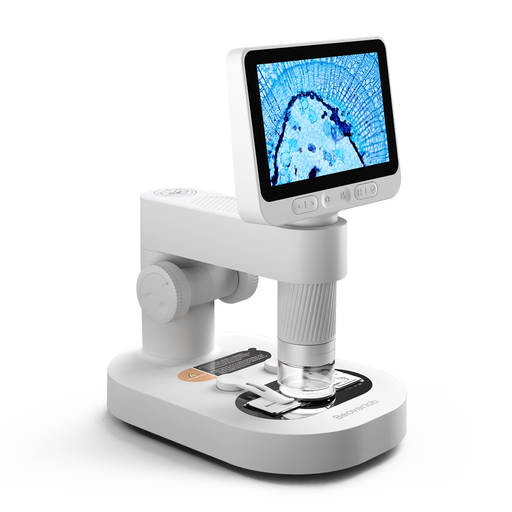
Digital microscope for children with detachable screen
A detachable screen may suit a demonstration where visitors can look too. Check that the stand and connection work with your stall setup.
The product title describes this as a microscope for children. The product information warns that small accessories pose a choking hazard for children under 3 and says an adult must supervise them at all times.
View at Joybuy
Frequently asked questions
Should I choose the highest stated magnification for rough crystals?
No. Start with the size of the specimen, the field of view you want and the working distance. Bresser lists very different working distances for the DST-1028 at 10× and 280×; Celestron notes that screen size also affects how large the magnification appears. These figures alone don’t indicate how much detail you’ll be able to see.
How do I set up a USB model for a fair?
Check that your computer and software are compatible with the exact model, and that the power supply and stand suit your setup. Bresser lists Windows 10 and 11 for the DST-1028; Dino-Lite lists software for Windows and macOS for the AM4113ZT. Before the fair, practise focusing the microscope on a crystal of a similar size.
What are my rights if I buy online or receive a faulty item?
When you buy from a business online in the Netherlands, you generally have 14 days to change your mind, although exceptions apply. According to the Dutch government, you also have a statutory warranty, with no fixed legal warranty period: if a product is faulty, the seller is your point of contact. Check the relevant seller’s terms and conditions too.
Is a CE mark required for a digital microscope in the Netherlands?
That depends on the specific model and the rules that apply to it. The Netherlands Enterprise Agency and the Netherlands Food and Consumer Product Safety Authority explain that the product group and type of device matter. Check the product information and any CE marking for the specific model; a separate inspection is not required for every consumer product.
Can a polarising filter on a handheld microscope identify minerals?
Don’t assume that a mineral can be identified just because the microscope has a reflection-reducing filter. Dino-Lite says the adjustable polariser on the AM4113ZT is designed to reduce reflections from shiny surfaces. For examining prepared minerals, Keyence describes a different method using a petrographic microscope.


