
If you want to cook pasta quickly
After an evening class, you want to set a single cooking time without any fuss and taste the pasta towards the end.


For one pan of pasta after an evening class, a digital countdown timer that’s easy to set is usually the most practical choice. A model with multiple timers is a better fit if you’re cooking sauce or a side dish at the same time. Follow the cooking time on the packet and, to be on the safe side, taste the pasta a minute early, as the Netherlands Nutrition Centre advises. Also consider where you want to see the timer and whether you’ll be able to hear its alarm from wherever you usually are.
After an evening class, you want to set a single cooking time without any fuss and taste the pasta towards the end.
If you’re tidying up or making the sauce while the pasta cooks, check whether you’ll be able to hear the alarm from where you are.
You want to keep track of the pasta, sauce and possibly a side dish, each with its own finish time.
Start with a simple countdown timer if you usually only time pasta; choose several independent timers if different pans need your attention at the same time. Always follow the cooking time on the packet.
| What to consider | What to look for | Who it matters to |
|---|---|---|
| Setting a single time quickly | Check that minutes and seconds are easy to set. Follow the cooking time on the packet and, if you like, taste the pasta a minute early, as the Netherlands Nutrition Centre advises. | After an evening class, I want to set a single cooking time for pasta quickly, without having to scroll through extra features. Around 33% of consumers prioritise being able to set one cooking time. |
| Hearing the alarm | Check whether the alarm can be adjusted and whether you’ll be able to hear it from where you’ll be working. | If I’m making the sauce or tidying up in the meantime, I want to know when the cooking time is up. Around 27% of consumers prioritise being able to hear or notice the alarm. |
| Display and placement | Check whether the display is easy to read from where you usually are and whether a magnet or stand will work there. | I want to be able to see the time while cooking without having to keep walking over to the pan. Around 20% of consumers prioritise visibility and placement over other needs. |
| Multiple timers | Look for separate countdowns that can run at the same time; a stopwatch alongside a single timer isn’t the same thing. | If the pasta and side dishes have different finish times, I want to be able to keep track of each pan separately. Around 13% of consumers prioritise multiple independent timers. |
| Battery and running costs | Check which type of battery is required and whether it’s included with the version you’ve chosen. | For a simple kitchen timer, I want to know in advance whether I’ll need to buy a battery as well. Around 7% of consumers focus mainly on battery requirements and purchase costs. |
Cooking time depends on the instructions on the packet and how firm you like your pasta. An alarm can’t tell you whether it’s cooked to your liking.
Set the cooking time shown on the packet and, to be on the safe side, taste the pasta a minute early, as the Netherlands Nutrition Centre advises.
A magnetic back only helps if there’s a suitable metal surface where you want to place the timer. A stand is a better option if you want to put it on the worktop.
Decide in advance where you want to be able to see or hear the timer while cooking.
Whether a battery is included varies by version. The Dutch government explains that there’s no fixed statutory two-year guarantee period in the Netherlands; if a product is faulty, the seller is your point of contact.
Check the battery requirements for the version you’ve chosen and contact the seller if the product is faulty.
According to TFA Dostmann, model 38.2013.01 combines a digital timer with a stopwatch.
According to Orthex, the 6669-1 digital kitchen timer can count down or up and can be attached magnetically or placed on a stand.
According to OXO, the Triple Timer is designed to keep track of three separate cooking times.
This selection is suited to timing a single cooking time for pasta, with a timer that also fits the way you use its display and alarm while cooking.
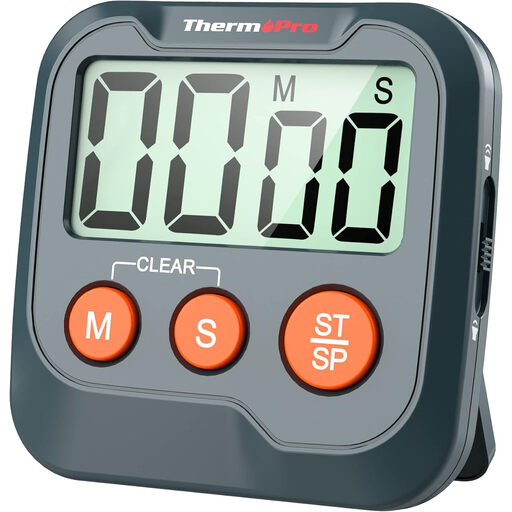 No image available
Ideal if you want to count down a single cooking time and adjust the volume.
The product description lists a countdown of up to 99 min 59 sec, a large LCD screen, adjustable volume and three placement options.
Follow the cooking time on the packet once the pasta is in the boiling water. The Netherlands Nutrition Centre advises tasting it a minute early to be on the safe side; the timer doesn’t replace checking it yourself.
No, a magnet only works on a suitable metal surface. If you want to put the timer on the worktop, check whether the model has a stand.
First, check that the correct battery is fitted and in place properly. If the product is still faulty, contact the seller; the Dutch government explains that there’s no fixed statutory two-year guarantee period in the Netherlands.
According to the Dutch government, when you buy online from a business, you’ll often have a 14-day cooling-off period. Check the seller’s information for the details of your specific order.
Don’t put a used battery in your general waste; take it to a collection point instead. For unwanted battery-powered devices, the Dutch government lists collection points and, for individuals buying a similar new device, a take-back scheme.