
Home cook with one roast
You want to set the resting time quickly and know when it’s ready to carve. A separate countdown timer with straightforward controls is well suited to the job.


For resting time alone, a simple countdown timer is suitable, as long as you can see the display or hear the alarm. If you’re also preparing side dishes, a timer with separate time settings may be easier to manage; in a quiet or busy kitchen, consider the type of alert. A kitchen timer doesn’t measure whether food is cooked through and is no substitute for handling cooked meat safely.
You want to set the resting time quickly and know when it’s ready to carve. A separate countdown timer with straightforward controls is well suited to the job.
You’re letting the roast rest while the side dishes follow their own schedules. Separate timers help you keep track of each one.
Choose an alert you can hear or see in your kitchen. Before buying, check which alert settings the exact model offers.
First decide whether you want to time one resting period or keep track of several dishes at once. Then check that the controls, alert and battery requirements suit your kitchen.
| What to consider | What should you check? | Who might prioritise this? |
|---|---|---|
| Timing one resting period | Check the countdown function, maximum setting time, display size and controls on the exact model. | If I only want to time the resting period, I’m looking for a timer that’s quick to set and easy to read while cooking. Around 40% of consumers prioritise keeping track of a single resting period easily. |
| Timing several dishes | Check whether it can track different times simultaneously and how you can tell which timer is going off. | When the roast and side dishes are due at different times, I want to be able to track each one separately. Around 30% of consumers prioritise timing several dishes at once. |
| An alert you can notice | Compare the sound settings or check that a visual alert will be visible from where you’re working. | If I need to notice the alarm from my place in the kitchen, I look for a sound or a visible light signal. Around 20% of consumers prioritise an alert they can notice. |
| Battery and getting started | Check the battery type and whether a battery is included with the exact model. | If I want to use the timer straight away, I want to know in advance which battery it takes and whether one is included. Around 10% of consumers prioritise practical battery and ease-of-use features. |
A time alert doesn’t check whether meat is cooked through. A timer only keeps track of the time you set.
For temperature checks, choose a product whose measurement function and suitable food probe are clearly specified for the exact model.
If you also want to check the internal temperature, you’ll need a separate thermometer with a suitable probe.
Whether a sound or light alert is useful depends on where you’re working and where the timer is placed.
Check the alert settings on the exact model. If it has a quiet LED alert, place it somewhere you can see the display.
Battery types and what’s included vary by model. For example, Brabantia lists a CR2032 for the Tasty+ version, while TFA specifies an AAA for the 38.2054, which isn’t included.
Before buying, check the full model number, battery type and what’s in the box.
The Tasty+ magnetic digital kitchen timer is designed for anyone who wants to set a single resting period using a rotary ring.
The 38.2054 is designed with large digits and two volume settings; the separate 38.2051 also has a quiet LED alert.
The Triple Timer is designed to time a roast and other dishes separately.
The 00002954 digital kitchen timer combines a countdown, stopwatch function and magnetic placement.
According to the manufacturer, the Orthex/GastroMax digital kitchen timer, article 6669-1, counts up and down and has a stand and a magnet.
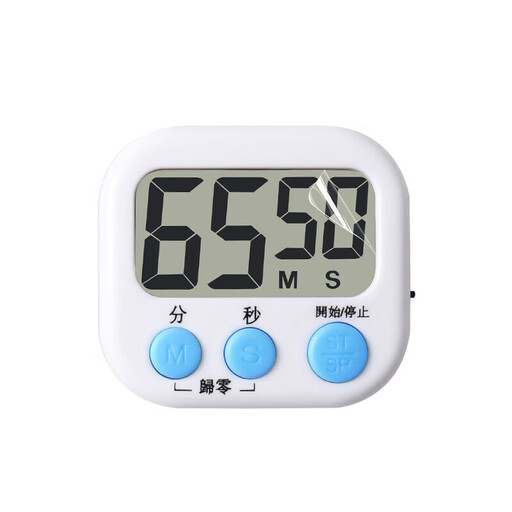
This product selection focuses on digital timers for keeping track of one resting period while cooking.
 No image available
An option for keeping track of one resting period while cooking. For the exact product, check how to set the countdown and whether the alert and display suit the place where you’ll use the timer.
Set the desired resting time as soon as you take the roast off the heat, and place the timer somewhere you’ll notice the alert. A time alert doesn’t prove that meat is cooked through or safe to eat; the Netherlands Nutrition Centre treats safe cooking as separate from keeping track of time.
Not with a countdown function alone. Orthex describes the GastroMax 6669-1 as a kitchen timer; if you want to measure temperature, check that your chosen product actually has a suitable food probe.
The Netherlands Nutrition Centre advises cooling leftovers within two hours, storing them covered at 4 °C and eating them within two days of putting them in the fridge. This is food safety advice, not a function of the kitchen timer.
According to the Dutch Government, you’re entitled to a product that works properly in the Netherlands, and you can contact the seller if there’s a fault. The Netherlands has no fixed statutory warranty period; a manufacturer's warranty is in addition to your legal rights.
The Dutch Government says used batteries must not go in general waste and can be handed in at places including shops that sell batteries. For a discarded appliance that runs on mains electricity or batteries, the Dutch Government lists collection points and, when a private individual buys a similar new appliance, the one-for-one take-back scheme.