
Quick one-pan cook
You want to set a short time in minutes and seconds as soon as you get home from class, then cool the vegetables straight away.


If you blanch one portion at a time, choose a kitchen timer that lets you set minutes and seconds quickly and has an alarm you’ll notice wherever you are in the kitchen. For several dishes at once, you’ll need separate timers. If you want a quiet evening, check specifically whether the model has a visual alert or an alarm you can switch off. A timer won’t tell you the right blanching time: according to Voedingscentrum, this depends on the vegetable, the size of the pieces and how tender you want them.
You want to set a short time in minutes and seconds as soon as you get home from class, then cool the vegetables straight away.
You want to see or hear when the time is up in a way that suits your evening kitchen; a switchable tone or visual alert could be important.
You’re blanching vegetables while another part of the meal needs its own timer. Bear in mind that saved times don’t necessarily mean you can run several timers at once.
Voedingscentrum generally recommends blanching for 1–3 minutes, depending on the type of fruit or vegetable, the size of the pieces and how tender you want them. So choose controls and an alarm that suit your kitchen, but set the time according to the vegetable.
| What to consider | What to look for | Who is this important for? |
|---|---|---|
| Setting a short time | Compare minute and second buttons with a rotary dial; check how to start and reset the exact model. | If I’m blanching one portion after class, I want to enter a short time straight away. Around 40% of consumers give quick setting their top priority. |
| An alarm that suits you | Check whether the alarm is audible, adjustable or switchable, and whether you can see a visual alert. | In a quiet evening kitchen, I want to notice when the time is up without more noise than I’m comfortable with. Around 30% of consumers prioritise an alarm that suits them. |
| Several cooking tasks | Check whether the model can genuinely run several countdowns at once and how you can tell the alarms apart. | If I’m using several pans with different finishing times, I want to keep track of each task separately. Around 20% of consumers say simultaneous cooking tasks are their main consideration. |
| Battery and placement | Check the battery type, whether a battery is included and whether the timer can be placed somewhere suitable and easy to see. | Before buying, I want to know whether I need to buy a battery separately and where the timer will fit in my kitchen. Around 10% of consumers prioritise purchase and maintenance. |
A model that saves times can be handy for reusing settings, but that doesn’t automatically mean it can run several countdowns at once.
Check the information for the exact model to see whether simultaneous countdowns are explicitly mentioned.
According to Voedingscentrum, blanching time varies depending on the vegetable, the size of the pieces and how tender you want them. Cooling the vegetables quickly after blanching helps stop the cooking process.
Choose a time that suits the vegetable and have the iced water ready before the timer goes off.
The battery required and the alarm features available vary by model; with some timers, you’ll need to provide the battery yourself.
Before buying, check the battery type, what’s included in the box and the alarm settings of the version you’ve chosen.
The 80841225 digital magnetic kitchen timer has separate minute and second buttons.
Brabantia describes the Tasty+ Dark Grey as a timer with a digital display, rotary dial and magnet.
The 99HOURS 38.2049.02 is designed for anyone looking for saved times and a switchable tone with an LED alert.
OXO describes the Triple Timer as a timer for three separate tasks at once.
IKEA says the KLOCKIS 705.904.53 combines a clock, thermometer, alarm and timer.
This selection focuses on digital timers for short cooking tasks, including models with visual or silent alerts and adjustable countdowns.
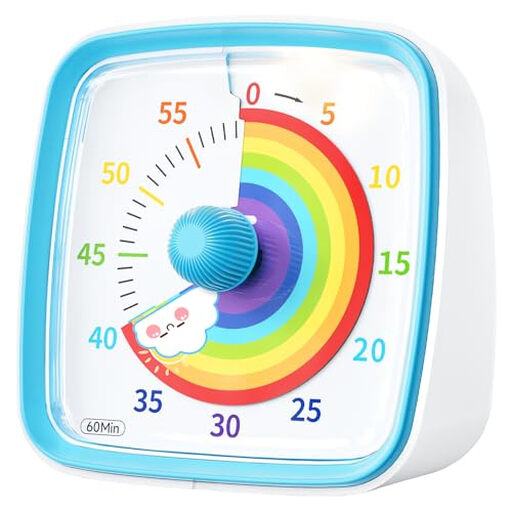 No image available
A good option if you’d rather follow the countdown in silence and want a visual timer in your kitchen.
The product name lists a 60-minute countdown, a night light and a silent function.
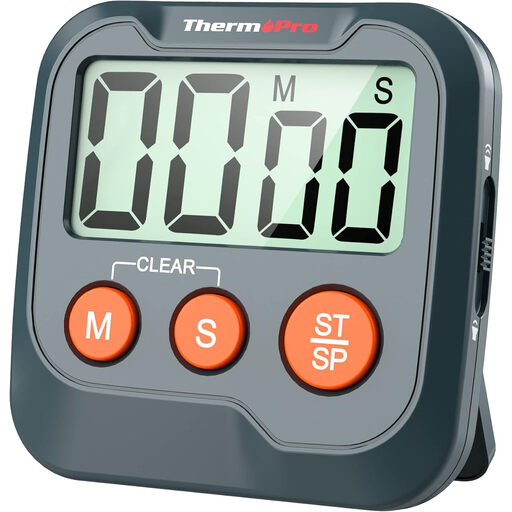 No image available
A good option if you want a stopwatch as well as a countdown, and want to place or attach the timer in different spots around the kitchen.
The product name lists a range of up to 99 min 59 sec and adjustable volume. The description mentions a magnet, stand and hanging option.
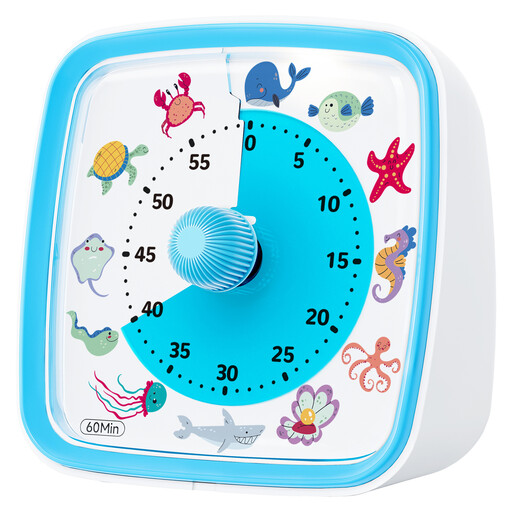 No image available
A good option if you’re looking for a visual countdown for short cooking tasks and silent operation is important to you.
The product name lists a 60-minute countdown and silent operation.
Start the timer as soon as the vegetables go into the boiling water, then cool them straight away in iced water once they’re blanched. Voedingscentrum generally recommends 1–3 minutes, but the right time depends on the vegetable, the size of the pieces and how tender you want them.
According to the instructions, first insert an AAA/LR03 battery with the correct polarity; it isn’t included. Set the minutes and seconds using the separate buttons, then start the countdown.
No, three saved times don’t automatically mean you can run three countdowns at once. TFA lists three memory times for the 99HOURS 38.2049.02, while OXO describes the Triple Timer as having three separate timers. If you’re buying in the Netherlands, check the exact version.
According to the Dutch government, you’re entitled to a product that works properly, and the seller is your point of contact if there’s a fault. The Netherlands has no fixed statutory guarantee period; a manufacturer's warranty, such as the five years Brabantia lists for the Tasty+ mentioned here, is in addition to your statutory rights.
According to the Dutch government, flat batteries shouldn’t go in the bin; take them to a collection point, such as a shop that sells batteries. You can take a battery-powered device you no longer want to a suitable collection point or your local council recycling centre.