
Console player on the sofa
Wants to check that the controller works with their Xbox, PlayStation or Switch and their detective game. Extra features come later.


The right controller for a detective adventure in a dark room must first and foremost be compatible with your console or PC; lighting won’t make an unsupported controller usable. Next, compare button visibility, grip, power and room for a cable. Choose lighting or haptic feedback only if the game supports those features and you won’t find them distracting.
Wants to check that the controller works with their Xbox, PlayStation or Switch and their detective game. Extra features come later.
Wants to find the buttons without the lighting spoiling the atmosphere. PowerA describes the Lumectra controller for Switch 2 as having adjustable RGB lighting.
Wants a suitable connection and controls, and to know how the controller is charged or powered by batteries. Also check whether the game supports controller input.
First check that the game supports the controller, then weigh up lighting, grip, power and extra features.
| What to consider | What should you check? | Who should pay particular attention? |
|---|---|---|
| Platform and game | Check the exact console or PC version, connection and controller support for your game. | When I play on the sofa, I want to know first whether both my device and the detective game support the controller; around 29% of consumers make compatibility their top priority. |
| Seeing the buttons in the dark | Check whether the lighting can be adjusted on the exact model and whether you find it comfortable while playing. | In a dark room, I want to be able to identify the buttons without the light spoiling the atmosphere; around 23% of consumers prioritise visibility and adjustable lighting. |
| Grip and layout | Compare the position of the sticks, directional pad and shoulder buttons; try the grip if possible. | During long gaming sessions, I want the grip and button layout to feel familiar; around 18% of consumers make comfortable controls their top priority. |
| Connection and power | Check the connection method, what’s included in the box and the stated battery life for the relevant use mode. If you’re using a cable, consider how it will run to your seat. | When I play on the sofa, I want to know whether wireless play, charging or a cable will work with my seating setup; around 18% of consumers prioritise connection and power. |
| Vibration and extra features | Check which features each game supports. Sony says a USB connection is required for DualSense haptics on PC. | I look for vibration or adaptive triggers when my detective game supports them, not just because the controller has them; around 12% of consumers make these game-dependent features their top priority. |
A controller may connect to a PC even if the game doesn’t support its controls or extra features. Sony says DualSense features can vary from game to game; USB is required for haptic feedback on PC.
Before buying, check the exact game, controller model and connection method.
The wired PowerA Lumectra for Switch 2 has adjustable RGB lighting, but PowerA says this model doesn’t support HD Rumble, motion controls or amiibo NFC. It also won’t work with games that require Joy-Con controllers.
Decide whether lighting or the features used by your detective game matter more to you.
The Nintendo Switch Pro Controller and the Switch 2 Pro Controller are separate models. Nintendo says the Switch 2 Pro Controller is designed exclusively for Switch 2.
Check the full model name and your console version.
What’s included in an Xbox bundle can vary. Battery life also depends on use and conditions; Nintendo describes its stated battery life as an estimate.
Check what’s included in the box and treat the stated battery life as a guide, not a guaranteed session length.
An option for Xbox and supported Windows PC games if you’re after a traditional button layout.
DualSense is designed for PS5; on PC, whether its features work depends on the game and connection method.
The original Switch Pro Controller and the Switch 2 Pro Controller are designed for different consoles.
The Ultimate 2C Wireless is an option for PC players looking for extra assignable buttons and a 2.4GHz connection.
The Advantage Wired Controller with Lumectra is designed for a docked Switch 2.
This Joybuy selection includes controllers for Switch, PS5, Xbox and PC, including models with lighting. Check whether each game supports controller input and the extra features you want.
 Image unavailable
Suitable for Switch games with controller support if you’re looking for controls that are easy to see in the dark.
The product name lists Bluetooth, 7-colour LED lighting and vibration feedback; the product description mentions a gyroscope and non-slip grip.
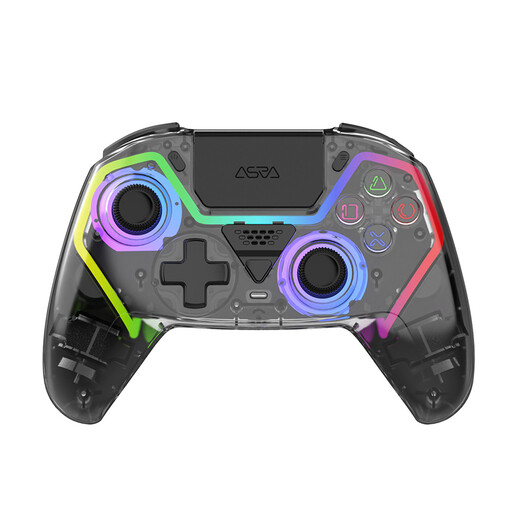 Image unavailable
An option for PS5 games with controller support if you’re looking for RGB lighting and programmable buttons.
The product description lists Hall Effect sticks, programmable buttons, RGB lighting and vibration motors. The product name specifies a 1000 mAh battery.
 Image unavailable
Suitable for Switch or PC games with controller support if you’re looking for a controller with vibration feedback.
The product name lists dual vibration feedback and a gyroscope. The product description mentions a textured, non-slip grip.
 Image unavailable
An option for PS5 games with controller support; check which extra features work with each game.
The product description lists haptic feedback, adaptive triggers, a wireless connection and a rechargeable battery via USB-C.
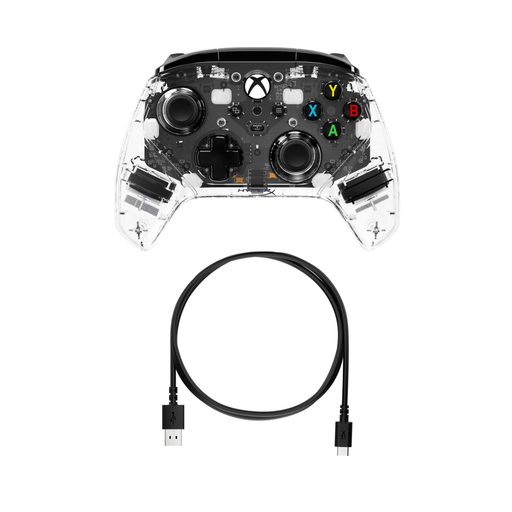 Image unavailable
A wired option for supported Xbox and PC games if you’re looking for lighting and extra buttons.
The product description lists adjustable RGB lighting, customisable rear buttons, force feedback and a headset jack. Bear the cable run in mind while playing.
No. Connecting a controller to your PC doesn’t prove that the game supports controller input. Check the information for the specific game and see which extra features it supports too.
According to Sony, haptic feedback on PC requires game support and a USB connection. Also check that the game and the features you want work with your controller.
No. The PowerA Advantage Wired Controller with Lumectra is wired and, according to PowerA, is designed for use with a docked Switch 2. Bear in mind how the cable will run to your seat.
First, check what’s included in the box. Microsoft says that, for certain wireless Xbox controllers bought from December 2025 onwards without AA batteries, you may be able to request a rechargeable battery and USB-C cable after registering; this doesn’t automatically apply to every unit.
According to the Dutch government, when you buy a product you’re entitled to a legal guarantee that it’s of satisfactory quality. For many consumer purchases made at a distance, you have a 14-day cooling-off period; whether this applies depends on the purchase, so check the seller’s information.